
Windows 7 802.1X 認證說明 - 輔仁大學
3 / 3 2. 此時會出現以下畫面,請輸入ldap 帳號及密 碼,按『ok』 3. 點選右下角無線網路圖示,確認fju-802.1x 已經
Download Windows 7 802.1X 認證說明 - 輔仁大學

Information
Domain:
Source:
Link to this page:
Documents from same domain

Windows 10 802.1X 認證說明 - net.fju.edu.tw
www.net.fju.edu.tw1 / 3 Windows 10 802.1X 認證說明 壹、 安裝GTC 程式 1. 請先用網頁認證方式上網,然後按照您的作業系 統至以下網址下載GTC 安裝軟體:
Related documents
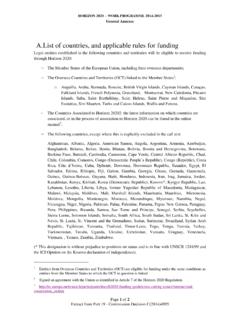
A.List of countries, and applicable rules for funding
ec.europa.euHORIZON 2020 – WORK PROGRAMME 2014-2015 General Annexes Part 18 - Page 2 of 2 Extract from Part 19 - Commission Decision C(2014)4995 International European interest organisations4 will also be eligible to receive funding from Horizon 2020.

Aruba Networks Product Overview - Aistel
www.aistel.comCONFIDENTIAL © Copyright 2007. Aruba Networks, Inc. All rights reserved Capacity Up to 512 Access Points / 4,096 Users Supervisor Card I – 48 APs or 128 APs

Aruba 5400R zl2 Switch Series data sheet - andovercg.com
www.andovercg.comData sheet Key features • High performance advanced Layer 3 modular switch with VSF stacking, low latency and resiliency. • HPE Smart Rate for high-speed multi-gigabit bandwidth and PoE+ power.
TACACS+ Advantages comp - TACACS.net | Free TACACS+ …
www.tacacs.netThe Advantages of TACACS+ for Administrator Authentication Centrally manage and secure your network devices with one easy to deploy solution. IT departments are responsible for managing many routers, switches, firewalls, and access points

COMMUNITY COLLEGE OF ALLEGHENY COUNTY - ccac.edu
ccac.educommunity college of allegheny county purchasing department 800 allegheny avenue, pittsburgh, pa 15233 addendum 2 request for proposal 3104 - network access control solution
DATA SHEET ARUBA 2540 SWITCH SERIES - arubanetworks.com
www.arubanetworks.comDATA SHEET PRODUCT OVERVIEW Designed for the digital workplace, the Aruba 2540 Switch Series is optimized for mobile users. With advanced security
DATA SHEET ARUBA 3810 SWITCH SERIES
www.arubanetworks.comDATA SHEET PRODUCT OVERVIEW The Aruba 3810 Switch Series is an industry-leading mobile campus access solution for enterprises, SMBs, and branch