
WIRELESS ACCESS POINT SOFTWARE MANUAL
1 - About this Manual. This manual details setup and use of the built-in web interface software menus for all Araknis Wireless Access Points. 1.1 - Understanding Model Differences and Images. You may notice minor differences between the images and call-outs in the manual versus what you see in your interface.
Download WIRELESS ACCESS POINT SOFTWARE MANUAL

Information
Domain:
Source:
Link to this page:
Documents from same domain

KEY FEATURES - Welcome to SnapAV
www.snapav.comKEY FEATURES Surge Protection with Fireproof MOVs – Advanced Ceramic MOV technology reduces risk of fire from surges. IP Control – Provides control of all outlets over an IP network. Turn outlets on and off through a web browser.

OWNER’S MANUAL >> Binary™ 2CAT Extender
www.snapav.comOWNER’S MANUAL >> Binary™ 2CAT Extender WELCOME TO THE BINARY™ BRAND OF PRODUCTS This product is engineered to provide years of exceptional reliability. Binary™ ... Cat 5e/ Cat 6 Cables TRANSMITTER RECEIVER. INSTALLATION 1. Test all associated equipment and cables in the system for proper operation.

310 SERIES MULTI-WAN GIGABIT VPN ROUTERS Quick Start …
www.snapav.com310 SERIES MULTI-WAN GIGABIT VPN ROUTERS Quick Start Guide AN-310-RT-4L2W
Web Interface Quick Start Guide - SnapAV
www.snapav.com510 Series NVR uick Start Guide Optional: Prep for Plugin-Free Browsers With the update to firmware v3.4.95 build 191127, Chrome, Safari, and Microsoft Edge can view your system remotely. Port forwarding setup allows you to access the NVR from the internet for remote viewing and other operations.

MX-450 Easy Programming Guide - SnapAV
www.snapav.coma single LCD button, like all of the commands necessary to watch TV. Once programmed, a single button press will execute all of the commands to complete the activity. A. From the Advanced Setup screen use the 5-way cursor to select Macros. B. Select whether you would like to Setup a New Macro or Test/Edit Existing Macro. What’s an ACTIVITY?

Nest Thermostat E Pro Installation & Configuration Guide
www.snapav.comGeneral Information N e s t T h e r m o s t a t E I n s t a l l a t i o n F e a t u r e s No jumper wires needed T h e N e s t T h e r m o s t a t d o e s n o t u s e ...
310 SERIES LAYER 2 MANAGED NETWORK SWITCHES …
www.snapav.comThe user must use the class I optical transceivers which conform to U.S. code of federal regulation, 21 CFR 1040. This equipment is only to be connected to PoE networks without routing to outside plants.
110 SERIES UNMANAGED+ NETWORK SWITCHES Quick …
www.snapav.comFactory Reset – Press and hold the RESET button for 10-15 seconds until the status LEDs flash once. The switch will power cycle and be reset to factory default settings. Pro Tip: Rebooting the Switch 1 3 5 7 1 Gbps Link/Act RESET 2 4 6 8 AN-110-SW-R-8 AN-110-SW-F-8
Related documents

N150 Wireless Router Setup Manual - Netgear
www.downloads.netgear.comJuly 2010 208-10679-01 v1.0 NETGEAR, Inc. 350 E. Plumeria Drive San Jose, CA 95134 USA N150 Wireless Router Setup Manual
Wireless Router Setup Manual - Netgear
www.downloads.netgear.comWireless Router Setup Manual Connecting the Router to the Internet 1-5 v1.0, 2006-04 Manual Setup There are two steps to setting up your wireless router: 1. Connect the router to the ADSL or cable modem, and connect a computer to the router. 2. Configure the router to use your Internet service. To Connect Your Wireless Router 1.

Wireless-N Range Extender User Manual
www.o2.czThis manual provides information related to the installation and operation of this Wireless-N Range Extender. The individual reading this manual is presumed to have a basic understanding of home networking terminology and concepts. If you find the product to be inoperable or malfunctioning, please contact technical

High-Power Wireless AC600 Outdoor Access Point User …
content.etilize.comA wireless access point (AP) is a device that allows wireless devices to connect to a wired network using Wi‐Fi. In this mode, the device acts as a simple network switch connecting wireless and wired network clients. Click on AP to open up the wireless network screen.
Zeppelin Wireless Manual - Bowers & Wilkins
www.bowerswilkins.comsetup, wired network setup, and section 3.4 for non-network setup. After removing Zeppelin Wireless from the box, connect to a mains power supply. The indicator will initially pulse red and then pulse green to indicate that Zeppelin Wireless is ready for any of the setup options below, see Diagram 2. Note: When ready for setup, the indicator ...
USB-Link™ Installation and Setup Manual - NEXIQ
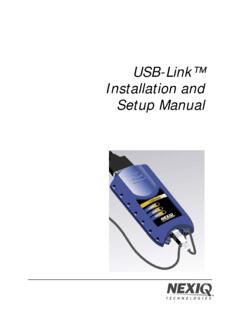
www.nexiq.comDec 20, 2011 · USB-Link™ Installation and Setup Manual 5 Communication Options: Wireless or Wired? Prior to using the USB-Link™, you need to decide how you want the unit to communicate with your PC. There are two options: • Wireless connection to the PC using Buletooth® (pg. 5) • Wired connection to the PC using a USB cable (pg. 7) Wireless Connection
USB-Link™ 2 Installation and Setup Manual - NEXIQ
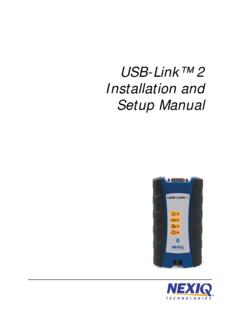
www.nexiq.comOct 20, 2014 · USB-Link™ 2 Installation and Setup Manual 5 Communication Options: Wired vs Wireless Prior to using the USB-Link™ 2, you need to decide how you want the unit to com -

Jib Wireless Setup & Bluetooth Pairing Instruction ...
www.skullcandy.comJib Wireless Instructions, Jib Wireless Setup, Jib Wireless Bluetooth Pairing Created Date: 6/22/2017 12:37:32 PM ...

Uproar Wireless Setup & Bluetooth Pairing Instruction ...
www.skullcandy.comView the quick setup instructions to learn basic functions of your Uproar Wireless. Find important diagrams or bluetooth pairing details for your headphone. Keywords: Uproar Wireless Instruction, Uproar Wireless Setup, Uproar Wireless Bluetooth Pairing Created Date: 6/22/2017 1:03:08 PM