
WIRELESS ACCESS POINT SOFTWARE MANUAL
Software Manual. About this Manual-Return to Table of Contents-© 2017 Araknis Networks ® 5. 1 - About this Manual. This manual details setup and use of the built-in web interface software menus for all Araknis Wireless Access Points. 1.1 - Understanding Model Differences and Images
Download WIRELESS ACCESS POINT SOFTWARE MANUAL

Information
Domain:
Source:
Link to this page:
Documents from same domain

KEY FEATURES - Welcome to SnapAV
www.snapav.comKEY FEATURES Surge Protection with Fireproof MOVs – Advanced Ceramic MOV technology reduces risk of fire from surges. IP Control – Provides control of all outlets over an IP network. Turn outlets on and off through a web browser.

OWNER’S MANUAL >> Binary™ 2CAT Extender
www.snapav.comOWNER’S MANUAL >> Binary™ 2CAT Extender WELCOME TO THE BINARY™ BRAND OF PRODUCTS This product is engineered to provide years of exceptional reliability. Binary™ ... Cat 5e/ Cat 6 Cables TRANSMITTER RECEIVER. INSTALLATION 1. Test all associated equipment and cables in the system for proper operation.

310 SERIES MULTI-WAN GIGABIT VPN ROUTERS Quick Start …
www.snapav.com310 SERIES MULTI-WAN GIGABIT VPN ROUTERS Quick Start Guide AN-310-RT-4L2W
Web Interface Quick Start Guide - SnapAV
www.snapav.com510 Series NVR uick Start Guide Optional: Prep for Plugin-Free Browsers With the update to firmware v3.4.95 build 191127, Chrome, Safari, and Microsoft Edge can view your system remotely. Port forwarding setup allows you to access the NVR from the internet for remote viewing and other operations.

MX-450 Easy Programming Guide - SnapAV
www.snapav.coma single LCD button, like all of the commands necessary to watch TV. Once programmed, a single button press will execute all of the commands to complete the activity. A. From the Advanced Setup screen use the 5-way cursor to select Macros. B. Select whether you would like to Setup a New Macro or Test/Edit Existing Macro. What’s an ACTIVITY?

Nest Thermostat E Pro Installation & Configuration Guide
www.snapav.comGeneral Information N e s t T h e r m o s t a t E I n s t a l l a t i o n F e a t u r e s No jumper wires needed T h e N e s t T h e r m o s t a t d o e s n o t u s e ...
310 SERIES LAYER 2 MANAGED NETWORK SWITCHES …
www.snapav.comThe user must use the class I optical transceivers which conform to U.S. code of federal regulation, 21 CFR 1040. This equipment is only to be connected to PoE networks without routing to outside plants.
110 SERIES UNMANAGED+ NETWORK SWITCHES Quick …
www.snapav.comFactory Reset – Press and hold the RESET button for 10-15 seconds until the status LEDs flash once. The switch will power cycle and be reset to factory default settings. Pro Tip: Rebooting the Switch 1 3 5 7 1 Gbps Link/Act RESET 2 4 6 8 AN-110-SW-R-8 AN-110-SW-F-8
Related documents

ELECTRONIC FEDERAL TAX PAYMENT SYSTEM BATCH …
download.eftps.com1. Install the software on the server first. 2. Install the software on the computers that network through the server. 3. If you need to use a proxy server to connect outside of a firewall, you must place the proxy server address in one of the batch provider software files …

USER MANUAL - VB-Audio
vb-audio.comMAR 2021 VB-Audio Software V.Burel USER MANUAL VOICEMEETER Potato version 3.0.1.8 VB-AUDIO Voicemeeter Non Contractual document page 1 ... As prerequisite, you might have administrator rights otherwise you may run the setup program in administrator mode. 1- Run the Setup program and push the button INSTALL.
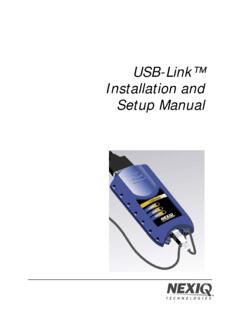
USB-Link™ Installation and Setup Manual - NEXIQ
www.nexiq.comDec 20, 2011 · This manual, as well as the software it describes, is furnished under license and may only be used or copied in accordance with the terms of such license. The content of this manual is furnished for informational use only, is ... USB-Link™ Installation and Setup Manual 1 1

DediProg SF Software User Manual
www.dediprog.com2.2.2 Execute SFx.x.x.x.msi file and follow the setup instructions to finish installation. ... DediProg SF Software User Manual www.dediprog.com 8 If the file contents and chip contents are different, then those will be highlighted with the “Red Fonts”. Click “next difference” button will go to the next different content or fill the ...
Domoticz
www.domoticz.comHardware Setup Before you can use the application to control devices you must setup the communication hardware device(s). Setting up a USB device First make sure the device is recognized in the system. Domoticz automatically detects the USB port. Setting up a LAN device First make sure you know the IP address and port of the device.