
Wireless IP Camera - ANRAN
Step1. Start the IP Camera Please connect the camera with the power adapters which came with the box refer to PIC.10. About 60 seconds later, the camera has completed the start and you can start to setting up WiFi for it (for first time using). Tips: Please place the camera as much as possible near the router, and the distance that is in the
Download Wireless IP Camera - ANRAN

Information
Domain:
Source:
Link to this page:
Related documents

Camera Control for Windows - TP-Link
static.tp-link.comDisplays the camera name, which is the camera model by default. IP Address: Displays the camera’s IP address. MAC Address: Displays the camera’s MAC address. Video Codec: Displays the video compression specification, which can be …

DH-IPC-HFW2531S-S-S2 - Dahuasecurity.com
www.dahuasecurity.comIP67: The camera passes a series of strict test on dust and soak. It has dust-proof function, and the enclosure can works normal after soaking in 1 m deep water for 30 minutes. Wide voltage: The camera allows ±30% input voltage tolerance (wide voltage range), and it is widely applied to outdoor environment with instable voltage.
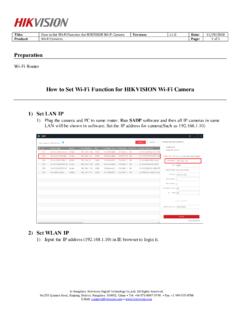
How to Set Wi-Fi Function for HIKVISION Wi-Fi Camera
www.hikvision.com3) Login camera via WLAN 1) Unplug the cable between camera and router. When we run the SADP, the WLAN IP will be shown in software 2) Type in the WLAN IP (192.168.1.155) to IE browser, we can login the IP camera by Wi-Fi. 3) We can have a live view of camera