
XR550 Control Panel - DMP
Z-WAVE SUPPORT Add up to 140 Z-Wave devices with the 738Zplus module for mobile control of lights, locks and thermostats. Up to 20 devices to respond to a single command or panel events like arming and disarming. Z-Wave devices can be controlled with the 7800/9800 Series™ Graphic Touchscreen Keypad and Virtual Keypad. CUSTOM ACTIONS
Download XR550 Control Panel - DMP

Information
Domain:
Source:
Link to this page:
Documents from same domain
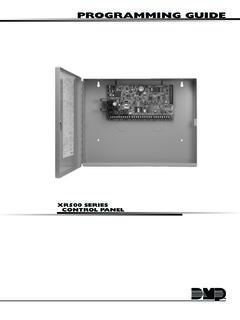
PROGRAMMING GUIDE - DMP
buy.dmp.comMODEL XR500 SERIES CONTROL PANEL PROGRAMMING GUIDE Contains programming Instructions for use with the Model XR500, XR500N, XR500E Series Control Panels
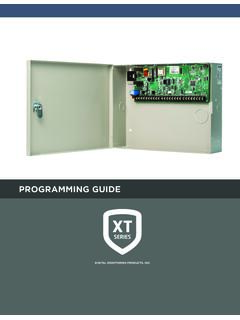
PROGRAMMING GUIDE - DMP
buy.dmp.comAs you go through the programming, the keypad display shows any current programming already stored in the panel memory. If no change is required for an …
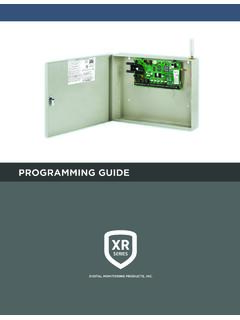
PROGRAMMING GUIDE - DMP
buy.dmp.comXR150/XR550 Series Programming Guide Digital Monitoring Products 1 INTRODUCTION XR PROGRAMMING INFORMATION This guide provides programming information for the DMP XR150/XR550 Series panel. Before starting to program, we recommend that you read through the contents of this guide.
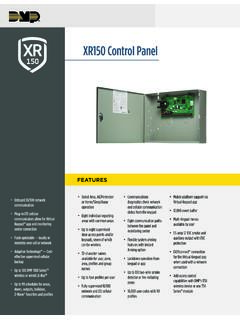
XR150 Control Panel - DMP.com
buy.dmp.comOne Built-In LX Bus (100 zones) SIMPLE ZONE EXPANSION WITH THE 1154/1158 WIRELESS INPUT MODULES When a DMP panel is installed in the same location as a non-DMP panel, the ... advantage of access control capabilities in hard …

SYSTEM USER GUIDE
buy.dmp.comChime Press Chime to turn the chime feature on and off. If chime is on, the keypad will sound an alert and display a notification when external doors and windows (with sensors installed) are opened. Reset Press Reset to reset fire and panic sensors after they have triggered an alarm. Favorites Favorites displays a list of your Z-Wave favorites.

INSTALLATION GUIDE
buy.dmp.comoutputs provide ground connection for a positive voltage source. A Model 300 Output Harness is required to use these outputs. Enclosure Specifications The XR150/XR550 Series panels are shipped in an enclosure with a transformer, end-of-line resistors, battery leads, user’s guide, and programming sheets. Enclosure Model

Training Institute Troubleshooting Guide
buy.dmp.comThe first Diagnostic function displayed is: [TEST LX-BUS]. This Diagnostics function allows you to test the ability of the Interface Cards (Models 481, 462N, 462P, 462FM, and 472) to communicate with zone and output expanders connected to the LX-Bus™. TECH NOTE: The XR500 Command Processor™ series has one built-in LX-Bus™. An
SYSTEM USER GUIDE - DMP.com
buy.dmp.comSecureComTM Video SecureCom Video allows you to add wired or wireless cameras inside or outside the building. You can easily record clips or view live video feed at any time using the Virtual Keypad App or VirtualKeypad.com. Virtual Keypad App and VirtualKeypad.com The Virtual Keypad App and VirtualKeypad.com allow you to control and monitor

XT30 and XT50 Panels - DMP
buy.dmp.comfour-digit user codes with authority levels 100-event (XT30) or ... Four onboard and eight wireless outputs for annunciation and control applications Supports up to eight ... a customer may be preparing to cancel their monitoring contract. With this …

PROGRAMMING AND INSTALLATION GUIDE
buy.dmp.comDualCom Programming and Installation Guide Digital Monitoring Products 3 Backlit Logo The backlit logo indicates the power and armed status of the communicator.
Related documents
USER’S MANUAL - Next Wave CNC
cncshark.comReady2Control and Virtual Zero Unlimited software can be used on any PC computer that is running Windows 10 and has a USB output port. The software can be used with any CNCShark or CNC Piranha that has a control box equipped to use a …
XR150 Control Panel - DMP.com
buy.dmp.comAdd up to 140 Z-Wave devices with the 738Zplus module for mobile control of lights, locks and thermostats. Up to 20 Favorites allow users to program multiple devices to respond to a single command or panel event like arming and disarming. Z-Wave devices can be controlled with the 7800/9800 Series™ Graphic Touchscreen Keypad and Virtual Keypad.

RUCKUS Product Guide - CommScope
www.commscope.com802.11ac Wave 2 dual-concurrent wall switch with five GbE ports and BeamFlex+ 802.11ac Wave 2 dual-concurrent wall switch with two 10/100MbE ports and BeamFlex+ 802.11ac Wave2 dual-concurrent wall plate with built-in DOCSIS 3.0 cable modem Mobile Indoor 802.11ac Wave 2 2x2:2 Wi-Fi AP with LTE Backhaul Maximum PHY rate 1200 Mbps (5GHz)

ControlWave™ Designer Programmer’s Handbook
www.emerson.comConfiguring the Control and Status Arrays 132 Defining the Virtual Nodes 141 Defining the EBSAP Slave Nodes 142 Example 1 – OpenBSI Workstation is EBSAP Master to 1000 ControlWave controllers 143 Example 2 – ControlWave Controller is EBSAP Master to 300 ControlWave EBSAP Slav es 146

Data Sheet EX2300 ETHERNET SWITCH Description
www.juniper.netswitches in a Virtual Chassis configuration are treated as a single device, simplifying overall system maintenance and management. Multigigabit Switches IEEE 802.11ac Wave 2 access points require switch ports capable of handling up to 2.5 Gbps in order to support the growing number of wireless devices and the amount of traffic they produce. To
SonicWave Series Wireless Access Points
www.sonicwall.comprevention, virtual AP segmentation, wireless guest services, RF monitoring and wireless packet capture. Simplified firewall management Deployment and setup of APs are greatly simplified, reducing total cost of ownership. Optionally, SonicWave APs can be managed by SonicWall next-gen firewalls. Integrated
VirtualDJ 8 - User’s Guide 1
www.virtualdj.comIn this area a virtual Jog wheel is available to provide bend or scratch controls of the track. Use the control buttons PLAY, STOP and CUE*, to play, pause and stop the track or set a temporary Cue point*. Use the Pitch slider to adjust the tempo (BPM) of the track. The buttons will temporary