Example: bachelor of science
4 Circuit WiFi Relay Switch - Shelly Cloud
the circuit (on/off) and current power consumption. WiFi settings Mode: AP Status: got ip Ssid: shelly4pro-11C3F0 Ip: 192.168.33.1 Mac: 987BF311C3F0 Hold to reset to AP! WiFi Settings – Shows: Mode, Status, SSID (name of the network), IP and MAC address. On this screen (fig.2), holding the button can reset Shelly to Access Point (AP) mode ...
Tags:
Information
Domain:
Source:
Link to this page:
Documents from same domain

PRODUCT CATALOGUE - Home | Shelly Cloud
shelly.cloudMAKE YOUR ARDUINO PROJECT LIVE AND USABLE IN YOUR AUTOMATION PROJECT SHARE YOUR EXPERIENCE WITH DEVELOPERS OVER THE WORLD USE OUR REST API TO CONNECT SHELLY 1 OS WITH YOUR EXISTING HOME AUTOMATION SYSTEM Mobile App Control Turn appliances on/off directly from your smartphone or tablet. Wi-Fi Connected
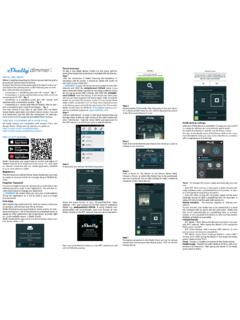
Shelly Dimmer - Home | Shelly Cloud
shelly.cloudShelly Dimmer goes from 0% to 100%. The value can be from 0 to 5000 ms. Fade rate - Set the speed of dimming, when the switch is pressed and held. Range: 1x - 5x Minimum Brightness - If the connected light is not working below a certain percentage, you can set the minimum per-cent at which Shelly Dimmer will turn on. Once set, you can

Device Inclusion Upon successful Device Inclusion to the ...
shelly.cloudChoose “Add Device”. In order to add more Devices later, use the app menu at the top right corner of the main screen and click “Add Device”. Type the name (SSID) and password for the WiFi network, to which you want to add the Device. Step 3 If using iOS: you will see the following screen: Press the home button of your iPhone/iPad/iPod. Open

EN Introduction to Shelly® DE IT 2 CHANNEL ... - shelly.cloud
shelly.clouda cloud service, from everywhere the User has Internet access. Shelly® has an integrated web server, through which the User may adjust, control and monitor the Device. Shelly® has two WiFi modes - access Point (AP) and Client mode (CM). To op-erate in Client Mode, a WiFi router must be located within the range of the Device.
Related documents

MAX803MAX809 3-Pin Microprocessor Reset Circits MAX810
datasheets.maximintegrated.comThey provide excellent circuit reliability and low cost by eliminating external components and adjustments when used with +5V, +3.3V, +3.0V, or +2.5V powered circuits. These circuits perform a single function: they assert a ... 3-in Microprocessor Reset Circuits. TH - VCC A RESET
Sheet 26001 Power Circuit Breakers Insulated-Case Circuit ...
www.eaton.comPower Circuit Breakers & Insulated-Case Circuit Breakers 26.0-1 ... High Technology Microprocessor-Based Digitrip RMS 1150+ Trip Units are Available with Advanced Features Like Programmable Overcurrent ... manual reset is also available b Accessory viewing windows for:
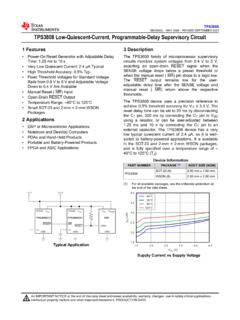
TPS3808 Low-Quiescent-Current, Programmable-Delay ...
www.ti.comThe TPS3808 family of microprocessor supervisory circuits monitors system voltages from 0.4 V to 5 V, asserting an open-drain RESET signal when the SENSE voltage drops below a preset threshold or when the manual reset ( MR) pin drops to a logic low. The RESET output remains low for the user-adjustable delay time after the SENSE voltage and
LECTURE NOTES ON 8085 MICROPROCESSOR
ncet.co.incircuit for all the computer functions. Finally, Intel corporation's Ted Hoff and Frederico Fagin were credited with the design of the ... Microprocessor communicates and operates in binary numbers 0 and 1. The set of instructions in the form of binary ... The ALU includes five flip-flops, which are set or reset after an operation according to ...
Lecture Note On Microprocessor and Microcontroller Theory ...
vssut.ac.inMicroprocessor communicates and operates in binary numbers 0 and 1. The set of instructions ... circuit (ASIC) chips. Based on architecture: ... The ALU includes five flip-flops, which are set or reset after an operation according to data
Tutorial On Introduction to 8085 Architecture and Programming
ce.sharif.eduInternal architecture of 8085 microprocessor 2. 8085 system bus 3. 8085 pin description. 4. 8085 functional description. ... which are set or reset after an operation according ... Just a logic circuit which switches between different registers in the set will receive instructions from

Get Smart About Reset: Think Local, Not Global
www.xilinx.comreset network. The circuit has the advantage of providing the same effect following device configuration as it does when an external signal is applied. During configuration of the device or an as ynchronous reset signal, all flip-flops in the chain are preset to 1. Almost immediately, th e last flip-flop of the chain then drives an

UNIT III 8086 MICROPROCESSOR INTERFACING 3.1 …
www.bhagvatiengineeringclasses.weebly.comRESET input is asserted, the 8086 goes to address FFFF0H to get its next instruction. The first instruction of the system start-up program is usually located at this address, so asserting this signal is a way to boot or start the system. Have you understood? 1. What is the difference between a microprocessor and a microcomputer? 2.