Example: barber
How to Change Default Settings in the 7.50 SAP GUI
A The SAP GUI provides the ability to change the font and increase the font size on the SAP screens. To make the text larger: 1. Click (SAP Customizing of Local Layout) 2. Select Options 3. Under the Visual Design, select the Font Settings 4. Within the Monospaced Font Settings box, click to adjust the font, font style and size.
Information
Domain:
Source:
Link to this page:
Related documents

Computerized vs. Non-computerized Accounting System …
research.lpubatangas.edu.phentry into a sales journal again, but it is vital to understand how double entry systems and the flow of data through a manual system work. In the past, accounting was done manually by business owners. However, the world now faces a modern technology civilization where many things work with the help of computers.
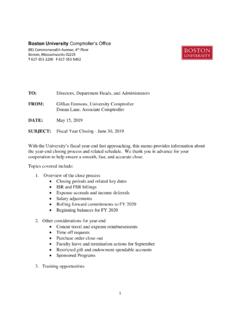
Boston University Comptroller’s Office - BU
www.bu.edupost journal entries to record expenses, revenues and transfers relating to the University’s FY 2019 activity. Regular “SA”, “ZJ”, “ZK”, or “ZV” journal entry transactions must be used. Users should select SAP period 12, and all entries made during this closing period should have a posting date in June 2019.

An Auditor’s Guide to Data Analytics
chapters.theiia.orgMay 11, 2013 · • Multiple data sources (both in-house and third-party): SAP, ADP, Concur, American Express • Mostly automated but some manual downloads of source data • Focus on both master and transactional data ... – Unauthorized journal entry (JE) – JEs by unauthorized users – Duplicate JEs (same account/amount, same JE number/amount) ...

How to perform a Year-End Closing in SAP Business One
help.sap.comExample Exact user entry. These are words or characters that you enter in the system exactly as ... SAP Business One provides the ability to identify local and IFRS accounts, enabling the creation of local ... • Journal vouchers • Recurring transactions At this stage, you should also check documents that are not relevant for accounting, for ...

What's New in SAP S/4HANA 2020
help.sap.comWhat's New | PUBLIC Document Version: 1.0 – 2020-10-07 What's New in SAP S/4HANA 2020 © AP e ed. THE BEST RUN

Voice Based Email for Blind People - IJARIIT
www.ijariit.comanbumani.sap@gmail.com Abstract: The advancement in computer based accessible systems has opened up many avenues for the visually impaired across a wide majority of the globe. Audio feedback based virtual environment like, the screen readers have helped blind people to access internet applications immensely.
JOB READINESS TOOLKIT
www.wrksolutions.com• Advanced proficiency in software programs; SAP and QuickBooks • Educated groups of 15-30 board members on state and federal compliance procedures Senior Tax Accountant – Ernst & Young LLP Houston, TX 07 / 2000 – 12 / 2007 Received “Accountant of the Year” Award, 2006 & 2007 Promoted to Senior Tax Accountant, 1 / 2004