Transcription of How to sign into Daymap - Bellbird Park State Secondary ...
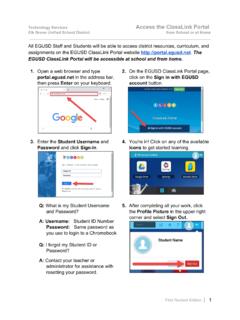
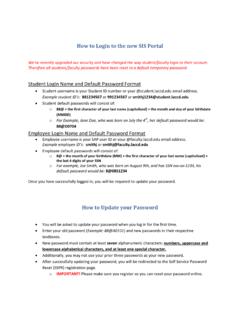
1 How to sign in to Daymap / How to recover your Daymap password Step 1: Go to On your browser Step 2: If you have your password, type in your school user ID ( echan31) and password, and click the blue sign in button. You will not need to go through the rest of this tutorial. then go to step 3. Step 3: On the password reset page, type in your school user ID then click on Step 4: Check your email at You should receive an email with a link to reset your password. Click on the link in the email to reset your password.
2 Step 5: Type in the new password you want to use in both textboxes, then click the Step 6: Now you should be able to sign in! Return to step 1 and see if you can sign in at step 2