Transcription of password - Welcome To Hot Springs VillageHot …
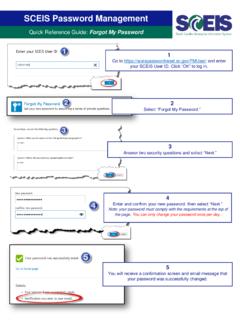
1 New Web Portal First Time Login Instructions 1. Ctrl+Click on the link below, or type it into your browser: 2. Click the word Login at the top of the screen: 3. Enter your member number as the Username and use 12345678 for the password : 0014. Now set up your web account and set up a new secure password : A) Click on your name at the top of the page: B) Or, click on Member Tools, then click on My Profile: 5. Click on the Edit Profile button: 002 6. The first thing you must do is enter your name and email address, then click the Update button under Account Information. TIP: The email address you enter here is the one that will be used to send you a reset link if you forget your password . 7. To change your password , type in the current password (12345678), then enter a new password and retype the new password to confirm it, then click Change password button: 003