Transcription of Form 1 - Ikit - Ministry Of Corporate Affairs
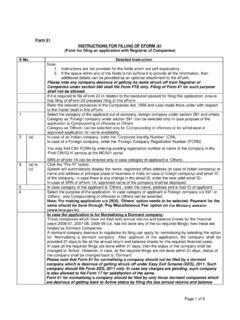
1 form 1 INSTRUCTIONS FOR FILLING OF EFORM 1(Application and declaration for incorporation of a company)S. InstructionsNote: 1. Instructions are not provided for the fields which are self explanatory2. If the space within any of the fields is not sufficient to provide all the information, thenadditional details can be provided as an optional attachment to the case the name had been approved online by the system automatically, filing of Incorporation documents in respect of such name shall not be allowed as per below timelines: If the name is approved on or before AM of any working day then the corresponding Incorporation eForms (like form 1, form 18, form 32, form 37, form 39, form 24A) cannot be filed before PM of the same working day.
2 If the name is approved after AM of any working day or at any time on holiday/ non-working day then the corresponding Incorporation eForms cannot be filed before PM of the next working day. During verification, if the RoC user finds that the approved name ought not to have been allotted, the same shall be liable to be withdrawn by giving an opportunity of being heard to the General circular number 7/2012 available on the Ministry s portal ( ) under the head Circulars of main head Acts, Bills & Rules Please note the following: It is suggested that eForm 18 and eForm 32 should be filed together at the time of filing of eForm 1.
3 Stamp duty on eForm 1, Memorandum of Association (MoA) and Articles of Association (AoA) can be paid electronically through the MCA portal and in such case submission of physical copies of the uploaded eForm 1, MoA and AoA to the office of RoC is not required. Payment of stamp duty electronically through MCA portal is mandatory in respect of the States which have authorized the Central Government to collect stamp duty on their behalf. In respect of the States from whom the authorization is yet to be received, the company will continue to pay stamp duty outside the MCA portal.
4 List of states/ union territories for which stamp duty cannot be paid electronically is available below in Annexure C. Refer notification 642(E) and 2276(E) dated 7th September , 2009 and 3314(E) dated 31st December, 2009 available on the MCA portal under the head Notifications of main head Acts, Bills & Rules In case stamp duty is not paid electronically through MCA portal, it is required to deliver simultaneously the original stamped physical copies of the uploaded eForm 1, MoA and AoA along with a copy of challan/ receipt in the concerned office of ROC failing which such eForm shall be put into "Waiting for user clarification in term of Regulation 17 of the Companies Regulations, 1956 Refund of stamp duty, if any.
5 Will be processed by the respective state or union territory government in accordance with the rules and procedures as per the state or union territory Page 1 of 17S. InstructionsStamp the relevant provisions of the Companies Act, 1956 and rules made there under with respect to the matter dealt in the eForm1 Enter eForm 1A reference number , Service Request Number (SRN) of eForm 1A , filed for name approval. 2(a) to (e), (g)Click the Pre-fill button System will automatically display the name and status (Public or Private) of the company based on the above mentioned SRN of eForm will also display the type, category, sub category of the company and whether the company is having share capital or not, if these were entered in eForm 1A.
6 If these details are not displayed by the system (as the same were not available in earlier eForm 1A), then these details are required to be in respect of Part IX company are given in Section 565 to 581of the Companies Act, 1956 and in respect of Producer company are given in Section 581A to 581ZT of the Companies Act, 1956. 2(f)For incorporation of a company licensed under Section 25 of the Companies Act, 1956 obtain a license from the Regional Director (RD) by filing application in eForm 24A. The license number received from RD will be displayed based on the above mentioned SRN of eForm , 4 System will display the state and office of the Registrar of Companies in which the company is to be registered based on the above mentioned SRN of eForm (a), (b)Enter the details of authorised and subscribed share capital break up in case of a company having share capital.
7 The amount of authorised capital cannot be less than the amount mentioned in eForm authorised share capital required for a Private company having share capital is Rs. 100000/- and in case of a Public company having share capital is Rs. 500000/-. In case of a Company licensed under Section 25 of the Companies Act, 1956 the authorised capital can be less than the above but should be greater than subscribers to the Memorandum shall ensure that the payment for the total amount of shares subscribed by them is made to the company upon incorporation.
8 The subscribed capital entered in the form will be updated as the paid up capital of the company in its master the number of shares, total amount of shares and nominal amount per share for each type of share. At least one type of share capital (Equity/ Preference) should be greater than zero. In case company has shares of multiple nominal amounts per share, then enter multiple nominal values per share separated by comma in the field Nominal amount per example, if the details of authorised share capital are as follows: 1,00,000 equity shares of Rs.
9 10 each1,00,000 equity shares of Rs. 5 each10,000 7% Preference shares of Rs. 50 each5,000 8% Preference shares of Rs. 100 eachThe respective fields are to be entered in the following manner:Authorised capital of the company (in Rs.)- 25,00,000/-Break up of Authorised capital:Number of equity shares- 2,00,000 Total amount of equity shares (in Rs.)- 15,00,000/- Page 2 of 17S. InstructionsNominal amount per equity share- Rs. 10, Rs. 5 Number of preference shares- 15,000 Total amount of preference shares (in Rs.)
10 - 10,00,000/-Nominal amount per preference share- Rs. 50, (a), (b)Enter the details of number of members in case of a company not having share the maximum number of members and maximum number of members excluding proposed employee(s). Maximum number of members excluding proposed employee(s) should not be greater than 50 in case of a private on the main objects of the company, please enter the main division of industrial activity as per National Industrial Classification (NIC)-2004 given below in Annexure A. The main division should be selected based on relevant sub-class and description applicable to the company given in details of main division, sub-class and description of National Industrial Classificastion-2004 are also available under information link on the MCA21 portal 8 Enter the number of promoters (proposed first subscribers to Memorandum of association (MoA)).