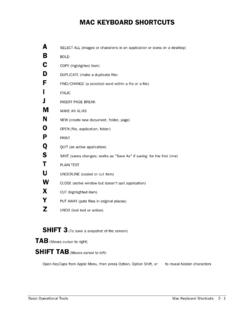
Transcription of Mac character codes - Home page for Geoff-Hart.com
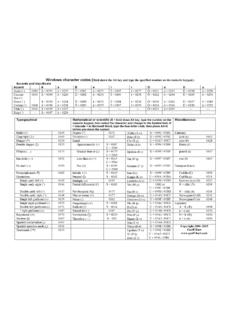
1 Mac character codes Accents and diacriticals (S = shift, O = Option, SO = both) Accent itself Accented letters: press the indicated shortcut, then the indicated letter Acute ( ) SO + e ( ) Option E plus: A ( ), a ( ), E ( ), e ( ), I ( ), i ( ), O ( ), o ( ), U ( ), u ( ) Circumflex ( ) SO + i ( ) Option I plus: A ( ), a ( ), E ( ), e ( ), I ( ), i ( ), O ( ), o ( ), U ( ), u ( ) Grave (`) SO + ` (`) Option ` plus: A ( ), a ( ), E ( ), e ( ), I ( ), i ( ), O ( ), o ( ), U ( ), u ( ) Umlaut ( ) SO + u ( ) Option U plus: A ( ), a ( ), E ( ), e ( ), I ( ), i ( ), O ( ), o ( ), U ( ), u ( ) Tilde ( ) SO + n ( ) Option N plus: A ( ), a ( ), N ( ), n ( ), O ( ), o ( ) Ring ( ) O + k ( ) Option A ( ), Option a ( ) For symbols: Hold the S = Shift key, O = Option key, or SO = both, then type the specified character .
2 Typographical Mathematical or scientific (Sym = switch to Symbol font first) Miscellaneous Bullet ( ) O + 8 Degree ( ) SO + 8 Alpha ( ) Sym A / a Currency Copyright ( ) O + g Division ( ) O + / Beta ( ) Sym B / b cent ( ) O + 4 Dagger ( ) O + t Equal: Chi ( ) Sym C / c euro ( ) SO + 2 Double dagger ( ) SO + 7 Approximately ( ) O + x Delta ( ) O + j Sym D / d florin ( ) O + f Ellipsis (..) O + ; Greater than or ( ) O + . (period) Epsilon ( ) Sym E / e pound ( ) O + 3 Em dash ( ) SO + - Less than or ( ) O + , (comma) Eta ( ) Sym H / h yen ( ) O + y En dash ( ) O + - Not ( ) O + = Gamma ( ) Sym G / g European letters Paragraph mark ( ) O + 7 Infinity ( ) O + 5 Iota ( ) Sym I / i Cedilla ( ) SO + C Quotations.
3 Integral ( ) O + b Kappa ( ) Sym K / k Cedilla ( ) O + c Single curly left ( ) O + ] Multiply ( ) Sym O + y* Lambda ( ) Sym L / l German eszet ( ) 0223 Single curly right ( ) SO + ] Partial differential ( ) O + d Mu ( ) Sym M / O + m N + tilde ( ) O + N, N Double curly left ( ) O + [ Per thousand ( ) SO + r Nu ( ) Sym N / n N + tilde ( ) O + N, n Double curly right ( ) SO + [ Plus or minus ( ) SO + = Omega ( ) O + W / Sym w Norwegian O ( ) SO + O Single left guillemet ( ) SO + 3 Prime ( ) Sym O + 4 Omicron ( ) Sym O / o Norwegian O ( ) O + o Single right guillemet ( ) SO + 4 Proportional ( ) Sym O + m Phi ( ) Sym F / f Ligatures Double left guillemet ( ) O + \ Radical ( ) O + v Pi ( ) SO + P / O + P A + E ( ) SO + ' " right guillemet ( ) SO + \ Raised dot ( ) SO + 9 Psi ( ) Sym Y / y a + e ( ) O + ' Registered ( ) O + r Summation ( ) O + w Rho ( ) Sym R / r O + E ( ) SO + q Section ( ) O + 6 Therefore ( ) Sym + \ Sigma ( ) O + w Sym S / s o + e ( ) O + q Spanish exclamation ( ) O + !
4 Tau ( ) Sym T / t Spanish question mark ( ) O + ? Theta ( ) Sym Q / q Copyright 2006 2015 Geoff Hart Trademark ( ) O + 2 Upsilon ( ) Sym U / u Xi ( ) Sym X / x Zeta ( ) Sym Z / z * This may not work in Word X. Instead, create a keystroke such as Control-X to insert this symbol. To do so, open the Insert menu, select Symbol, and select the symbol. Click the "Shortcut Key" button and choose a shortcut.