Transcription of What is Knox Manage?
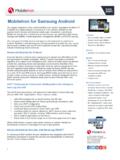
1 Add Organizations and UsersSet device and application management profilesDeploy management profiles and applicationsSupport diverse Kiosk modes(Single-app, Multi-app, Web Browser Kiosks)Create launcher app using drag and drop componentsAdd bookmarks, folders, banners, memo, text,calendar and clockRearrange icons and adjust size and textChange wallpaper and background colorDisable hardware keys (Home, Back, Volume, Power)Allow/Disallow use of Task manager, Status bar,Multi windowsIMEI/Serial Number based device enrollmentAutomatic client installation and enrollmentSkip unwanted Setup Wizard stepsInstall specific applications automaticallyAuto-push settings (Wi-Fi, EAS, Email, APN, Bookmarks, VPN and Certificate)Mandate device enrollment even after factory resetQuick Start WizardKiosk WizardAutomated ProvisioningQuick and Easy DeploymentKnox Manage is a cloud-based EnterpriseMobility Management solution optimizedfor enterprise customers to manage andmonitor employee devices with flexibilityand granularity.
2 What is Knox Manage? Enterprise Mobility Optimized for Your Business Purpose-Built ApplianceGet started now with free trial @ Policy EnforcementMulti-OS Support (Android, iOS and Windows)Manage multi-OS devices from a single consoleCross-Platform SupportTime-fencingGeo-fencingApplicatio nRoamingSIM : Device locks down if SIM is changed orno longer insertedWi-Fi : If connected to a specific network, differentset of policies are appliedInstall and update apps without user notification anddisallow uninstallationBlack/whitelist appsBlock access to public online app stores Differentiated Knox Platform FeaturesApplication ManagementRobust ManagementEnforce multi-factor authenticationManage Container policies (data loss prevention,container lock, per-container VPN)
3 Device Feature RestrictionEnterprise Mobility Management madeeasy and affordable,yet powerfulAllow/Disallow use of Camera, Screen Capture, BrowserAllow/Disallow Wi-Fi, Bluetooth, USB, NFC and GPSA llow/Disallow voice call, data usage and roamingSet authentication policiesAndroid Kitkat +iOS 8+Windows 10 Device EligibilityFeature availability may vary depending on the OS and platform versionsComprehensive ControlsMonitor status of user devicesCheck policy complianceAlerts, Logs and Command history detailsTrack specific device information (location, phone/datausage, battery, connectivity status, installed app list)Remote Support to User DeviceRemote Support to Admin ConsoleLock/unlock user device remotelyOffline unenrollment capabilityDisable software (firmware) updatesControl the specific date, time and versionfor forced firmware update (*E-FOTA)Precise Device AuditRemote Device SupportControl OS Updat

![[Brochure] SMART MultiXpress X7600 Series H - …](/cache/preview/8/c/8/e/4/6/5/3/thumb-8c8e465333f6615616fc7916ff891909.jpg)