Transcription of Import your old Outlook Data File - Northwestern …
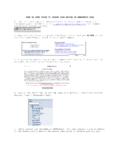
1 Import your old Outlook data File (.pst) to your Office 365 email If you had a particular folder structure or additional Outlook data files you want to attach to your new Office 365 email in Outlook the Import and Export Wizard is the easiest way to complete the task. 1. Click the File tab. 2. Click Open. 3. Click Import . 4. In the Import and Export Wizard, click Import from another program or file, and the click Next. Click Outlook data File (.pst), and then click Next. 6. Click Browse, and then choose the file to Import . If you are trying to Import your old file structure, your file will likely be located at C:\Users\YOURUSERNAME\AppData\Local\Micr osoft\ Outlook If you are trying to Import your ARCHIVE file, point it to the location you saved your to possibly your G:\ drive or your documents folder. It is recommended that you click Do not Import duplicates 7.
2 Click Next. 8. If a password was assigned to the Outlook data File (.pst), you are prompted to enter the password, and then click OK. 9. Set the options for importing items. The default settings usually don t need to be changed. The top folder usually Personal Folders, Outlook data File, or your email address is selected automatically. Include subfolders is selected by default. All folders under the folder selected will be imported. The default selection of Import items into the same folder in matches the folders from the imported file to the folders in Outlook . If a folder doesn t exist in Outlook , it will be created. 10. Click Finish.