Transcription of Manage Card Account - United States Department …
1 Cardholder Job AidtoManage card AccountMarch 2011 Manage card Account Cardholders are able Manage their card Account (s) via CitiManager, this document outlines cardholder Account management including: Account Summary Account Information Unbilled Transactions View, Print, & Download Statements Making Payments Scheduling Payments View/Delete PaymentsNote:1) Slides #1-11 apply to Cardholders who do nothave log-in credentials to CitiManager; users must create log in credentials prior to accessing their Account ) If cardholder has log-in credentials, skip to Slide # 12 to access card Account management.
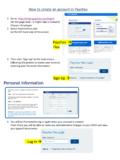
2 Registration00192532xxxxxxxxxEnter the card Account information exactly as it appears on the card Account RegistrationVerification AnswerCardholder is prompted to create log in credentials to log in to CitiManager secure to access card Account management username 2 Create Password3 Enter HelpDesk Verification AnswerCardholder RegistrationConfirm the newly created log-in credentials and select the confirm the ok link to confirm : in to CitiManager secure with the newly created log-in credentialsCardholder RegistrationChallenge Question Answer # 1 Challenge Question Answer # 2 Challenge Question Answer # 3 Select three (3) challenge questions & provide correct answers.
3 To log-in going forward, user is prompted to enter log-in credentials and to respond to randomly selected challenge question in order to successfully log into CitiManager secure to access card card AccountCard Account information can be accessed by selecting the applicable link on the CitiManager home/summary page or by selecting the My card Account tabMy card AccountThe System default is the Account Summary screen displayed items include Current balance, remaining available, Unbilled transaction amount(s) , and Last Statement information and Unbilled TransactionsCITIMANAGERSECUREHOMEPAGE: for cardholders withlog-in credentialsEnter username & passwordCardholder Log-InProvide correct response to randomly selected Challenge QuestionManage card AccountTo link another card Account , click the link another card Account link.
4 Cardholders can link accounts & access Account management functions via single log unlink a card Account , select the unlink current card Account link. Once this feature is selected, cardholder will no longer be able to view the Account information for the unlinked card AccountThe System default is the Account Summary screen displayed items include Current balance, remaining available, Unbilled transaction amount(s) , and Last Statement information and Unbilled TransactionsAccount SummaryTo access card Account statements, select the View Current Statement link or Statement StatementSammy CardholderTo print the information exactly as it appears on the screen, select the Print linkPrint StatementSammy CardholderSelect the Print link to print StatementTo download the statement, select the Download linkDownload StatementSelect the format to download the statement by highlighting the appropriate radio button and select Download.
5 Download StatementSelect the here link if download does not occur StatementSelect Open to view the statement downloadDownload StatementSammy Cardholder2300 Jackson StreetSunnyville, FL 12345 Example of downloaded StatementSammy Cardholder2300 Jackson StreetSunnyville, FL 12345 Scroll down to view the entire StatementTo successfully link an additional card Account , enter the card Account information exactly as it appears on the card Account PaymentsBest Bank, can be scheduled from a checking or savings Account . Bank routing code*& Bank Account number must be provided and added to the pay from Account information text fields.
6 *System will verify informationMake PaymentsBest Bank, schedule a payment, bank Account information must be provided and stored in the system. Select the payment amount option and then select the Pay PaymentsTo view or delete payments, select the View/Delete link and per the search parameters, search for the applicable payment.