Transcription of HOW TO CREATE ONLINE BSC - i N I I T i a n . c o m
1 HOW TO CREATE ONLINE BSC BSC 2018-19 :: CORP-HRO 31-March-2018 Page 1 CONTENTS S. No. Particulars Page No. 1 Navigating through the ONLINE BSC module 2 2 Individualization of STANDARD/ CUSTOMIZED BSC 3 3 Addition of New Performance Measures 8 4 Updation of Targets for CUSTOMIZED BSC 10 5 Creation/Modification of UNIQUE BSC 11 6 Initiative 18 7 BSC approval Flow 19 HOW TO CREATE ONLINE BSC BSC 2018-19 :: CORP-HRO 31-March-2018 Page 2 NAVIGATION Particulars Path 1 Link to find BSC category iNIITian Human Resources Performance Management Balanced Score Card Self My BSC Category 2 Link for Individualization iNIITian Human Resources Performance Management Balanced Score Card Self BSC Pending for Action 3 Link for Addition of New Performance Measure On BSC Creation page itself or iNIITian Human Resources Performance Management Balanced Score Card Self Performance Measure Request 4 Link to CREATE UNIQUE BSC iNIITian Human Resources Performance Management Balanced Score Card Self
2 CREATE BSC 5 Link for Supervisor to View & Approve BSC iNIITian Human Resources Performance Management Balanced Score Card As Supervisor BSC Pending for Action as Approving Manager HOW TO CREATE ONLINE BSC BSC 2018-19 :: CORP-HRO 31-March-2018 Page 3 INDIVIDUALIZATION of STANDARD & CUSTOMIZED BSCs Individualization is a process through which you will be able to add Performance Measures if you are handling responsibilities other than the defined role. You will be able to add Performance Measures under various KPAs other than the Financial KPA. You will be able to add Performance Measures for a minimum of 5% and a maximum of 20% weightage.
3 This could be in the form of one Performance Measure of multiple Performance Measures. When you add Performance Measures, the weightages already assigned to the Performance Measures under KPAs other than the Financial KPA will get reset proportionately automatically. The additional Performance Measures cannot have VC or SI weightage. None of the existing Performance Measures can be modified or deleted. Path for Individualization: iNIITian Human Resources Performance Management Balanced Score Card Self BSC Pending for Action. On selecting this option below screen will appear. On this menu, click on the NIITian Code and the following menu will appear.
4 HOW TO CREATE ONLINE BSC BSC 2018-19 :: CORP-HRO 31-March-2018 Page 4 From the above menu please click on Add Measure option. No additional Performance Measure can be added under the Finance KPA. After selecting the Add Measure option below screen will appear. HOW TO CREATE ONLINE BSC BSC 2018-19 :: CORP-HRO 31-March-2018 Page 5 On typing the performance measure in Select Performance Measure box list of relevant parameters containing typed keywords will appear from which the desired parameter can be selected to add in the BSC. On selecting applicable Performance Measure, the attributes Calculation Method , Unit of Measurement , Parameter Type and Achievement Flag will automatically get populated from the Performance Measure Master.
5 The Data Source and Periodicity needs to be updated from the drop down master . Quarterly/Biannual target and Performance weightage as applicable needs to be entered by the NIITian. Click on the UPDATE option to get the Performance Measure added. HOW TO CREATE ONLINE BSC BSC 2018-19 :: CORP-HRO 31-March-2018 Page 6 For addition of more Performance Measures, repeat the above process. After addition of performance measures, click on Send for Approval option to submit the BSC for approval to the Approving Manager. HOW TO CREATE ONLINE BSC BSC 2018-19 :: CORP-HRO 31-March-2018 Page 7 On submission of BSC for approval, the Approving manager will have the option to either Freeze the BSC or Send Back the BSC to the NIITian with remarks for the required modification.
6 NIITian needs to modify the BSC according to the remarks. Following are the possibilities. 1. Deletion of the additional parameter. The option to delete the performance measure is available on the last column, after the BSC is opened. On clicking the delete button, the performance measure will get deleted from the BSC. Weightages will get back to normal if Individualized Parameters get deleted. 2. Modify other attributes of the performance measure added target, performance weightage, periodicity and data source. 3. Addition of new performance measure. If the performance measure to be added already exists in the measure master, the same has to be selected and added to the BSC.
7 If the performance measure doesn t exist, please follow the process explained on page No. 7. 4. For customized BSC, modification of customized targets as approved by the Approving Manager. On making the above changes as applicable, the BSC has to be submitted to the Approving Manager. HOW TO CREATE ONLINE BSC BSC 2018-19 :: CORP-HRO 31-March-2018 Page 8 ADDITION OF NEW PERFORMANCE MEASURES In case the Performance Measure that has to be added does not exist in the Measure Master, ONLINE request for new Performance Measure creation has to be sent through the New Performance Measure Request link available on BSC Creation page itself on the top right side.
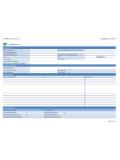
8 On clicking the Performance Measure Request below screen will appear. Select the applicable Category (Financial, Customer, Internal Process, Learning and Growth) and add Measure Description , Calculation Method , Unit of Measurement and Define Achievement for calculation . All these attributes are mandatory except remarks. HOW TO CREATE ONLINE BSC BSC 2018-19 :: CORP-HRO 31-March-2018 Page 9 After all these attributes are filled in, click on Submit to send the request. Performance Measure Request will directly go to Shared Services and it will be added in 1 working day.
9 NIITian will receive an email confirmation after which the Performance Measure is added to the measure master. New measure then can be added to the BSC. HOW TO CREATE ONLINE BSC BSC 2018-19 :: CORP-HRO 31-March-2018 Page 10 UPDATION OF TARGETS FOR CUSTOMIZED BSCs This process is applicable to NIIT ians covered under CUSTOMIZED BSC only. NIIT ians covered under the CUSTOMIZED BSCs are required to update Targets against various Performance Measures. NIIT ians covered under Sales Incentive (SI) policy are required to update Quarterly Targets and Quarterly Threshold Targets for all four Quarters of 2018-19 against the SI Performance Measures.
10 Threshold Target is not applicable to Non SI & Non VC Parameters. Open the BSC for 2018-19 and clicks on the performance Measure, the below screen will appear. Approved targets needs to be updated accordingly. Wherever SI is applicable Quarterly Targets/ Quarterly Threshold Targets need to be updated. After which the BSC need to be submitted to your Supervisor for approval. HOW TO CREATE ONLINE BSC BSC 2018-19 :: CORP-HRO 31-March-2018 Page 11 CREATION/ MODIFICATION of UNIQUE BSCs This process is applicable to NIIT ians covered under UNIQUE BSCs only. NIIT ians covered under the UNIQUE BSC are required to CREATE their BSC using the ONLINE BSC module.