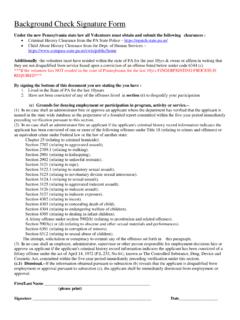
Transcription of Pennsylvania Child Abuse History Clearance …
1 1. 2. 3. 4. Pennsylvania Child Abuse History Clearance InstructionsThe background check also includes a Pennsylvania Child Abuse History Clearance . This can be processed online electronically through thestate. The following are step by step instructions for processing your visit the website , if you have an account you can login otherwise click New Account .You will need to create a "Keystone ID" (user ID) which will be used to access your account to obtain copies of the Child Abuse clearanceand other services. Review the instructions provided and click your preferred Keystone ID, enter all of the fields with red asterisks and click "finish".A temporary password will be emailed to you, please check your 5. 6. 7. Follow the instructions included with the email and copy the temporary back to the Child Welfare Portal and click "Login". "Access My Clearances" to 8. 9. 10. Carefully review the disclaimer and warning information and click "Continue".
2 Enter your keystone key (Username), temporary password and then click "Login".You will be prompted to change your password to something else and follow the requirements and then click " 11. 12. 13. You will receive confirmation that your password has been changed, you will need to login to the application again with your logging in again you need to accept the terms and conditions and click "Next".Review the additional information and warnings and click "Continue".13. 14. 15. Click "Create Clearance Application".Read the instructions and pay particular attention to the "Information You Will Need" and click "Begin".15. 16. Select "Volunteer" for your purpose, for the category select other, enter your school name for the agency name and click "Next" 17. Enter all of the required and optional information about yourself and click "Next" to 18. Enter your current address, you can also select to have a copy of the certificate mailed to your address, however an electronic copy isavailable through your 19.
3 20. Add any previous addresses where you have lived since 1975 and click "Next".Add everyone with whom you have lived with since 1975 and click "Next" to 21. 22. All of your information is summarized, review all of the information and click "Next" to your information is correct, enter your signature and click "Next" to 23. 24. Select "No" to the payment code and click "Make A Payment" to fee for the Child Abuse Clearance is $ which can be paid by credit card. If you do not have a credit card you can purchase a giftcard for use. Enter all of the information and click "Pay Now" at the bottom of the screen.