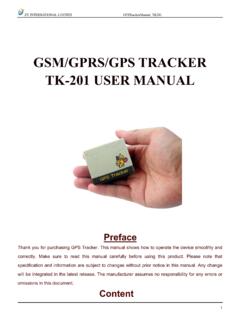
Transcription of GSM/GPRS/GPS TRACKER Tk-206 USER MANUAL
1 ZY INTERNATIONAL LIMITED GPST rackerManual_TK206 1 GSM/GPRS/GPS TRACKER Tk-206 user MANUAL ZY INTERNATIONAL LIMITED GPST rackerManual_TK206 2 UPreface Thank you for purchasing the TK206.
2 This MANUAL shows how to operate the device smoothly and correctly. Make sure to read this MANUAL carefully before using this product. Please note that specification and information are subject to changes without prior notice in this MANUAL . Any change will be integrated in the latest release. The manufacturer assumes no responsibility for any errors or omissions in this document. Content 1 Summary ---------------------------------------- ---------------------------------------- -- 3 2 Application ---------------------------------------- ---------------------------------------- - 3 3 Hardware description Front face ---------------------------------------- ---------------------------------------- ------ 3 Rear face ---------------------------------------- ---------------------------------------- ------ 3 Side face ---------------------------------------- ---------------------------------------- ------- 3 Bottom face ---------------------------------------- ---------------------------------------- ------- 4 Interior ---------------------------------------- ---------------------------------------- ------- 4 4 Specifications
3 ---------------------------------------- ---------------------------------------- -------- 4 5 Usage SIM card installation ---------------------------------------- ------------------------------- 5 Battery and Charger ---------------------------------------- -------------------------------- 5 Quick Startup ---------------------------------------- ------------------------------ 6 Initialization ---------------------------------------- ------------------------------ 6 Change the password ---------------------------------------- ------------------------------ 6 Authorization ---------------------------------------- ---------------------------------- 7 Real-time polling ---------------------------------------- -------------------------------- 7 Auto track ---------------------------------------- -------------------------- 8 Voice Surveillance ---------------------------------------- -------------------------------- 8 Modes switch between track and monitor ------------------------- 8 Geo-fence ---------------------------------------- ------------------------------- 8 Movement Alert ---------------------------------------- ------------------------------- 9 Overspeed Alert ---------------------------------------- ------------------------------ 9 IMEI Check.
4 9 SOS Button ---------------------------------------- ---------------------------- 10 ZY INTERNATIONAL LIMITED GPST rackerManual_TK206 3 Low battery alert ---------------------------------------- ---------------------------- 10 Hidden number tracking ---------------------------------------- ---------------- 10 SMS center ---------------------------------------- ---------------------------- 10 gprs setting ---------------------------------------- ---------------------------- 11 6 Cautions ---------------------------------------- ----------------------------- 11 7 Faults & Solutions ---------------------------------------- ----------------------------- 11 8 commands ---------------------------------------- ---------------------------------------- - 11 1 Summary Working Based on existing GSM/ gprs network and GPS satellites, this product can locate and monitor any remote targets by SMS or gprs .
5 2 Applications Vehicle rental / Fleet management etc Protect child / the old / the disabled / pet etc Provide peace-of-mind for businessmen Manage personnel Track criminals secretly 3 Hardware Description Front face Rear face ZY INTERNATIONAL LIMITED GPST rackerManual_TK206 4 Side face Bottom face Interior 4 Specs.
6 Content Specs. Dim. 67 (L) x 45 (W) x 14 (H) mm Weight 50 g Network GSM/ gprs Band 850/ 900/1800/1900 Mhz GPS chip SIRF3 chip GSM/ gprs Simcom900 You can update software, from here. You can press the SOS buttons for 3s for emergent help. GSM/ gprs antenna is inside Microphone Turn on / off the unit here. Put the SIM Card here ZY INTERNATIONAL LIMITED GPST rackerManual_TK206 5 module GPS sensitivity -159dBm GPS accuracy 5m Time To First Fix Cold status 45s Warm status 35s Hot status 1s Car charger 12 24V input 5V output Wall charger 110 220V input 5V output Battery Chargeable changeable 800mAh Li-ion battery Standby 48hours Storage Temp.
7 -40 C to +85 C Operation Temp. -20 C to +55 C Humidity 5%--95% non-condensing 5 Usage SIM card installation Make sure that there is no call transfer and call display is on, and PIN code off. The SMS message must in Text format, can t be identified for PDU format. Steps: 1 Open the rear cover, and pick out the battery. 2 Push the foil along and turn it left. 3 Put the SIM card into the holder, and turn the foil right and fasten it in place. ZY INTERNATIONAL LIMITED GPST rackerManual_TK206 6 Battery and Charger Do charge the battery to capacity in 8 -12 hours for first use.
8 Please use the battery and charger provided by the manufacturer. This unit adopts built-in Li-ion battery, and full battery will support around 48 hours use on end. After first use, the battery can be charged fully in 3-5hours. Cautions: a: For it s Li-ion battery, which contains harmful chemicals and may burst, please don t bump, puncture it violently and keep it off fire. b: Please charge the battery in time to keep it working normally. Startup Put the SIM card and battery in place. Turn on the unit outdoors by pressing the on/off button until the indicator is on. For first use, please initialize the unit and restore it to default setting.( please refer to for instruction.) In 10 or 40seconds, the unit will begin to work and acquire the GSM signals as well as the GPS signals. The indicator will keep flashing every 4 seconds when the unit has received the signals, otherwise it will keep on.
9 When this unit receives GPS signals normally, you can use it and do all the following settings. Initialization Send begin+password in SMS to the unit, it will reply begin ok and initialize all the ZY INTERNATIONAL LIMITED GPST rackerManual_TK206 7 settings. (default password: 123456) Change the password Send SMS password+old password+space+new password to change the password. Remark: Be sure keep the new password in mind, you have to upload the software to restore the original setting in case of losing the new password.
10 Make sure the new password is in 6 digits, or else the TRACKER can not recognize the password. Authorization There are only 5 numbers able to be authorized. Call the TRACKER for 10 times, it will make the cell phone number as the authorized number automatically. Send SMS admin+password+space+cell phone number to set up a authorized number. The other authorized numbers should be set by the first authorized number. If the number is successfully authorized, the unit will reply admin ok! in SMS. Send SMS noadmin+password+space+authorized number to delete the authorized number. For roaming purpose, you have to add your country code ahead of the cell phone number, for example, please send admin123456 008613322221111 to TRACKER to set 13322221111 as an authorized number. ZY INTERNATIONAL LIMITED GPST rackerManual_TK206 8 Real-time polling If there is no authorized number, when any number dials up the unit, it will report a Geo-info; If there is already an authorized number, then it will not respond when an unauthorized number calls it up.