Transcription of Atlas Copco Stationary Air Compressors regulator
1 Atlas Copco Stationary Air Compressors GA90/315 (W) GR110/200 (W) ZA3/6 ZE3/4 ZT/ZR 15/90 ZT110/275 ZR110/750 user manual for elektronikon regulator This manual must be used together with the relevant instruction books of the Compressors . Copyright 2002, Atlas Copco Airpower , Antwerp, Belgium. Any unauthorized use or copying of the contents or any part thereof is prohibited. This applies in particular to trademarks, model denominations, part numbers and drawings. This instruction book meets the requirements for instructions specified by the machinery directive 98/37/EC and is valid for CE as well as non-CE labelled machines No. 2920 1478 00 Registration code: APC G > 90/ 99 / 38 / 959 APC Z55-90/ 38 / 996 APC Z<55 + VSD/ 38 / 397 APC ZE/ZA 3-6 / 38 / 996 APC ZR/ZT110-275/ 38 / 978 APC ZR300-750 / 38 / 987 2002-12 2920 1478 00 1 Contents Page 1 General description 4 Controlling the compressor 4 Protecting the compressor 4 Shut-down and fan motor overload 4 Shut-down warning 4 Warning 4 Service warning 5 Automatic restart after voltage failure 5 Permissive start 5 Start commands during programmed stop time and
2 Minimum stop time 5 2 Control panel 6 3 Display - keys 7 Display 7 Scroll keys 7 Tabulator key 7 Function keys 7 4 Menu-driven control programs 8 Function of control programs 12 Main screen 12 Calling up other menus 13 5 Quick look at actual compressor status 13 6 Status data menu 13 No message exists 14 A shut-down message exists 14 A shut-down warning message exists 15 A service warning message exists 15 A warning message exists 16 7 Measured data menu 16 8 Counters menu 16 9 Test menu 17 10 Modify parameters 17 11 Modifying protection settings 18 12
3 Modifying service plans 19 13 Programming Clock function 19 Programming start/stop/pressure band commands 19 To activate/deactivate the timer 20 To modify a command 21 To add a command 21 To delete a command 22 14 Configuration menu 23 15 Service menu 24 2920 1478 00 2 16 Saved data menu 25 17 Programmable settings 26 GA90 (W) up to GA315 (W) 26 Parameters 26 Protections 28 Service settings 29 GR110 (W) up to GR200 (W) 29 Parameters 29 Protections 30 Service settings 31 ZT110 up to ZT275 and ZR110 up to ZR750 31 Parameters 31 Protections 32 Service settings 33 ZE/ZA3-4 34 Parameters 34 Protections 36
4 Service settings 36 2920 1478 00 3 1 General description In general, the regulator has following functions: - controlling the compressor - protecting the compressor - monitoring components subject to service - automatic restart after voltage failure (made inactive) - permissive start Controlling the compressor The regulator maintains the net pressure between programmable limits by automatically loading and unloading the compressor depending on the air consumption. 1) The regulator takes into account a number of programmable settings, such as: - the unloading pressure - the loading pressure - the minimum stop time - the maximum number of motor starts The regulator stops the compressor whenever possible (when the expected unloading period exceeds a programmed value) to reduce the power consumption and restarts it automatically when the net pressure decreases.
5 In case the expected unloading period is below a programmed value, the regulator keeps the compressor running to prevent too short standstill periods. When the compressor has stopped automatically and the net pressure decreases, the regulator will start the compressor before the net pressure has dropped to the loading pressure to prevent the net pressure from falling under the programmed minimum level. When stopping the compressor manually, the regulator will unload the compressor for a programmed time and then stop the compressor . 2) Protecting the compressor Shut-down and fan motor overload Several temperature and pressure sensors are provided on the compressor . If one of these measurements exceeds the programmed shut-down level, the compressor will be stopped.
6 This will be indicated on the control display. Depending on the compressor type, the compressor will also be shut down by the regulator in case of overload of the dryer motor or fan motors. Shut-down warning If the regulator detects a temperature or pressure just below the programmed shut-down level, this will be indicated on the control panel to warn the operator before the shut-down level is reached. The message disappears as soon as the warning condition disappears. Warning A warning message also appears if: On water-cooled Compressors the cooling water outlet temperature exceeds the warning level. On Full-feature Compressors the dewpoint temperature exceeds the warning level. 2920 1478 00 4 Service warning A number of service operations are grouped in plans (called Service plans A, B, ).
7 Each Service plan has a programmed time interval. If a time interval is exceeded, a message will appear on display (3-Fig. ) to warn the operator to carry out the service actions belonging to that plan. Automatic restart after voltage failure The regulator has a built-in function to automatically restart the compressor if the voltage is restored after voltage failure. For Compressors leaving the factory, this function is made inactive. If desired, the function can be activated. Consult Atlas Copco . Warning If activated and provided the module was in the automatic operation mode, the compressor will automatically restart if the supply voltage to the module is restored within a programmed time period. The power recovery time (the period within which the voltage must be restored to have an automatic restart) can be set between 1 and 255 seconds or to Infinite.
8 If the power recovery time is set to Infinite, the compressor will always restart after a voltage failure, no matter how long it takes to restore the voltage. A restart delay can also be programmed, allowing two Compressors to be restarted one after the other. Permissive start After a start command (either automatic start by the elektronikon regulator or manual start), the start conditions are checked; if the programmed start conditions are not fulfilled within a programmed time interval, the compressor will not start (indicated as Start failure). Start commands during programmed stop time and minimum stop time The control module also includes following functions: - Programmed stop time After pressing stop button (1-Fig.)
9 , the compressor will run unloaded for a programmed time period. The compressor then stops. A start command during this period is ignored. - Minimum stop time After stopping, the module prevents the motor from restarting within a programmed time period. A start command during this time will be memorized and executed after running out of this period. Footnotes chapter 1 1) For ZE and ZA without full-load/no-load regulator , the settings for unloading and loading the compressor are not programmable; consequently, these parameters are not taken into account. 2) GA90/315 and GR110/200 have an unloading time of 30 seconds, for Z Compressors this period is 3 seconds. If a compressor with 30 seconds unloading time was running at the moment of manually stopping in automatic unloading condition for 10 seconds, it will remain running unloaded for 30 - 10 = 20 seconds before stopping.
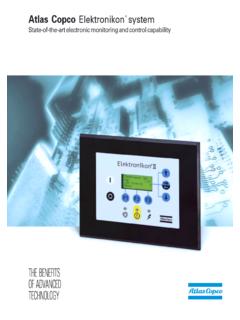
10 2920 1478 00 5 2 Control panel (Fig. ) Fig. Control panel, typical example LEDs/buttons/keys Ref. Designation Function 1 Stop button Push button to stop the compressor . LED (8) goes out. 2 Start button Push button to start the compressor . LED (8) lights up indicating that the regulator is operative (in automatic operation). 3 Display Indicates messages concerning the compressor operating condition, a service need or a fault. 4 Scroll keys Keys to scroll through the display. 5 Tabulator key Key to select the parameter indicated by a horizontal arrow. 6 Voltage on LED Indicates that the voltage is switched on. 7 General alarm LED Is normally out. Is alight or blinks in case of an abnormal condition.