Transcription of Financial Aid Application INSTRUCTIONS - fairapp.com
1 Financial Aid Application INSTRUCTIONS . 2019-2020 School Year Frequently Asked Questions Are there any income limits when applying for aid? How will I know if FAIR has received my Application ? There are no income limits when applying for assistance. Each If you submit your Application via mail you will receive a family's unique Financial situation is considered when assess- postcard from FAIR confirming receipt of your Application . ing need. If you submit your Application on-line at you Who decides how much Financial aid a family will receive a confirmation page and a separate email receives?
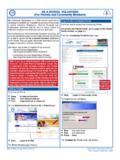
2 Confirming FAIR has received your Application . It is the responsibility of each school to decide how to best meet the needs of its students and families. How can I check the status of my Application ? You can check the status of your Application online at When will I be notified if my student has been After logging in to your account, you should awarded assistance? see your Application (s) with a Status of Submitted . To the right You will be notified by the school or Financial aid program to of the Status, you will see a link that says Current Application which you applied.
3 You will not receive results from FAIR. Status . Click on that link to see your current status. Why am I mailing my Application to FAIR? How do I submit my supporting documentation? Your school has contracted with FAIR to process the Financial You can upload, fax or mail us your documentation. aid applications and provide an objective evaluation of each family's Financial need. FAIR is a nationally recognized leader Once you submit your online Application , you will receive a in Financial need evaluation services for private and parochial confirmation email from us with information on how to get your schools.
4 Documents to us. Is my personal Financial information shared with any You will be notified by email once we receive your supporting organizations other than FAIR? documentation. All information is held strictly confidential. FAIR will not share or disseminate this information in any way with any other How do I fill out the Application if I am a divorced, organization except for your student's school. separated or single parent? If the dependents you list in Part II of the Application will live How do I apply? primarily with you, then you should complete the Application You will need the following to apply online: form based on your income and household expenses.
5 If you have remarried you will need to complete the 1. Your School Code and School Password (provided by your Application and include information about the stepparent's school administrator) income, expenses, assets, and debt. 2. A valid email address 3. A credit card (Visa or Mastercard) to complete payment Who should I list in Part II Dependents? processing You should include all dependents currently living with you or 4. A copy of your 2017 US Individual Income Tax for whom you are providing support. This includes older Return Form 1040, 1040A or 1040-EZ with all applicable children attending college or any other relatives who are schedules including copies of all 2017 W-2 forms and copies currently living with you to whom you are providing support.
6 Of your latest 2018 paystubs showing year-to-date I do not have my 2017 Federal Income Tax return available because I have filed for an extension. Will To begin the on-line Application process, parents should go my Application still be accepted? to and click on the Parent Login link. You FAIR asks that each family applying for assistance provide their can then create a user account using your email address and 2017 Federal Income Tax return unless you have filed for an a password that you select. Once you have created a user extension.
7 If you have filed for an extension we will need you to account and signed in you will be able to complete the FAIR provide us with a copy of the extension request, a copy of your Application on-line. 2016 Federal Income Tax return, and copies of your 2017 W-2s. Important Notes Before Part I: Parent/Guardian Completing and Submitting Information Your Financial Aid Application : List only information for the primary custodial parents or guardians who live with the dependents listed in Part II. 1. When submitting your Application via normal mail, please Provide the following information for each parent/guardian: use a 9 X 12 or larger envelope.
8 Current Housing Arrangement, Parent Last Name, First Name, 2. Please complete ALL items that apply to your family. If an Parent Social Security #, Parent Birth Year, Relationship to the item does not apply to you, leave it blank. Student, Current Employment Status and Occupation. 3. In the dependent section of the Application , please indicate Please provide your current household address and phone the school(s) and grade(s) that your dependent(s) will be number. Your confirmation postcard will be sent to this address. entering in the Fall of 2018 (next school year).
9 4. Use the Special Circumstances section of the online Part II: Dependents Application to list and explain any other expenses and/or special circumstances that you believe would impact your For each dependent listed, please indicate the school and eligibility for Financial aid. Please use this space to explain grade that the dependent will be entering in the Fall of 2019. anything unique to your Financial situation. (next school year). 5. The final step in completing your online Application is to List ALL dependents that are living in your household.
10 This submit your $30 processing fee using a Visa or Master- may include other family members or relatives ( parents , card credit card. grandparents, etc). 6. You will need to send FAIR: Last Name: Page 1 and 2 of your 2017 US Individual income tax return Last name of dependent. (Form 1040, 1040A or 1040-EZ), and any schedules you were required to file with your return such as: First Name: a. Schedule A - Itemized Deductions First name of dependent. b. Schedule B - Interest and Dividend Income c. Schedule C - Self Employment Income Social Security Number: d.