Transcription of PROBATE COURT OF CUYAHOGA COUNTY, OHIO
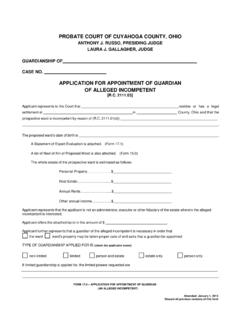
1 Updated 08/23/2021 PROBATE COURT OF CUYAHOGA COUNTY, OHIO ANTHONY J. RUSSO, PRESIDING JUDGE LAURA J. GALLAGHER, JUDGE GUIDELINES E-FILE GUARDIANSHIP OF INCOMPETENT ADULT Contents General Guidelines and Documents .. 2 Document Preparation and Signatures .. 3 Preparation and Submission of Waivers .. 3 Notification of Filing Status .. 3 New Guardianship of Adult Application Setup .. 4 Filing on an Existing Guardianship Case .. 6 Inventories, Accounts, Reports, Bonds and other Guardianship Filings .. 8 2 General Guidelines and Documents E-Filed Documents REQUIRED to Open a New Case Application for Appointment of Guardian of Alleged Incompetent (Form , , and as one file) (Forms must be typed complete with signatures.)
2 Affidavit of Guardian Applicant (Form ) *Not REQUIRED by Attorney Applicants, Adult Guardianship Services (AGS), Advocacy & Protective Services, Inc. (APSI), or GUARDIAN CONNECTION staff Applicants Statement of Expert Evaluation (Form ) (Completed by a Physician or a Clinical Psychologist.) If the proposed Ward refuses medical examination, Form must be filed in place of Form Refusal of Prospective Ward to Submit to Examination (Form ) (Must be typed with explanation and signed by Applicant.)
3 - Upload separately with its own code but send with Application submission. Waiver of Notice and Consent (Form ) (for applicable Next of Kin of the alleged incompetent adult) Form may be E-Filed after a case number is issued but before your Hearing. E-Filed Documents that You May Need to Submit (before your Hearing Date) Additional Waivers (Form See link above) Supplement for Emergency Guardian of Person (Form ) (if applicable) Appointment Procedure 1. Application for guardianship is filed in the PROBATE COURT of the County of the ward's residence by an interested party, or on the COURT 's own motion.
4 2. Application must include a statement of the guardian's willingness to perform as guardian, a bond as required by law, and, in the case of a prospective incompetent ward, a statement of the ward's mental and physical condition from a treating physician, psychiatrist, or licensed psychologist. 3. The prospective ward, as well as the adult next of kin, are notified of the impending guardianship and date and time of hearing as prescribed by law. In the case of an incompetent proceeding, the notice and a statement of rights will be served on the prospective ward by a COURT Investigator.
5 4. An investigation is conducted by a COURT Investigator which includes an interview with the prospective ward in order to assist the COURT in determining the advisability of guardianship. 5. Formal hearing is conducted by the Judge or Magistrate to determine if a guardian is necessary and whether the guardian is suitable to serve. For more information, contact the Guardianship Department at (216) 443-8995. Please bring to your hearing printed copies of ALL documents listed above. 3 Document Preparation and Signatures Forms downloaded from the COURT s web pages are fillable PDFs and MUST be typed complete with signatures.
6 Handwritten forms will not be accepted. Exception: Forms and Signatures on Applications and pleadings may be submitted in the following ways: 1) As an ink signature, the signed document then converted to a scanned PDF copy, or 2) As an E-Signature, formatted by typing /S/ in front of the typed name on signature lines, or 3) As an electronically signed or captured signature using software with audit tracking capability ( , DocuSign, RightSignature, Adobe Sign). Note: The audit track is not required with submission for forms or pleadings but must be presented if requested by a hearing officer reviewing the document.
7 Exception: Waivers may NOT be submitted using the E-Signature format. See details below. Preparation and Submission of Waivers Waivers for Guardianship pleadings may be signed and submitted to E-File in the following ways: 1) An ink-signed waiver scanned as a PDF copy, or 2) Electronically signed PDF waivers, using signature capture software which includes audit tracking capability ( , DocuSign, RightSignature, Adobe Sign). Attach to each electronically signed waiver its audit track in the same PDF file, behind the waiver form.
8 Waivers submitted without an audit track will be rejected. Electronically signed waivers may be subject to further review by hearing officers. Whenever possible, please type the party s name below the signature. Notification of Filing Status You will receive an email from the COURT indicating your filing has been Accepted or Rejected. If the filing is Rejected, you will receive notification of the reason for rejection by email. Corrected filings may be resubmitted within 72 hours. If you do not correct the rejected filing within 72 hours, you must start the filing again with a new confirmation number.
9 4 New Guardianship of Adult Application Setup 1. AFTER LOGIN: Select File a New Case from the blue E-Filing tab Select GUARDIANSHIP Select one of the following: GDN INC. ESTATE ONLY GDN INC. PERSON & ESTATE GDN INC. PERSON ONLY Case Title: Type the full name of the alleged incompetent adult. [Click Save and Proceed to advance each screen] 2. ADD PARTY MEMBERS: Case Party Role information must match the information on the Application (Form ). Enter all names complete without abbreviations or initials.
10 The following roles are REQUIRED for Application for Guardianship of Alleged Incompetent. Case Party Role on Web Application Fields (Form ) Applicant Applicant Ward Alleged Incompetent 3. ADD DOCUMENTS: Upload the signed Application: Forms , , and in one PDF. Select the Application code that matches the guardian powers requested on Form ( , for Estate Only, Person and Estate, or Person Only Guardianship). Note: AGS (Adult Guardianship Services) codes are for use by that agency only. Upload separately the signed/notarized Affidavit of Applicant Guardian: Form - Use the Affidavit code from the menu.