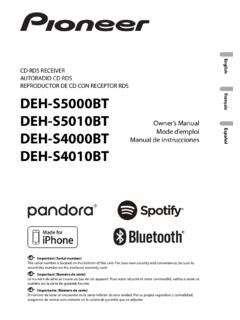
Transcription of DMH-342EX DMH-341EX DMH-340EX DMH-241EX DMH-240EX
1 EnglishDMH-342 EXDMH-341 EXDMH-340 EXDMH-241 EXDMH-240 EXRDS AV RECEIVER Important (Serial number)The serial number is located on the bottom of this unit. For your own security and convenience, be sure to record this number on the enclosed warranty ManualAVH-241 EXAVH-240 EXDVD RDS AV RECEIVER- 2 -English Important Precaution .. 3 Parts and controls .. 8 Basic operation .. 11 Bluetooth .. 15 AV source .. 19 Radio .. 20 21 Compressed 24 29 WebLink .. 31 AUX .. 33 Camera 34 35 Displaying the setting screen .. 35 System 35 Theme Settings .. 38 Audio Settings .. 38 Other functions .. 39 Appendix .. 40 ContentsThank you for buying this Pioneer read through these instructions so you will know how to operate your model properly. After you have finished reading the instructions, keep this document in a safe place for future screen shown in the examples may differ from actual screens, which may be changed without notice for performance and function 3 - WARNING Do not attempt to install or service this product by yourself.
2 Installation or servicing of this product by persons without training and experience in electronic equipment and automotive accessories may be dangerous and could expose you to the risk of electric shock, injury or other hazards. Do not allow this product to come into contact with liquids. Electrical shock could result. Also, damage to the product, smoke, and overheating could result from contact with liquids. If liquid or foreign matter should get inside this product, park your vehicle in a safe place, turn the ignition switch off (ACC OFF) immediately and consult your dealer or the nearest authorized Pioneer Service Station. Do not use this product in this condition because doing so may result in a fire, electric shock, or other failure. If you notice smoke, a strange noise or odor from this product, or any other abnormal signs on the LCD screen, turn off the power immediately and consult your dealer or the nearest authorized Pioneer Service Station.
3 Using this product in this condition may result in permanent damage to the system. Do not disassemble or modify this product, as there are high-voltage components inside which may cause an electric shock. Be sure to consult your dealer or the nearest authorized Pioneer Service Station for internal inspection, adjustments or repairs. Do not ingest the battery, Chemical Burn Hazard.(The remote control supplied or sold separately with) This product contains a coin/button cell battery. If the coin/button cell battery is swallowed, it can cause severe internal burns in just 2 hours and can lead to new and used batteries away from the battery compartment does not close securely, stop using the product and keep it away from you think batteries might have been swallowed or placed inside any part of the body, seek immediate medical using this product, be sure to read and fully understand the following safety information: Do not operate this product, any applications, or the rear view camera option (if purchased) if doing so will divert your attention in any way from the safe operation of your vehicle.
4 Always observe safe driving rules and follow all existing traffic regulations. If you experience difficulty in operating this product, pull over, park your vehicle in a safe location and apply the parking brake before making the necessary adjustments. Never set the volume of this product so high that you cannot hear outside traffic and emergency vehicles. To promote safety, certain functions are disabled unless the vehicle is stopped and the parking brake is applied. Keep this manual handy as a reference for operating procedures and safety safety information- 4 -English Do not install this product where it may (i) obstruct the driver s vision, (ii) impair the performance of any of the vehicle s operating systems or safety features, including air bags or hazard lamp buttons or (iii) impair the driver s ability to safely operate the vehicle. Please remember to fasten your seat belt at all times while operating your vehicle.
5 If you are ever in an accident, your injuries can be considerably more severe if your seat belt is not properly buckled. Never use headphones while driving. Rear visibility systems (backup cameras) are required in certain new vehicles sold in the and Canada. regulations began according to a two year phase-in on May 1, 2016, and both the and Canada require that all such vehicles manufactured on or after May 1, 2018 have rear visibility systems. Owners of vehicles equipped with compliant rear visibility systems should not install or use this product in a way that alters or disables that system's compliance with applicable regulations. If you are unsure whether your vehicle has a rear visibility system subject to the or Canadian regulations, please contact the vehicle manufacturer or dealer. If your vehicle has a compliant backup camera that displays the backup view through the factory receiver, do not use the Pioneer receiver unless it is connected to and displays the same view as the factory backup camera.
6 Connection to the factory backup camera will require an adaptor, sold separately. Not all vehicles may be able to connect. Please check with a qualified professional installer for installation options specific to your functions (such as viewing of video image and certain touch panel key operations) offered by this product could be dangerous (possibly resulting in serious injury or death) and/or unlawful if used while driving. To prevent such functions from being used while the vehicle is in motion, there is an interlock system that senses when the parking brake is set and when the vehicle is moving. If you attempt to use the functions described above while driving, they will become disabled until you stop the vehicle in a safe place, and (1) apply the parking brake, (2) release the parking brake, and then (3) apply the parking brake again. Please keep the brake pedal pushed down before releasing the parking brake. WARNING LIGHT GREEN LEAD AT POWER CONNECTOR IS DESIGNED TO DETECT PARKED STATUS AND MUST BE CONNECTED TO THE POWER SUPPLY SIDE OF THE PARKING BRAKE SWITCH.
7 IMPROPER CONNECTION OR USE OF THIS LEAD MAY VIOLATE APPLICABLE LAW AND MAY RESULT IN SERIOUS INJURY OR brake interlockTo ensure safe drivingEnglish- 5 - Do not take any steps to tamper with or disable the parking brake interlock system which is in place for your protection. Tampering with or disabling the parking brake interlock system could result in serious injury or death. To avoid the risk of damage and injury and the potential violation of applicable laws, this product is not for use with a video image that is visible to the driver. In some countries the viewing of video image on a display inside a vehicle even by persons other than the driver may be illegal. Where such regulations apply, they must be you attempt to watch video image while driving, the warning Viewing of front seat video source while driving is strictly prohibited. will appear on the screen. To watch video image on this display, stop the vehicle in a safe place and apply the parking brake.
8 Please keep the brake pedal pushed down before releasing the parking video output terminal is for connection of a display to enable passengers in the rear seats to watch video images. WARNINGNEVER install the rear display in a location that enables the driver to watch video images while sure to run the vehicle engine while using this product. Using this product without running the engine can drain the battery. WARNINGDo not install this product in a vehicle that does not have an ACC wire or circuitry an optional rear view camera, you are able to use this product as an aid to keep an eye on trailers, or backing into a tight parking spot. WARNING SCREEN IMAGE MAY APPEAR REVERSED. USE INPUT ONLY FOR REVERSE OR MIRROR IMAGE REAR VIEW CAMERA. OTHER USE MAY RESULT IN INJURY OR DAMAGE. CAUTIONThe rear view mode is to use this product as an aid to keep an eye on the trailers, or while backing up. Do not use this function for entertainment using a display connected to the video output terminalTo avoid battery exhaustionRear view camera- 6 -English CAUTION To prevent data loss and damage to the storage device, never remove it from this product while data is being transferred.
9 Pioneer cannot guarantee compatibility with all USB mass storage devices and assumes no responsibility for any loss of data on media players, iPhone, smartphone, or other devices while using this product. It may not be recognized properly by this product if a USB device that had been incorrectly disconnected from the computer is service for Pioneer productsVisit us at the following site: your updates on the latest products and owner s manuals, order product catalogs, research new products, and much notices of software upgrades and software updates. Do not expose the LCD screen to direct sunlight when this product is not used. This may result in LCD screen malfunction due to the resulting high the USB connectorFailure to operatePlease contact the dealer or distributor from which you purchased the product for after-sales service (including warranty conditions) or any other information. In case the necessary information is not available, please contact the companies listed do not ship your product to the companies at the addresses listed below for repair without making advance contact.
10 USA&CANADAP ioneer Electronics (USA) SUPPORT Box 1760 Long Beach, CA 90801-1760800-421-1404 For warranty information, please see the Limited Warranty sheet included with your our websiteProtecting the LCD panel and screenEnglish- 7 - When using a cellular phone, keep the antenna of the cellular phone away from the LCD screen to prevent disruption of the video in the form of spots, colored stripes, etc. To protect the LCD screen from damage, be sure to touch the touch panel keys only with your finger and do so gently. The information will be erased by disconnecting the yellow lead from the battery (or removing the battery itself ). Some of the settings and recorded contents will not be reset. This manual uses diagrams of actual screens to describe operations. However, the screens on some units may not match those shown in this manual depending on the model used. When an iPhone is connected to the unit, the source name on the unit appears as [iPod].