Transcription of 4010DUO User's Manual - hillrc.com
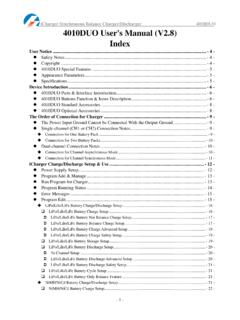
1 308 DUO synchronous Balance Charger/Discharger - 1 - 308 DUO User's Manual ( ) Index User Notice .. - 4 - Safety Notes .. - 4 - Copyright .. - 5 - 308 DUO Special Features .. - 5 - Appearance Parameters .. - 5 - Specifications .. - 6 - Device Introduction .. - 7 - 308 DUO Parts & Interface Introduction .. - 7 - 308 DUO Buttons Function & Icons Description .. - 7 - 308 DUO Standard Accessories .. - 9 - 308 DUO Optional Accessories .. - 9 - The Order of Connection for Charger .. - 10 - The Power Input Ground Cannot be Connected with the Output Ground .. - 10 - The Order of Connection.
2 - 10 - Dual-channel Connection Notes .. - 10 - Connection for Channel Asynchronous Mode .. - 10 - Connection for Channel synchronous Mode .. - 11 - iCharger Charge/Discharge Setup & Use .. - 12 - Power Supply Setup .. - 12 - Program Add & - 13 - Run Program for Charger .. - 13 - Program Running Status .. - 14 - Error Messages .. - 15 - Program - 15 - LiPo/LiIo/LiFe Battery Charge/Discharge Setup .. - 16 - LiPo/LiIo/LiFe Battery Charge Setup .. - 16 - LiPo/LiIo/LiFe Battery Not Balance Charge Setup .. - 17 - LiPo/LiIo/LiFe Battery Balance Charge Setup .. - 17 - LiPo/LiIo/LiFe Battery Charge Advanced Setup.
3 - 18 - LiPo/LiIo/LiFe Battery Charge Safety Setup .. - 19 - LiPo/LiIo/LiFe Battery Storage Setup .. - 19 - LiPo/LiIo/LiFe Battery Discharge Setup .. - 19 - To Channel Setup .. - 20 - LiPo/LiIo/LiFe Battery Discharge Advanced - 20 - LiPo/LiIo/LiFe Battery Discharge Safety Setup .. - 20 - LiPo/LiIo/LiFe Battery Cycle Setup .. - 21 - LiPo/LiIo/LiFe Battery Only Balance Feature .. - 21 - NiMH/NiCd Battery Charge/Discharge Setup .. - 21 - NiMH/NiCd Battery Charge Setup .. - 21 - NiMH/NiCd Battery Charge Advanced Setup .. - 22 - NiMH/NiCd Battery Charge Safety Setup.
4 - 22 - 308 DUO synchronous Balance Charger/Discharger - 2 - NiMH/NiCd Battery Discharge Setup .. - 22 - NiMH/NiCd Battery Discharge Safety Setup .. - 22 - NiMH/NiCd Battery Cycle Setup .. - 22 - Pb Battery Charge/Discharge Setup .. - 23 - Pb Battery Charge Setup .. - 23 - Pb Battery Charge Advanced Setup .. - 23 - Pb Battery Charge Safety Setup .. - 23 - Pb Battery Discharge - 24 - Pb Battery Cycle Setup .. - 24 - NiZn Battery Charge/Discharge Setup .. - 24 - NiZn Battery Charge Setup .. - 24 - NiZn Battery Not Balance Charger Setup .. - 24 - NiZn Battery Balance Charge Setup.
5 - 24 - NiZn Battery Charge Advanced Setup .. - 24 - NiZn Battery Charge Safety Setup .. - 25 - NiZn Battery Discharge Setup .. - 25 - To Channel Setup .. - 25 - NiZn Battery Discharge Advanced Setup .. - 25 - NiZn Battery Discharge Safety Setup .. - 25 - NiZn Battery Cycle Setup .. - 25 - 308 DUO Parameters Setup .. - 26 - 308 DUO Parameters Setup .. - 26 - Charger Setup .. - 26 - Temp. & Fans Setup .. - 26 - Beep Tone - 27 - LCD - 27 - Output Power Setup .. - 27 - Power Supply Setup .. - 28 - Save & Load Configuration Setup .. - 28 - Communication Settings.
6 - 29 - Language Setup .. - 29 - Calibration .. - 30 - Extra Function .. - 31 - Log Files Manage .. - 31 - Servo Test .. - 31 - Pulse Measurement .. - 33 - USB & SD Card Use .. - 33 - Warranty & Service .. - 33 - 308 DUO Firmware Upgrades .. - 34 - Firmware Upgrades via USB Port .. - 34 - Firmware Upgrades via SD Card .. - 35 - Use Logview for 308 DUO .. - 36 - Communication Steps .. - 36 - Important Notes .. - 38 - The Charging Principle for Reflex Charge Mode .. - 38 - 308 DUO synchronous Balance Charger/Discharger - 3 - Power Regenerative Mode .. - 38 - Channel Regenerative Mode.
7 - 38 - Resistance or - 38 - Charging Battery .. - 39 - Lithium Battery Extra Discharge Mode .. - 39 - Appendix .. - 40 - Status Indication of Running Channel .. - 40 - Status Indication of Channel Control .. - 40 - Error Messages .. - 41 - 308 DUO synchronous Balance Charger/Discharger - 4 - User Notice Safety Notes Please read the entire Manual completely before using, to make sure you can use this device properly and more safely.
8 1 308 DUO is a dual port charger, but this does not mean you can charge/discharge any configuration of the two sets of batteries! You must follow these rules: two battery packs without any external electrical connections, otherwise they could permanently damage the charger or batteries. For example: when charging a 12-cell battery pack, you must split it into two separate 6-cell, and you must never charge two 6-cell battery packs in series by connecting with CH-1 and CH-2 respectively. 2 308 DUO input power cannot have fast voltage/current fluctuations, which may cause output over current, and will damage the charger and/or the batteries and input power source in extreme cases.
9 For example: setting the input protection current and voltage is necessary according to the specifications of the input power supply, in order not to cause power overload. Some power supply overload protection circuits will produce substantial fluctuations in the supply voltage. 3 Keep the charger away from children and pets at all times. 4 Never leave the charger unsupervised when charging or discharging. If you leave, disconnect the battery and switch off charger to prevent any unexpected dangers or damage. 5 Ensure the charger program and settings match the battery pack otherwise the battery will be damaged and a dangerous situation may arise, especially for Lithium batteries, which may cause a fire.
10 6 Do not mix batteries of different types, different capacities or from different manufacturers. 7 Do not disassemble the charger. 8 Do not place the charger or any battery on a flammable surface or near a combustible material while in use. Do not charge or discharge on a carpet, cluttered workbench, paper, plastic, vinyl, leather or wood, inside an R/C model or inside a full-sized automobile. 9 Never block the air intake holes and never use in a refrigerated or high temperature environment. If used in such an environment, the internal temperature protection may result in abnormal charging/discharging that could be dangerous.