Transcription of ACL Getting Started Guide
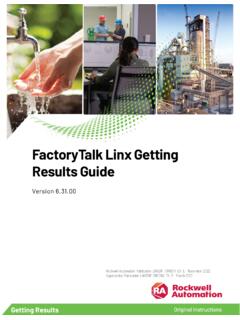
1 Getting Started Getting Started Page ii Thursday, July 27, 2006 11:19 AM. Copyright 2006 ACL Services Ltd. All rights reserved. No part of these materials may be reproduced, stored in a retrieval system, or transmitted, in any form or by any means (photocopying, electronic, mechanical, recording, or otherwise), without permission in writing from the publisher, except by a reviewer who may quote brief passages in a review. ACL 9. August 2006. ACL Services Ltd. 1550 Alberni Street Vancouver, BC. Canada V6G 1A5. Telephone: +1-604-669-4225. E-mail: Web: Printed in Canada ACL, the ACL logo, the ACL logo with the text, "ACL Data you can trust.
2 Results you can see." and Audit Command Language are trademarks or registered trademarks of ACL Services Ltd. Microsoft, Windows and Windows Server are trademarks or registered trademarks of Microsoft Corpo- ration. AIX, OS/390, OS/400 and z/OS are registered trademarks of IBM Corporation. Linux is a registered trademark of Linus Torvalds. SAP, R/2 and R/3 are trademarks or registered trademarks of SAP AG. Crystal Reports is a trademark or registered trademark of Business Objects SA. All other trademarks are the property of their respective owners. 200607271119. Page iii Thursday, July 27, 2006 11:19 AM.
3 C ONTENTS. Chapter 1: Take your first look at ACL .. 1. Making effective business decisions .. 2. What can I use ACL for? .. 3. How does ACL read data? .. 4. How do I apply ACL to my project? .. 5. Organizing your project items .. 6. Viewing and modifying your tables .. 7. Changing the columns in a view .. 8. Adding a computed value as a column .. 9. Adding a computed value as a field .. 10. Sorting a view with Quick Sort .. 11. Getting answers from your data .. 12. Choosing the appropriate command .. 13. Running a command .. 14. Viewing command results .. 15. Using filters to isolate records of interest.
4 16. Applying view filters using Quick Filter .. 17. Searching for records .. 18. Reviewing the log of your past activities .. 19. Finding help with ACL .. 20. Chapter 2: Plan your project .. 21. Identifying the project objectives .. 22. Identifying the technical requirements .. 23. Identifying analytical procedures .. 24. Chapter 3: Acquire data for your project .. 25. Guidelines for acquiring data .. 26. Requesting files and layouts .. 27. Example of a request for data .. 28. Obtaining data from a server .. 29. Obtaining data from a PC .. 30. Chapter 4: Access your data .. 31. Starting a new project in ACL.
5 32. Page iv Thursday, July 27, 2006 11:19 AM. Contents Creating tables to access your data .. 33. Accessing data with the wizard .. 34. Accessing data manually .. 35. Accessing data through client/server processing .. 36. Chapter 5: Verify the integrity of your data .. 37. Counting records .. 38. Totalling numeric fields .. 39. Checking for validity errors .. 40. Chapter 6: Analyze your data .. 41. Summarizing data .. 42. Producing a stratified summary .. 43. Producing aged summaries .. 44. Classifying records by a character field .. 45. Summarizing on character fields .. 46. Cross-tabulating character fields.
6 47. Examining sequential data .. 48. Testing the sequential order of records .. 49. Testing for gaps and duplicates in sequential data .. 50. Extracting and exporting records .. 51. Extracting data to a new table .. 52. Exporting data to another application .. 53. Sorting and indexing tables .. 54. Surveying your data .. 55. Generating descriptive statistics on numeric fields .. 56. Generating summary statistics on numeric fields .. 57. Performing Benford digital analysis .. 58. Working with multiple tables .. 59. Relating two or more tables .. 60. Joining tables .. 61. Merging two tables.
7 62. Using Extract-and-append .. 63. Adding notes to records .. 64. Sampling with ACL .. 65. Chapter 7: Report your findings .. 67. Using ACL with Crystal Reports .. 68. Designing and printing reports .. 69. iv Page v Thursday, July 27, 2006 11:19 AM. Contents Graphing data .. 70. v Page vi Thursday, July 27, 2006 11:19 AM. Contents vi Page 1 Thursday, July 27, 2006 11:19 AM. C HAPTER 1. T AKE YOUR FIRST LOOK AT ACL 1. Learn how to view your data and find the tools that you need ACL lets you analyze data in almost any format from In this almost any platform, and distill meaning from even What is ACL?
8 Vast amounts of data. Applying ACL to your project Viewing and modifying tables ACL meets the challenge of analyzing data in several Choosing commands unique ways. Here you will learn about accessing data, key ACL concepts, and the kinds of operations you Viewing command results can use to analyze data with ACL. Filtering records 1. Page 2 Thursday, July 27, 2006 11:19 AM. Chapter 1: Take your first look at ACL. Making effective business decisions Effective decision-making depends on timely access to information. This information may be hidden within vast data files, scattered across multiple databases, or stored in a variety of data types on different platforms.
9 Decision makers and data analysts need tools that can help them access various data types, process large files, and ask intelligent questions about the data. Data analysis has long depended on statistical methods. While statistics allow us to make useful generalizations about data, they rely on sampling and analyze only a small percentage of the total records. Conventional software, such as a spreadsheet application, analyzes only a limited number of records that have been converted to a form that the application can recognize. Most of the data remains unread. You need more than a spreadsheet program to analyze data effectively.
10 You need a tool that can read and analyze data in any form, and from any environment. You also need to be able to access data from multiple sources at the same time, and to be free of file-size limitations. 2 Getting Started Page 3 Thursday, July 27, 2006 11:19 AM. What can I use ACL for? What can I use ACL for? ACL provides access to virtually any data source, in most cases ? To learn more, select Help Index without advance preparation or conversion. You can readily and look up uses of ACL . perform queries and data manipulation on files that would require extensive manual preparation and conversion with other analysis software.