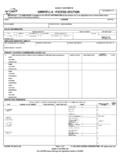
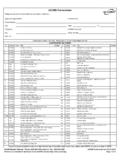
Transcription of ACORD131 Umbrella / Excess Section (2011/11)
1 ACORD131 Umbrella / Excess Section ( 2011 /11) acord 131 captures information about a liability coverage affording high limit Excess and/or extended coverage. It is a separate policy over and above other basic liability policies the same insured may have. A completed Umbrella / Excess Application consists of both the Applicant Information Section , acord 125 and the Umbrella / Excess Section , acord 131. This is necessary because some information about the applicant is only shown on the Applicant Information Section . Much of the information for the Identification Section should match the data found within the Applicant Information Section of acord 125.
2 Even though this data matches the data on the acord 125, it is still important to complete it. Many companies separate the applications by line of business for rating purposes. Not completing this portion of the application makes it difficult to keep track of the full account. To create this form you should begin at the policy level. A typical CUMBR policy might be structured similarly to this, but many variations do exist: Basic Applicant Information this information is from the agency and customer s information. Policy Information Portions of this Section are filled if coverages of CUMBR or EBLIA are found at the policy or package level of the policy.
3 For CUMBR if there are 1, 2 or 3 limits and a deductible this information fills as shown. Inside the coverage detail, under the Additional Info tab, if an Option Code is set to First Dollar Defense Included - FI the first dollar defense box is checked. For EBLIA if there are 1 or 2 limits and a deductible information fills as shown. Primary Location and Subsidiaries This data is gathered from the location and sub-locations that may be stored on the policy. Umbrella Excess Location Underwriting is available by clicking the Underwriting Info button at the bottom of the screen when in the sub-location and if found will fill the payroll and sales numbers below.
4 Underlying Insurance Information This data is found by selecting the Underwriting button on the right of the policy screen and by clicking on SCAP Underlying Umbrella Coverages. The types that can be selected are Automobile Liability (AL), General Liability (GL, GO Occurrence, GC Claims Made) and Employers Liability (EL). Up to two additional codes will also fill on this for if other types are selected. Currently the Limit information which may be downloaded or entered is not well defined so no filling of that occurs, but the rest of the fields will populate from the database.
5 Underlying Insurance Information, continued This data is found by selecting the Underwriting button on the right of the policy screen and by clicking on Excess Underlying Information Underwriting. Data stored there will cause the various filling. Note: At this time the memo sections do not fill and will need to be completed by the user. Care, Custody, and Control Information is available by clicking the Underwriting Info button at the bottom of the screen and may be entered at the location or sub-location levels. Vehicle Information This data fills from the Excess Vehicle Group Underwriting and may be entered at the policy or package levels.
6 Multiple iterations of this group, based on vehicle type are expected. Note: At this time adding information in this option is not available in Eclipse, but will be added in a future release. Additional Exposures - These questions can be accessed and added in two different ways. Some companies do download them. If your agency is manually entering this information and want to select the questions for this or any other form, select the Underwriting Questions link in the upper left of the policy window. Double-click on the second link named Underwriting Questions and then click Edit.
7 There is a button at the bottom of the window which will allow the selection of question groups for various acord forms. In this case select the check box for acord 131, click OK at the bottom, then questions will be ready for your answers. Answer as appropriate and update. If the underwriting questions have downloaded or have been selected for this policy, then each appropriate Section will have a Y or N filled on the form. Note: Any underwriting questions that require an explanation can have this information placed in the associated memo field or on an additional explanation page.
8 The memo information is not currently stored in Eclipse and will need to be manually added. Finally the signature as designated on the acord selection window will be included and the producer with that signature will be included. If a signature pad is utilized in the agency the applicant s signature can also be captured and placed on the form. The State and National Producers numbers are filled if they are found on the policy.