Transcription of ACTIVE X設定說明 - cic.org.tw
1 1 3 ACTIVE X : IE 9 IE [ ] [ ] [ ] [ ] 2 3 [ ActiveX ] [ ] ACTIVE X : IE ActiveX Firefox : [ ] [ ] [ ] ie tab 3 3 [IE Tab ] [ ] [ ] Firefox Firefox [ IE Tab ] Firefox IE
1 3 ACTIVE X : IE 9 IE [ ] [ ] [ ] [ ] 2 3 [ ActiveX ] [ ] ACTIVE X : IE ActiveX Firefox : [ ] [ ] [ ] ie tab 3 3 [IE Tab ] [ ] [ ] Firefox Firefox [ IE Tab ] Firefox IE
第1 頁共3 頁 active x設定說明 請依照本說明進行您本機端的瀏覽器設定: 以ie 9瀏覽器為例 步驟一:打開ie瀏覽器,點[工具]→[網際網路選項]
Domain:
Source:
Link to this page:
1 1 3 ACTIVE X : IE 9 IE [ ] [ ] [ ] [ ] 2 3 [ ActiveX ] [ ] ACTIVE X : IE ActiveX Firefox : [ ] [ ] [ ] ie tab 3 3 [IE Tab ] [ ] [ ] Firefox Firefox [ IE Tab ] Firefox IE

9 “Session" 請填入您自訂的名稱,"Host" 請填入CIC 提供給您的連線名稱, 這裡舉例: edac.cic.org.tw ,"Protocol"請選擇SSH,Port 請填入CIC 提供給您的
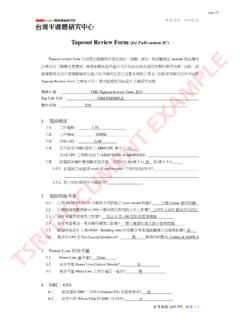
page 1/5 表單編號:Q4-CI11, V1.0 機密等級:內部使用. Tapeout Review Form (for Full-custom IC)Tapeout review form. 的用意在提醒設計者在設計、模擬、佈局、佈局驗證及
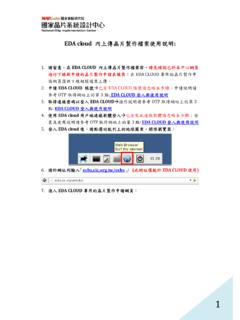
1 eda cloud 內上傳晶片製作檔案使用說明: 1. 請留意,在eda cloud 內上傳晶片製作檔案前,請先確認已於本中心網頁 進行下線新申請的晶片製作申請表填寫;在eda cloud專用的晶片製作申 請網頁僅供下線相 …

NSA Cryptographic Interoperability Strategy Anne Gugel, CISSP, ISSEP anne.gugel@jhuapl.edu 443-778-0264 05 October 2010
Copyright EFORT 2015 3 d’accès non-3GPP (e.g., WiFi) utilise l’Internet. C’est le cas lorsque l’UE utilise un point d’accès WiFi dans un hotel, restaurant ou café.
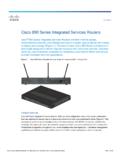
© 2014 Cisco and/or its affiliates. All rights reserved. This document is Cisco Public Information. Page 1 of 16 Data Sheet Cisco 890 Series Integrated Services Routers

The E-class Access Points The E16, E24 and E32 APs support 16, 24 and 32 simultaneous active users respectively for voice and data. A full +24dBm

Basic Rules of Windows Server Security by Russell Smith 3 May 2015 SysAdmin Magazine Specializing in the management and security of Microsoft-based IT …
DAA SHEET ARUBAOS 6.5 AirGroup technology AirGroup makes it easy to share Apple TVs, printers, Google Chromecast, and other mDNS-advertised devices across