Transcription of ALCATEL VOICEMAIL USER GUIDE - swcomms
1 ALCATEL VOICEMAIL USER GUIDE . Set up your mailbox for the first time Access the VOICEMAIL as detailed below, the VOICEMAIL will ask you to enter a 4 digit personal password (eg: 1234) and then ask you to record your name. This will personalise your mailbox. Your mailbox is now ready for use. If you wish to record your own personal greeting you will need to select option 4 (Personal Options) to record your greeting otherwise the VOICEMAIL will play the standard greeting and insert the recording of your name. To divert your phone to VOICEMAIL , Press your 'Divert' key and dial 51 as the destination to receive your calls. To cancel your divert, Press your 'Divert' key again.
2 Access VOICEMAIL The flashing green light on your handset indicates that you have mail. Retrieve your mail according to your handset type:- Advanced Handset Press the Mail key followed by Voice in the display, when VOICEMAIL answers, enter your password. Premium Handset Press the Mail key (Envelope symbol) followed by 3, when VOICEMAIL answers, enter your password. Easy Handset Press the Mail key followed by 3, when VOICEMAIL answers, enter your password. First Handset Press the Mail key, when VOICEMAIL answers, enter your password. Standard Handset Dial VOICEMAIL extension (usually 51) and enter your extn number and password. Mobile Handset Press the 'OK' key to access menu, highlight envelope symbol, press 'OK' key, highlight tape symbol and press 'OK' to dial the VOICEMAIL .
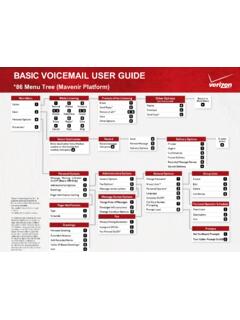
3 When VOICEMAIL answers, enter password. To dial in from Dial your DDI No & wait for message to start, outside the office: Dial * #, enter mailbox No (Extension number) and password Standard VOICEMAIL options *Enter *See above on how to enter the voice mail VOICEMAIL 1 2 3 4. Listen to Listen to Send msg Personal Messages Archive (Internally) Options Record Enter ext no 1 2 3 # to send Replay Archive / Next Erase / Next 1 3. Change Change Greeting Password 0. More Options 4. Record Greeting 5. 4 5 6 Record Date & Time Send Copy Reply to Name of Message to colleague Message (Internally) (Internally) Play Back Controls - whilst listening to a message 7 8 9. Go back 10 sec Go fwd 10 secs Pause / Resume * #.
4 Go back Skip to end of recording