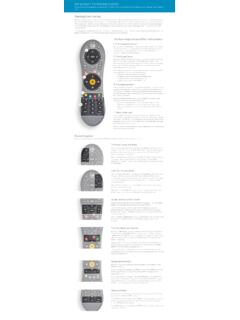
Transcription of ) All Off function key Channel Up and Down Recall key ...
1 1. INTRODUCTION remote Control key guide 2. PROGRAMMING CONTROL FOR TV DEVICES You can program the remote to control your TV using the following ways: Code Input programming 1. Turn on your TV you want to program to work with the remote control. Hold the remote the remote in a straight line in front of your YV at a distance less than 1 meter. 2. Press and hold on the remote the device mode button and button at the sane time Until the red light indicator lights up constantly. 3. Enter the four digit code that you found in the TV code list(Appendix B). 4. button will blink two times and turn off. Please press the button to check the TV Be turned off or If the YV remote on please Follow the above steps 2-4 once more and enter The other four-digit code of your brand until you Find the appropriate code that will make the Device to be turn off. Attention: When a manufacturer has more than One code you must note the codes and try them One by one.
2 Find which of the codes controls your TV and uses the most functions and use that one. Note: If no key is pressed within 30 seconds From the moment the light of thebutton Turns on, or another key other than number has Been pressed , thebutton will turn off and The programming process will be canceled. Actions to verify correct programming Once you have programmed the remote with the correct code, check to see if most of Te buttons are working according to the functions of your TV. Corrective Actions If any of the buttons do not work properly, you can program those buttons individually By using the learning function process described in chapter3. Manual code search programming 1. Turn on your TV you want to program to work with the remote control. Hold the remote in a straight line in front of your TV at a distance less than 1 meter. 2. Press the remote device mode button And button at the same time until the red Light indicator lights u constantly.
3 3. Press thebutton or thebutton one Step at a time until your TV turns off. Every time You press the orbuttons the button will blink once 4. When the TV turns off it means that the remote have found the correct code for your TV. 5. Press the button to store the code. The button light will turn off. Note: At step 3 you can hold downor button constantly until the TV turns off. Attention: When the TV turns off you must release the button immediately so that the remote won't go to the next code. For this feature you can press to search Forward and to search backward the code libraries in the remote control. Given the size of The code libraries in the remote control, it will take several minutes to cycle through all the codes, after done, the remote will exit the search status automatically. Actions to verify correct programming Once you have stored on the remote the correct code, check to see if most of the buttons are working according to the functions of your TV Corrective Actions If any of the buttons do not work properly, you can program those individually by suing the learning function process described in chapter 3.
4 Automatic code search programming 1. Turn on your TV you want to program to work with the remote control, Hold the remote in a straight line in front of your TV at a distance less than 1 meter. 2. Press and bold down the remote device mode button and button at the same time Until the red light indicator lights up constantly. 3. Press the POWER button 4. Thebutton will blink continuously in red Meaning that the remote is searching for the code of your TV. 5. When the remote finds your TV code the TV Will turn off. Attention: When the TV turns off you must immediately press thebutton to avoid the remote to go to the next code. 6. By pressing thebutton you have already stored the code. The button light will turn off. Note: This automatic search can be finished without finding an appropriate code for your TV. In that case thebutton will stop blinking and TV will remain on. Given the size of the code libraries in the remote control, it will take several minutes to cycle through all the codes Actions to verify correct programming Once you have stored on the remote the correct code, check to see if most of the buttons are working according to the functions of your TV.
5 Corrective Actions If any of the buttons do not work properly, you can program those buttons individually by using the learning function process described in chapter 3. 3. LEARN function OPERATION GUIDE The learn function on the remote control allows to program the keys one by one to learn to be have like the original remote control of your device. As example, below is a method of programming a STB using the learn function . just follow the steps: 1. Press STB button once 2. Press the learnbutton for about 3 seconds Until the STBbutton turn on in red color. 3. Bring the original remote opposite to the and At a distance of 3 to 5 cm in such way so Infrared windows are facing one another. 4. To continue press on the original remote that You have for the STB the key that you want the To learn. Keep it pressed until the red indication Light on the STBstarts blinking again. Then you can release the button . 5. Press on the key that you want to program and learn.
6 The red indication light of the STBstop blinking. And its function will already be learned to the follow steps 3 to 5 again and again for each button you wish to learn on the remote . Note: If no key is pressed within 30 seconds the red Light indication will blink twice and turn off. During the learn process all buttons can be Programmed except from (LEARN),(OK) (MACRO)(ALL OFF),and device mode keys. 6 If you have finished learning all the buttons you Want and you need store all the learned key data Press thebutton. The red light indication on The STBbutton will turn off. Attention: If after the completion of the learn process you Reprogram this particular device by putting a Different device code all stored data will be reset And replaced with the new ones. Actions to verify correct programming Once you have programmed the remote using the learning function check if all the buttons are working according with your programming by trying to control the STB device.
7 Corrective Actions If any of the buttons do not work properly, you can program those buttons again by using the same process described above. Note: Learn function for other devices If you want to use the learning function for other devices use the above guide and instead of STB mode button choose another device buttonand continue with the same procedure. Note: If you want to program to control the sound of your TV by using thebutton use the LEARN method and program the buttonusing the remote control of your TV and learn the buttons that change the sound of your TV. With this, you can control the sound of your TV without having to switch from another device to TV mode. Clear Learn data for one button Press and bold pressed at the same time one of device andbutton. Then input number 9990. Press the button that you want to clear. The light will Blink twice and button will be cleared.
8 Press sequentially all the buttons you want to clear. Clear Learn data for one device Press and hold pressed at the same time one of device keyand button . Then input number 9991 and all learned buttons for this Device will be cleared, the light of the device key lights Will turn off after blink twice. Clear Learn data for all the devices Press and hold pressed at the same time one of device key and button . Then input number 9995 and all learned buttons for all Devices will be cleared, the light of the device key lights Will turn off after blink twice. Factory resort Press and hold pressed at the same time one of device keyand button Then input number 9300 and remote will return to Factory reset state ,the light of all device key will turn Off after blink thrice. 4. DEVICE CODE REMINDER You can use this feature to check the code digits that is stored for a device ,Follow these steps using the remote control: Press the device button that you want once.
9 Press and boldbutton and press at the same time one of numbers 1,2,3, buttons and the device light will blink as many times according to the number. f number is 0 then the light will blink fast 10 times. For example let s say the device code is 1029 Press and button number 1:the device light will blink 1 time Press and button number 2: the device light will blink fast 10 times. Press and button number 3: the device light will blink 2 times Press and button number 4: the device light will blink 9 times. 5. TV VOLUME CONTROL Depending the device that you have the button on the remote control, will control the volume of your TV. If you want to enable it press and pressed at same time one of device keyandbutton. Then input the command 9100, the light of device button will light on, and then press the button once to enable this function . If you want to disable this function , please input the command 9110,after that the light of device button will blink twice then go 6.
10 GENERAL INFORMATION S Then remote and can control up to six(6)devices,which include: TV: Televisions DVD: DVD and VCR STB: Set-top boxes SAT: Satellite receivers VCR: VCR AUX: CDs, HIFI,Audio devices Point the universal remote control at the infrared part of the device you need the control approximately 60 to 100 cm Do not leave flat batteries in your universal remote control, as they could leak and void your warranty. Always replace the batteries both of them at the same time, do not mix the old and new batteries or mix different battery types. When you throw away old batteries, considerate the consults your local council or recycle department, for nearest collection point Do not drop or throw your universal remote control, as you may damage the unit and the circuitry inside. Do not let the remote control come into contact with any liquids. Use a dry cloth to clean your universal remote control.