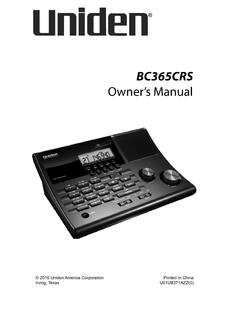
Transcription of BC75XLT Owner’s Manual
1 BC75 XLT owner s Manual 2012 Uniden America Corporation Printed in Vietnam Fort Worth, Texas U01UB372 ZZZ(0)BC 2 PRECAUTIONSB efore you use this scanner, please read and observe the scanning radio has been manufactured so that it will not tune to the radio frequencies assigned by the FCC for cellular telephone usage. The Electronic Communications Privacy Act of 1986, as amended, makes it a federal crime to intentionally intercept cellular or cordless telephone transmissions or to market this radio when altered to receive them. The installation, possession, or use of this scanning radio in a motor vehicle may be prohibited, regulated, or require a permit in certain states, cities, and/or local jurisdictions. Your local law enforcement officials should be able to provide you with information regarding the laws in your community.
2 Changes or modifications to this product not expressly approved by Uniden, or operation of this product in any way other than as detailed by this Operating Guide, could void your authority to operate this WARNING! Be sure to use only a monaural earphone with this scanner. You can also use an optional stereo headset. Use of an incorrect earphone or mono headset might be potentially hazardous to your hearing. The output of the phone jack is monaural, but you will hear it in both headphones of a stereo headset. 3 Set the volume to a comfortable audio level coming from the speaker before plugging in the monaural earphone or headset. Otherwise, you might experience some discomfort or possible hearing damage if the volume suddenly becomes too loud because of the volume control or squelch control setting.
3 This might be particularly true of the type of earphone that is placed in the ear canal. 4 CONTENTSPRECAUTIONS .. 2 THE FCC WANTS Y OU TO KNOW .. 7 SCAnninG L EGALLY ..8 INTRODUCTION ..10BC75 XLT FEATUrE HiGHLiGHTS ..10 FrEQUEnCY rAnGE ..13 USA BAnd PLAn ..14 CAnAdA B And PLAn ..16 SCANNING bASICS ..17 WHAT i S S CAnninG? ..17 WHAT i S S EArCHinG? ..17 Conventional Scanning ..18 Simplex Operation ..18repeater Operation ..19 WHAT ArE B AnkS? ..19 Channel Storage Banks ..19 Service Search Bands ..19 Custom Search ranges ..20 WHErE T O LEArn MOrE ..20 SETUP ..21 WHAT S in THE B OX? ..21 SETTinG UP THE S CAnnEr ..22 Connect the Antenna ..22 Connect an Optional Earphone/Headphone ..23 Connecting an Optional Extension Speaker ..23 Adjusting the Belt Clip.
4 23 POWErinG THE SCAnnEr ..23installing non-rechargeable Batteries ..24 5installing rechargeable ni-MH Batteries ..24 Charging the ni-MH Batteries through USB Connection ..25 Low battery Alert ..27 TUrn On THE S CAnnEr ..27 Adjust Squelch ..28 Adjusting for interference ..28bC75 XLT CONTROLS AND DISPLAY ..29 HArdWArE dESCri PTiOn ..29keypad ..29 Scroll Control knob ..31 LCd diSPLAY ..32 OPERATION ..35 SEArCHinG ..35 Quick Search ..35 Custom Search ..36 Service Search ..37 STOrinG FrEQUEnCiES ..38 Erasing a Stored Frequency ..39 SCAnninG ..39 Enabling/disabling Channel Banks ..39 Scan the Stored Channels ..40 Manually Select a Channel ..40 SPECIAL FEATURES ..42 CLOSE C ALL rF CAPTUrE ..42 Close Call Operation Mode ..42 Using Close Call Mode ..43 LOCkinG OUT C HAnnELS And FrEQUEnCiES.
5 44 Temporary Lock Out ..45 Permanent Lock Out ..45 6 Unlock ..45 PriOri TY ..46dELAY ..47kEYLOCk ..48 BACkLiGHT ..49PC PrOGrAMMinG ..49 TROUbLESHOOTING ..50 CARE AND MAINTENANCE ..53rESETTinG THE S CAnnEr ..53 GEnErAL USE ..53 LOCATiOn ..53 CLEAninG ..54rEPAir S ..54 BirdiES.. 54 SPECIFICATIONS ..56 ONE-YEAR L IMITED WARRANTY ..58 7 THE FCC WANTS Y OU TO KNOWWARNING! Uniden does not represent this unit to be water proof. To reduce the risk of fire or electrical shock, do not expose this unit to rain or and Close Call are registered trademarks of Uniden America Corporation. Other trademarks used throughout this Manual are the property of their respective scanner has been tested and found to comply with the limits for a scanning receiver, pursuant to Part 15 of the FCC rules.
6 These limits are designed to provide reasonable protection against harmful interference in a residential installation. This scanner generates, uses, and can radiate radio frequency energy and, if not installed and used in accordance with the instructions, may cause harmful interference to radio , there is no guarantee that interference will not occur in a particular installation. if this scanner does cause harmful interference to radio or television reception, which can be determined by turning the scanner on and off, you are encouraged to try to correct the interference by one or more of the following methods: reorient or relocate the receiving antenna increase the separation between the scanner and the receiverThis device complies with Part 15 of the FCC rules.
7 Operation is subject to the following two conditions: 1) This device may not cause harmful interference, and 2) this device must 8accept any interference received, including interference that may cause undesired L EGALLYYour scanner covers frequencies used by many different groups, including police and fire departments, ambulance services, government agencies, private companies, amateur radio services, military operations, pager services, and wireline (telephone and telegraph) service providers. it is legal to listen to almost every transmission your scanner can receive. However, there are some transmissions that you should never intentionally listen to. These include: Telephone conversations (cellular, cordless, or other private means of telephone signal transmission) Pager transmissions Any scrambled or encrypted transmissions According to the Electronic Communications Privacy Act (ECPA), you are subject to fines and possible imprisonment for intentionally listening to, using, or divulging the contents of such a conversation unless you have the consent of a party to the conversation (unless such activity is otherwise illegal).
8 This scanner has been designed to prevent the reception of cellular telephone transmissions and the decoding of scrambled transmissions. This is done to comply with the legal requirement that scanners be manufactured so they are not easy to modify to pick up these transmissions. do not open your scanner s case to make any modifications that could allow it to pick up transmissions that are illegal to monitor. Modifying or tampering with your scanner s internal 9components or using it in a way other than as described in this Manual could invalidate your warranty and void your FCC authorization to operate some areas, mobile use of this scanner is unlawful or requires a permit. Check the laws in your area. it is also illegal in many areas (and a bad idea everywhere) to interfere with the duties of public safety officials by traveling to the scene of an incident without authorization.
9 10 INTRODUCTIONT hank you for purchasing a Uniden BC75 XLT handheld scanner. The scanner is versatile, compact, and easy to use. in addition to its standard scanning features, your scanner also includes Close Call rF capture technology designed to help you detect and identify strong local radio signals in your can program up to 300 frequencies into the scanner s memory. The scanner lets you scan transmissions and is preprogrammed with service bands for your convenience. You can quickly search those frequencies most commonly used by police and other agencies without tedious and complicated programming. The scanner gives you direct access to over 32,000 exciting your scanner to monitor: Police and fire departments (including rescue and paramedics) nOAA weather transmissions Business/industrial radio Utilities Marine and amateur (ham radio) bands Aircraft band bC75 XLT FEATURE HIGHLIGHTSC lose Call RF Capture Technology - you can set the scanner so it detects and provides information about nearby radio transmissions.
10 See page 42 for more information on the Close Call rF feature. 11PC Programming - lets you program your scanner using your Search - lets you program up to 10 custom search ranges and search any or all of those Search - allows you to enter a frequency and start searching up or down from that Search - increases the search speed from 100 to 300 steps per second automatically for bands with 5 kHz Lockout - allows you to lock out up to 200 search frequencies (100 temporary and 100 permenant) in Custom, Service, Close Call, or Quick Search Function - lets you set your scanner to skip over specified channels or frequencies when scanning or searching. You must manually unlock these Lock-Out Function - lets you set your scanner to skip over specified channels or frequencies when scanning or searching.