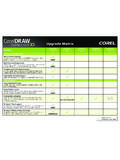
Transcription of BIM 360 Docs - BIM 360 Team Comparison - CAD …
1 1111 Civic Drive, Ste 130 Walnut Creek CA 94596 925-939-1378 Autodesk bim 360 Team and Autodesk bim 360 Docs Comparison Matrix bim 360 TEAM IS FOR DESIGN COLLABORATION IN A HIGH TRUST ENVIRONMENT, WHERE DESIGNERS WILL BE ITERATING ON THE SAME FILES AT A HIGH FREQUENCY TO COLLABORATE AND EXCHANGE INFORMATION. bim 360 DOCS IS FOR CONSTRUCTION PROJECT COLLABORATION, TAILORED FOR THE CONSTRUCTION WORKFLOW, AND THE POSSIBILITY OF A LOW-TRUST ENVIRONMENT, WHERE PROJECT STAKEHOLDERS NEED TO SHARE, COLLABORATE AND EDIT PROJECT DOCUMENTATION USING IN A CONTROLLED AND TRACKABLE ENVIRONMENT.
2 bim 360 TEAM bim 360 Docs ADMINISTRATIVE Cloud Repository Web Access Companion iPad and iPhone App Companion Android App Projects Unlimited Unlimited Storage 500 GB/Member Unlimited Separate drive for individual file storage X Available Languages 14 7 ACCESS CONTROL / PERMISSIONS Permission Levels 3 5 Restrict Project Access by User Restrict Project Access by Company, Role X Restrict Folder-Level Access by User, Company, Role X Restrict File-Level Access by Permission Level (Admin, Editor, Viewer) X Manage Users, Companies & Projects in bim 360 HQ X Custom domains for team hubs X Access all projects from single URL Cross-Project Reporting (via bim 360 HQ) X Mobile Device Management Support X PUBLISHING & VIEWING Drag & Drop File Upload Progressive Upload X Download Documents, Models, and Drawings Automatically Extract Sheets from.
3 DWG files & multi-page PDFs X Automatically Extract Sheets from .RVT files X PDF Title Block Extraction X Automatic Creation of Callout Hyperlinks on 2D Sheets X Manually Add Hyperlinks to 2D Sheets X View 2D Drawing File Formats View 3D Model Formats Section, Explode, Walkthrough, 3D models View Non-Design File Formats Basic Search (File Name & Attributes) Deep Search (Properties inside of Documents & Models) X 2D Version Compare Sheet Stacking (Sheet Comparison ) 3D Version Compare X 2D Document Compare X 1111 Civic Drive, Ste 130 Walnut Creek CA 94596 925-939-1378 DOCUMENT MANAGEMENT Move, Copy & Rename Documents Delete & Restore Documents Move, Copy, & Rename Folders X Delete & Restore Folders X Version Tracking of Files (Auditable History and Rollback)
4 Make Prior Version Current Public and Private Sharing via Link X Password Protect Shared Files via Links X Enable/Disable Download Ability for Shared Files via Links X Subscribe to Folder-Level Notifications X Subscribe to Project Level Notifications Project Activity Log X COMMENTS & MARKUP Create & Manage Markups (2D design files) Create & Manage Markups (PDF files) X Create & Manage Markups (3D models) Markup Color and Shape Options Change Status of Markup X Attach Document to Markup X Show/Hide Markups Automatic Slip Sheeting (carry forward open markups) X Comments and Markups Connected to Version Maintain History of Closed Markups X Point-level and Object-level Comments X Measure in 2D sheets X PROJECT TEAM COLLABORATION Real-Time Browser Sharing X Create Project Issues (2D Sheets) X Assign Issues to User, Roles or Company X Assign Due Dates to Issues X Change Status of Issues (Draft, Open, Answered, Closed) X Add Comments to Issues X Attached Photos or Documents to Issues X View Project-Wide Issues Summary X Sort & Filter Issues by Date, Status, Assignee X Automatic Slip Sheeting (carry forward open issues) X Visual Indicators of Issues/Markups on Document Thumbnails X Create & Manage RFIs X Calendar (Shared Project Events, Activities)
5 X Discussions X INTEGRATIONS Collaboration for Revit X Forge APIs bim 360 APIs X Pricing Annual Term Subscription Quarterly, 2 Year, and 3 Year Terms available Single-User $ $ 25 Pack $ $ 100 Pack $ $