Transcription of Cargo-IMP guide - AWB Editor
1 Cargo-IMP guide Types of messages The Cargo-IMP standard is composed of very many messages, but the messages currently used by freight forwarders are the following: FWB - Air Waybill The electronic equivalent to the master AWB, it contains the same information as the master AWB. FHL - Consolidation list Used to send a summary of the house AWBs. One FHL should be sent per house AWB. FMA - Acknowledgement Sent to the freight forwarder to acknowledge the reception of a message. FNA - Error Sent to the freight forwarder in case there was an error with a message, for example wrong content. FSU - Status update Sent to the freight forwarder with information of the status of the freight. In general multiple FSUs are sent as freight is transported and delivered. Typically a FWB and maybe one or more FHLs will be sent to the airline, then FMAs messages will be sent to acknowledge the reception of the messages.
2 And then when the freight is being transported multiple FSUs will be sent from the airline. If there is any problem with the messages a FNA will be sent to the freight forwarder. In general FMAs and FNAs are sent within minutes after the original message is sent. Other less used messages are also supported by the program: FSR - Status request Used to request the status of a freight. A FSA will be sent as reply which is exactly equal to a FSU. FVR - Schedule request Used to request schedule and space availability in a route or a flight FVA - Schedule answer The answer to a FVR FFR - Space allocation request To book space in a flight FFA - Allocation answer The answer to a FFR Creating the messages It is possible to create FWBs and FHLs even if Cargo-IMP transmission is not enabled, this can be done using the same New button used to create paper document.
3 The FWB is very similar to the AWB, the main difference is that data has to be entered in the proper format and space is sometimes limited. The program will show required boxes in blue, boxes with wrong content in red and some few boxes in yellow. The boxes in yellow means that at least one of the boxes has to be filled, and sometimes only one. After the document is complete use the Save to Cargo-IMP option on the left, this will make the program do additional verifications on the FWB. Additional verifications include: country and airport/city codes, sums and totals, and general correctness. These verifications are continually being improved. The FHL is just a summary of a house AWB. The FHL can also be used to list all houses related to a master, however in general airlines will only accept FHLs with information of one house.
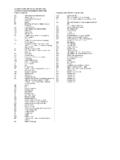
4 If you have many houses just send multiple FHLs, one per house. The format of the FHL is a very simple document where a short description of the house is entered. Special handling codes In both FWBs and FHLs there is the possibility to enter special handling codes, these codes indicate important information about the freight, here is short list of codes. Note that airlines can have additional codes, but the most important standard codes are recognize by all of them. CAO Cargo Aircraft Only DIP Diplomatic Mail FRO Frozen Goods ICE Dry Ice PEM Meat PEP Fruits and Vegetables PER Perishable Cargo PES Fish or Seafood XPS Priority LIFT Here is a more complete list of special handling codes: Transmission and Cargo-IMP screen Once Cargo-IMP transmission is enabled in the program a new option will appear in both FWB and FHL forms to transmit the message.
5 When clicking on Transmit the program will do the usual additional verifications and if everything is fine the transmission window will appear, this window will show you to which airline send the message (it will pre select the proper airline based on the AWB number). The click con Transmit and the message will be send to the airline. When transmission is enabled a new Cargo-IMP screen will be available. This screen looks a bit like an email client where you can see all messages sent and received. The main functionality of this screen is checking the received messages. It is also possible to receive the messages in your email box, this makes it easier to get the replies as it is not necessary to have the program open. Transmission: Cargo Community System As airlines do not accept messages directly from freight forwarder a Cargo Community System (CCS) is required.
6 They connect freight forwarders with airlines and other transport actors. They make possible the connection of companies using different communication methods and take care of the conversion of messages to the correct version. CCS also take care of registering the freight forwarders with the airlines, this way only registration with the CCS is required.