Transcription of Center for Educational Performance and …
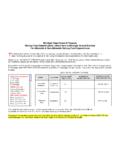
1 Center for Educational Performance and information (CEPI) Michigan Education information System (MEIS) Financial information Database (FID) Budgetary Assumptions User's Guide For Budget Year 2015/16 Questions? Phone: (517) 335-0505 Email: Financial information Database (FID)/Budgetary Assumptions Collection User s Guide Published: 7/2/2015 Page 2 of 4 Budgetary Assumption (BA) Data Collection Navigating to the Budgetary Assumptions Page: Upon logging into FID, you will see the welcome screen shown below. To go to the Budgetary Assumptions screen, click on the left hand menu, and choose Budgetary Assumptions , then select Data Collection from the Center menu.
2 Financial information Database (FID)/Budgetary Assumptions Collection User s Guide Published: 7/2/2015 Page 3 of 4 Entering Data: Once you have gone into the Budgetary Assumptions screen, you will be able to enter in the required data. The first block of data in the Center of the screen is asking for the name, phone and email, of the person from the District who should be contacted by the Treasury department should they have follow up questions. Please note: the contact person may be someone other than the person entering the data.
3 Please confirm that the correct information is reported. Below the contact information are the four fields that will need to be completed: Financial information Database (FID)/Budgetary Assumptions Collection User s Guide Published: 7/2/2015 Page 4 of 4 Projected Foundation Allowance for School Year 2015-2016: This is the projected foundation allowance per-pupil used by the district s governing body when adopting the district budget for the upcoming fiscal year. Projected Student Membership for School Year 2015-2016: The projected membership (in FTE) of the district used when adopting the budget for the district for the upcoming fiscal year.
4 Expenditure per Pupil for School Year 2014-2015: The estimated expenditures per pupil for the district for the immediately preceding fiscal year, calculated by dividing the total general fund operating expenditures during the fiscal year by the student membership for the district reported by the Department of Education in the most recent State Aid Financial Status report for the month of May. Projected Expenditure per Pupil for School Year 2015-2016: The projected expenditures per pupil for the district for the new fiscal year. This value should be calculation of the district s general fund operating expenses divided by the projected FTE membership value entered.
5 The Michigan Department of Education defines operating expenses as function codes 1xx, 2xx and 45x and object codes 1xxx-5xxx, 7xxx and 82xx where x indicates a wildcard value. Saving & Submitting the BA Collection: The Save button will keep your data so you can exit the application and come back later to complete the submission. Saving your data does not officially submit the BA Collection to CEPI. When you have completed entering the data and have confirmed that it is accurate, complete the submission by selecting the Submit to CEPI button. Once your data is submitted, it cannot be altered without contacting CEPI Customer Support to re-open the screen.
6 Be sure to print a copy of your collection. Printing your Data: Please print a copy of the data you submitted to keep for your records. Correcting your Data: Data that has already been submitted to CEPI can be modified before the due date. To modify data that have already been submitted, please contact CEPI Customer Support for further assistance. For Authorizers of Public School Academies: An authorizing body (authorizer) of a public school academy may submit this data on behalf of their public school academy(ies). The authorizer should contact CEPI Customer Support to get security access to the FID.