Transcription of Cheat sheet Numpy Python copy
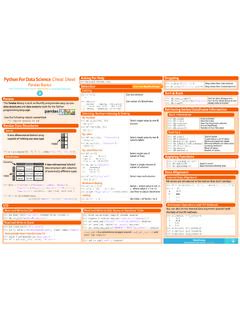
1 2 Python For Data Science Cheat SheetNumPy BasicsLearn Python for Data Science Interactively at Python for Data Science InteractivelyThe Numpy library is the core library for scientific computing in Python . It provides a high-performance multidimensional array object, and tools for working with these arrays. >>> import Numpy as npUse the following import convention:Creating Arrays>>> ((3,4)) Create an array of zeros>>> ((2,3,4),dtype= ) Create an array of ones>>> d = (10,25,5) Create an array of evenly spaced values (step value) >>> (0,2,9) Create an array of evenly spaced values (number of samples)>>> e = ((2,2),7) Create a constant array >>> f = (2) Create a 2X2 identity matrix>>> ((2,2)) Create an array with random values>>> ((3,2))
2 Create an empty arrayArray Mathematics>>> g = a - b Subtraction array([[ , 0. , 0. ], [-3. , -3. , -3. ]])>>> (a,b) Subtraction>>> b + a Addition array([[ , 4. , 6. ], [ 5. , 7. , 9. ]])>>> (b,a) Addition>>> a / b Division array([[ , 1. , 1. ], [ , , ]])>>> (a,b) Division>>> a * b Multiplication array([[ , 4. , 9. ], [ 4. , 10. , 18.)]]
3 ]])>>> (a,b) Multiplication>>> (b) Exponentiation>>> (b) Square root>>> (a) Print sines of an array>>> (b) Element-wise cosine >>> (a) Element-wise natural logarithm >>> (f) Dot product array([[ 7., 7.], [ 7., 7.]])Subsetting, Slicing, Indexing>>> () Array-wise sum>>> () Array-wise minimum value >>> (axis=0) Maximum value of an array row>>> (axis=1) Cumulative sum of the elements>>> () Mean>>> () Median>>> () Correlation coefficient>>> (b) Standard deviationComparison>>> a == b Element-wise comparison array([[False, True, True], [False, False, False]], dtype=bool)
4 >>> a < 2 Element-wise comparison array([True, False, False], dtype=bool)>>> (a, b) Array-wise comparison1 231D array 2D array 3D 234 56 Array ManipulationNumPy Arraysaxis 0axis 1axis 0axis 1axis 2 Arithmetic Operations Transposing Array>>> i = (b) Permute array dimensions>>> Permute array dimensions Changing Array Shape>>> () Flatten the array>>> (3,-2) Reshape, but don t change data Adding/Removing Elements>>> ((2,6)) Return a new array with shape (2,6) >>> (h,g) Append items to an array>>> (a, 1, 5) Insert items in an array>>> (a,[1]) Delete items from an array Combining Arrays>>> ((a,d),axis=0) Concatenate arrays array([ 1, 2, 3, 10, 15, 20])>>> ((a,b)) Stack arrays vertically (row-wise) array([[ 1.)]]
5 , 2. , 3. ], [ , 2. , 3. ], [ 4. , 5. , 6. ]])>>> [e,f] Stack arrays vertically (row-wise)>>> ((e,f)) Stack arrays horizontally (column-wise) array([[ 7., 7., 1., 0.], [ 7., 7., 0., 1.]])>>> ((a,d)) Create stacked column-wise arrays array([[ 1, 10], [ 2, 15], [ 3, 20]])>>> [a,d] Create stacked column-wise arrays Splitting Arrays>>> (a,3) Split the array horizontally at the 3rd [array([1]),array([2]),array([3])] index>>> (c,2) Split the array vertically at the 2nd index[array([[[ , 2.]]
6 , 1. ], [ 4. , 5. , 6. ]]]), array([[[ 3., 2., 3.], [ 4., 5., 6.]]])]Also see Lists Subsetting>>> a[2] Select the element at the 2nd index 3>>> b[1,2] Select the element at row 1 column 2 ( equivalent to b[1][2]) Slicing>>> a[0:2] Select items at index 0 and 1 array([1, 2])>>> b[0:2,1] Select items at rows 0 and 1 in column 1 array([ 2., 5.]) >>> b[:1] Select all items at row 0 array([[ , 2., 3.]]) (equivalent to b[0:1, :])>>> c[1.
7 ] Same as [1,:,:] array([[[ 3., 2., 1.], [ 4., 5., 6.]]])>>> a[ : :-1] Reversed array a array([3, 2, 1]) Boolean Indexing>>> a[a<2] Select elements from a less than 2 array([1]) Fancy Indexing>>> b[[1, 0, 1, 0],[0, 1, 2, 0]] Select elements (1,0),(0,1),(1,2) and (0,0) array([ 4. , 2. , 6. , ]) >>> b[[1, 0, 1, 0]][:,[0,1,2,0]] Select a subset of the matrix s rows array([[ 4. ,5. , 6. , 4. ], and columns [ , 2. , 3. , ], [ 4. , 5. , 6. , 4. ], [ , 2. , 3. , ]])>>> a = ([1,2,3])>>> b = ([( ,2,3), (4,5,6)], dtype = float)>>> c = ([[( ,2,3), (4,5,6)], [(3,2,1), (4,5,6)]], dtype = float)Initial PlaceholdersAggregate Functions>>> (" ")>>> (" ", delimiter=',')>>> (" ", a, delimiter=" ") 56 Copying Arrays>>> h = () Create a view of the array with the same data>>> (a) Create a copy of the array>>> h = () Create a deep copy of the arraySaving & Loading Text FilesSaving & Loading On Disk>>> ('my_array', a)>>> (' ', a, b)>>> (' ')>>> Array dimensions>>> len(a)
8 Length of array >>> Number of array dimensions >>> Number of array elements >>> Data type of array elements>>> Name of data type >>> (int) Convert an array to a different type Inspecting Your Array>>> ( )Asking For HelpSorting Arrays>>> () Sort an array>>> (axis=0) Sort the elements of an array's axisData Types>>> Signed 64-bit integer types >>> Standard double-precision floating point>>> Complex numbers represented by 128 floats>>> Boolean type storing TRUE and FALSE values>>> Python object type>>> Fixed-length string type>>> Fixed-length unicode 56123