Transcription of ConocoPhillips Vendor Quick Reference Guide
1 ConocoPhillips Vendor Quick Reference Guide Invoice Options & Requirements ePay invoice submission process that utilizes Actian, our third-party invoice platform, to receive electronic invoice data from vendors. iPay invoice submission process that utilizes invoice images sent in by vendors, either through specific email addresses or paper invoices that are received and imaged in-house. Vendor Invoice Options & Requirements Payment Methods/Payment Terms ConocoPhillips offers the ability to pay vendors through various payment methods, however, the preferred payment method is through ACH/EFT.
2 We make payments to vendors daily and generally utilize Net 30 standard payment terms unless specifically stated otherwise. Additional information regarding payment methods can be accessed through the link below. Vendor Payments Invoice Payment and Status ConocoPhillips offers vendors the opportunity to access invoice, purchase order, and payment information through our My Vendor Portal (MyVP) website. This is the preferred Vendor inquiry method that allows vendors to easily obtain up-to-date information.
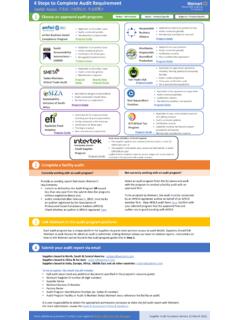
3 Please use the MyVP Instruction Guide below for instructions on how to enroll in MyVP as well as how to use the MyVP site for any ConocoPhillips invoicing inquiries. MyVP Instruction Guide Invoice Submission Flow Chart Supplier Tools SMART by GEP Sourcing and Contract Management Database (Software as a Service) ConocoPhillips employs SMART by GEP to host and manage sourcing and contracting activities globally. The SMART tool enables you, as a supplier to partake in sourcing events, review, negotiate and manage new and existing contracts and actively communicate with ConocoPhillips through a single centralized automated repository.
4 Its end-to-end capabilities simplify the process of submitting sourcing event documentation, contract creation, negotiation, approval, signature, and post award contract management. If you have previously registered with SMART as a result of being invited to participate in a sourcing event, or if you have been set up with a supplier account as a result of having an existing contract with ConocoPhillips , you can access the login page here. NOTE: If you are not registered in SMART, you will not have login information and therefore are unable to access this tool.
5 If you would like to learn more about SMART by GEP, please contact your ConocoPhillips representative. For additional user information concerning SMART by GEP, please refer to the following documents. Supplier Contract Management Supplier Management Suppliers Workspace Overview Supplier Profile Creation Suppliers Registration & Training Guide Purchase Order Confirmation & Expediting Tool (POCE) The PO Confirmation & Expediting (POCE) tool is designed to increase efficiency in the confirmation and expediting process.
6 The POCE tool allows suppliers to confirm receipt of POs, update delivery dates within a pre-approved threshold, and post comments back to ConocoPhillips expeditors. To begin your self-registration process, please follow this link to create a user ID: Select xapps1-poce If registered in the Purchase Order Confirmation Tool, please confirm via this link: For more information, please refer to the POCE Supplier Guide . Please contact for any POCE Tool registration or use questions.