Transcription of Contents
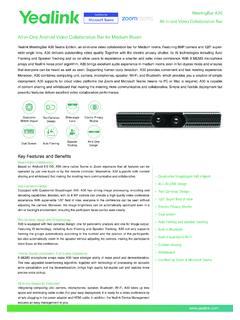
1 ContentsContentsOverviewProduct IntroductionSecurity Strategies on MVC Room SystemHardware SecuritySoftware SecurityMicrosoft Teams Rooms AppYealink RoomConnect AppData Processing and ProtectionAccount SecurityNetwork SecurityTesting Method and Result of MiercomKey FindingsHow We Did ItTest ToolsEndpoint Vulnerability Scanning and AssessmentAssessmentVulnerability ScanningDoS Attack and RecoveryAppendixesOverview As one of Microsoft's core hardware solution partners, Yealink has devoted significant efforts to providingindustry-leading hardware solutions to meet intra- and inter-enterprise communication needs. In 2019, Yealinkand Microsoft jointly launched the first MVC Room System for Microsoft Teams Room. With the increasing marketdemand for MVC Teams Room System, Yealink has also launched new-generation MVC Room System one white paper aims to illustrate and prove the security of Yealink MVC Room System in design and daily Introduction MVC Room System is a Windows-based video conferencing system, equipped with Windows 10 IoT Enterprisesystem and a native Microsoft Teams Room app.
2 It can provide video conferencing, content sharing, and otherfeatures to meet users' videoconferencing collaboration provides Microsoft Teams Room (MTR) and the Teams services for provides the hardware solution, which has been strictly tested and certified by Strategies on MVC Room System Hardware Security In Teams Rooms environment, Yealink MCore (mini-pc) acts as a central compute module that runs Windows 10 IoT Enterprise edition. Yealink MCore has a secure mounting solution, a security lock slot (Kensington lock), andI/O port access security measures that IT admin can fasten the screws in mini-pc to prevent the connection ofunauthorized devices. You can also disable specific ports via Unified Extensible Firmware Interface (UEFI) MCore mini-pc (certified compute module) is shipping with Trusted Platform Module (TPM) complianttechnology enabled by default. TPM is used to encrypt the login information for the Teams Rooms boot is enabled by default.
3 Secure boot is a security standard developed by members of the PC industryto help make sure that a device boots using only software that is trusted by the Original Equipment Manufacturer(OEM). When the PC starts, the firmware checks the signature of each piece of boot software, including UEFI firmware drivers (also known as Option ROMs), EFI applications, and the operating system. If the signatures arevalid, the PC boots, and the firmware gives control to the operating system. For more information, see to UEFI settings is only possible by attaching a physical keyboard and mouse. This prevents being able toaccess UEFI via the Teams Rooms touch-enabled console as well as any other touch-enabled displays attachedto Teams Direct Memory Access (DMA) Protection is a Windows 10 setting that is enabled on Teams Rooms. Withthis feature, the OS and the system firmware protect the system against malicious and unintended DMA attacksfor all DMA-capable devices:During the boot malicious DMA by devices connected to easily accessible internal/external DMA-capable ports, such as PCIe slots and Thunderbolt 3, during OS Rooms also enables Hypervisor-protected code integrity (HVCI).
4 One of the features provided by HVCI isCredential Guard. Credential Guard provides the following benefits:Hardware security NTLM, Kerberos, and Credential Manager take advantage of platform security features, including Secure Boot and virtualization, to protect security Windows NTLM and Kerberos derived credentials and other secrets run in a protected environment that is isolated from the running operating protection against advanced persistent threats When Credential Manager domain credentials, NTLM, and Kerberos derived credentials are protected using virtualization-based security, the credential theft attack techniques and tools used in many targeted attacks are blocked. Malware running in the operating system with administrative privileges can\'t extract secrets that are protected by virtualization-based Security Microsoft Teams Rooms App After Microsoft Windows boots, Teams Rooms automatically signs into a local Windows user account namedSkype.
5 The Skype account has no password. To make the Skype account session secure, the following steps Microsoft Teams Rooms app runs using the Assigned Access feature found in Windows 10 1903 and Access is a feature in Windows 10 that limits the application entry points exposed to the user. This iswhat enables single-app kiosk mode. using shell Launcher, Teams Rooms is configured as a kiosk device thatruns a Windows desktop application as the user interface. The Microsoft Teams Rooms app replaces the defaultshell ( ) that usually runs when a user logs on. In other words, the traditional Explorer shell does notget launched at all. This greatly reduces the Microsoft Teams Rooms vulnerability surface within Windows. Formore information, see Configure kiosks and digital signs on Windows desktop , lock down policies are applied to limit non-administrative features from being used. A keyboard filteris enabled to intercept and block potentially insecure keyboard combinations that aren\'t covered by AssignedAccess policies.
6 Only users with local or domain administrative rights are permitted to sign into Windows tomanage Teams Rooms. These and other policies applied to Windows on Microsoft Teams Rooms devices arecontinually assessed and tested during the product RoomConnect App As Yealink self-developed management app, Yealink RoomConnect is pre-installed in the MCore mini-pc. It canidentify the accessories connected to Yealink MVC system and allow you to configure or upgrade firmware of Processing and Protection By default, the following information of peripherals is only processed between peripherals and YealinkRoomConnect software and stored locally on the Yealink MCore addressSerial numberFirmware version numberDevice system log files (When exported out from device for the purpose of troubleshooting)This information is used by the device and Yealink RoomConnect software to provide basic functionality andupdate Yealink Auto Update feature, the Yealink RoomConnect software detects and downloads available firmwareof peripherals regularly from Yealink cloud-based transmitted via Yealink RoomConnect software between firmware update server is encrypted over service uses following security protocol to ensure the data protection.
7 TLS_RSA_WITH_AES_128_CBC_SHA, TLS_ECDHE_RSA_WITH_AES_128_GCM_SHA256 Account Security Teams Rooms devices include an administrative account named \"Admin\" with a default password. We stronglyrecommend that you change the default password as soon as possible after you complete Admin account isn\'t required for proper operation of Teams Rooms devices and can be renamed or evendeleted. However, before you delete the Admin account, make sure that you set up an alternate localadministrator account configured before removing the one that ships with Teams Rooms devices. For moreinformation on how to change a password for a local Windows account using built-in Windows tools orPowerShell, see the following:Change or reset your Windows passwordSet-LocalUserYou can also import domain accounts into the local Windows Administrator group. You can do this for Azure ADaccounts by using Intune. For more information, see Policy CSP -- Security Generally, Teams Rooms has the same network requirements as any Microsoft Teams client.
8 Access throughfirewalls and other security devices is the same for Teams Rooms as for any other Microsoft Teams to Teams Rooms, the categories listed as \"required\" for Teams must be open on your firewall. TeamsRooms also needs access to Windows Update, Microsoft Store, and Microsoft Intune (if you use Microsoft Intuneto manage your devices). If you want to use the auto-update feature of YealInk RoomConnect, make sure that your device can via TCP port understand more on Network Security, please refer to # Method and Result of MiercomKey FindingsAnalysis of data in transit was proven encrypted Tamper resistant design verified on MCore and peripherals, including security locks to prevent theft and tamperingNo vulnerable APIs, Windows services or ports were found on the Yealink networked components in testBased on our findings, the Yealink MVC Product family demonstrates competitively superior security andperformance tested with real-world exploits and stressful conditions.
9 We proudly award the Yealink MVC RoomsSystems for Microsoft Teams the Miercom Certified Secure We Did ItUsing a simulated enterprise network environment, we tested MVC840 and theMVC400 for basic functionality while conducting monitoring and penetrationtesting Bed Overview 1 The network topology above was used for the MVC840 deployment. With the MCore Mini-PC as the centerpiece,the PoE switch will be connected to the supporting network and will also include the Presenter s Laptop. This willact as the interface for the user. The USB-A to USB-B connects the UVC84 USB PTZ Camera to the two VCM34 Array Microphones and the Yealink Soundbar and will deliver and receive audio/visuals to supplement themeeting experience. Lastly, the Presenter s Display will display what the user decides based on their interactionswith the MTouch II Touch CyPerf is the industry s first cloud-native software test solution that recreates every aspect of a realistic workload across a variety of physical and cloud environments to deliver unprecedented insights into end user experience, security posture, and performance bottlenecks of hybrid packet sniffer that can be used for network troubleshooting and Vulnerability Scanner proprietary security scanning tool developed by Tenable, Inc.
10 It provides high speed and accurate scanning with minimal false Linux Debian 10 with Kernels inside KVM Virtual Machines with physical Ethernet connections via PCIE bridging. We tested using 64-bit + ZenmapNmap ( Network Mapper ) is an open-source tool for network exploration and security auditing. It was designed to rapidly scan networks using raw IP packets in novel ways to determine what available hosts, offered services (application name and version), running operating systems (OS versions), types of packet filters/firewalls, and dozens of other characteristics. Nmap is also useful for routine tasks such as network inventory, managing service upgrade schedules, and monitoring host or service uptime. Zenmap is an X11+GTK frontend for s BootCD all-in-one bootable disc aimed as a rescue utility. Contains only free and legal software and is legal in the terms of Microsoft s usage Tools The following tools are a representative list of software tools and exploits we implemented to conduct our securityassessment.