Transcription of Copyright © 2016 HRD Software LLC
1 HRD RIG CONTROL Copyright 2016 HRD Software LLC ABSTRACT This manual contains instructions to install and activate the Ham Radio Deluxe Software suite. instructions are also included for connecting your radio, configuring and customizing the HRD Rig Control Software including setup and operating the HRD Remote Control along with setup and using the HRD Remote Serial Port server and client Software . Compiled by the HRD Tech Support Staff HRD Rig Control Copyright 2016 HRD Software LLC 1 Table of Contents Chapter 1 ..8 Introduction To HRD ..8 What is Ham Radio Deluxe?
2 8 Rig Control ..8 Logbook ..8 Digital Master (DM-780) ..8 Satellite Tracking ..8 Rotator ..8 How It All Began ..9 This Guide ..9 How to purchase Ham Radio Deluxe? ..9 Getting Started With Ham Radio Deluxe .. 10 HRD Help 10 System Requirements .. 11 Computer .. 11 Windows Vista, 32-Bit .. 11 Windows 7, 8, and 10, 32-bit .. 11 64-Bit versions of the Windows operating system .. 12 Internet Connection .. 12 Other Software .. 13 Radio Interfacing .. 13 Supported Radios .. 14 Alinco .. 14 DZ Company .. 15 Elecraft .. 15 FlexRadio .. 15 Icom .. 15 HRD Rig Control Copyright 2016 HRD Software LLC 2 Kenwood.
3 15 Microtelcom .. 15 SDR-Radio .. 15 Ten-Tec .. 16 16 Computer Interfacing .. 16 Rig Control 16 RS-232 Connection .. 17 USB/Serial Connection .. 17 All- In-One 18 Getting Technical Support .. 19 License Agreement .. 22 Software Support & Maint. Agreement .. 24 30-Day Trial Policy .. 25 HRD Activation Key Policy .. 26 Chapter 2 .. 28 Important Installation Notes .. 28 Downloading HRD .. 29 Installing The HRD Software .. 30 HRD File Locations .. 31 Uninstalling The HRD Software .. 32 Chapter 3 .. 39 Activating HRD .. 39 Trial Activation .. 40 Beginning Your 40 Full Activation .. 41 Entering Your Activation Key.
4 42 Adding Additional Keys .. 42 HRD Rig Control Copyright 2016 HRD Software LLC 3 Expired Activation Keys! .. 43 Troubleshooting A Failed Activation .. 44 Chapter 4 .. 46 Testing The HRD Software .. 46 Rig Connect Screen .. 47 More Features .. 50 Connecting Your Radio .. 51 Connecting Flex and SDR Radios .. 52 Let s Get Connected .. 52 Chapter 5 .. 56 The Rig Control Screen .. 56 Rig Control Main Menu .. 57 Rig Control Toolbar .. 59 Configuring Time & Date .. 60 Setting Proper ITU Zone .. 60 Connecting Multiple Radios .. 62 Rig Control Tour .. 64 Moving HRD To A New Computer.
5 67 Chapter 6 .. 70 Introduction .. 70 Chapter 7 .. 77 Introduction .. 77 HRD Archive Utility .. 77 Add Desktop Icon .. 79 Audio Grabber .. 79 Audio Browser .. 80 Bandscope (Icom) .. 82 Calendar .. 85 HRD Rig Control Copyright 2016 HRD Software LLC 4 Command Tester .. 85 DDE Monitor .. 87 LDG Electronic ATUs .. 89 Lock Program .. 89 Shortwave Database .. 89 Transverter .. 90 Tune-Up .. 91 External Dial Control .. 91 91 Hardware .. 92 IP Server .. 92 Webpage Updates .. 94 Extended Menus .. 95 Memory Management .. 95 HRD Global Settings .. 95 Program Options .. 96 Keyboard Accelerators.
6 96 Comms .. 97 COM Port TX .. 98 ICOM Calibration .. 99 Internet .. 99 Out Of Band .. 100 Mouse Wheel .. 100 Selection Window .. 101 Themes .. 101 Main 102 System Theme .. 102 Main Tabs .. 102 HRD Rig Control Copyright 2016 HRD Software LLC 5 Updates .. 102 Yaesu .. 102 Serial Port Client .. 103 Each mapping consists of: .. 104 Remote Port Settings .. 104 Voice Functions .. 106 Synchronizer .. 106 Chapter 8 .. 108 Selection Menu Options .. 108 Favorites .. 108 Quick Save .. 111 Bands .. 112 Band Manager .. 113 Modifying A Bandmap .. 114 Advanced .. 115 Macros .. 115 Cat Commands.
7 115 Manager .. 116 Protocols Reference .. 116 Special 117 User Defined Macros .. 118 Manager .. 119 Mens .. 121 Chapter 9 .. 122 Introduction .. 122 Customize Layout .. 122 Schemes .. 123 Layout .. 124 HRD Rig Control Copyright 2016 HRD Software LLC 6 Dropdowns .. 126 Unassigned .. 126 126 Save/Load .. 126 Buttons .. 127 Faceplate .. 128 Frequency Display .. 129 Customize 130 Slider Appearance .. 131 Slider Layouts .. 132 Tuning Dial .. 132 Chapter 10 .. 133 Introduction To Remote Servers .. 133 HRD Remote Vocabulary .. 133 How Remote Servers Work .. 135 Setting Up A Local Static IP.
8 136 What is an IP Address? .. 136 Dynamic vs Static IPs .. 136 Installing The Servers .. 140 Configuring The Remote Server .. 141 Connecting to the Remote Server .. 142 Remote Connection .. 145 Slow Link .. 146 Problem Solving .. 146 Remote Audio .. 146 Chapter 11 .. 148 Introduction To Serial Port Server .. 148 Configuring The Serial Port Server .. 149 HRD Rig Control Copyright 2016 HRD Software LLC 7 HRD Rig Control Copyright 2016 HRD Software LLC 8 Chapter 1 Introduction To HRD What is Ham Radio Deluxe? Ham Radio Deluxe (HRD) is an integrated suite of Software products for amateur radio.
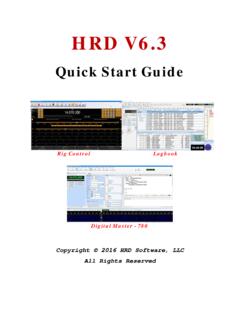
9 HRD has been called "The Swiss Army Knife" for ham radio operators. HRD is a Software package that contains just about every utility any ham would ever use or need to automate his/her ham shack. The package includes the five (5) major modules, listed below, along with many sub-modules and utilities within each of the major modules. Rig Control Ham Radio Deluxe Rig Control provides rig control for over 100 supported radios through a richly featured full screen interface. Not only can you control your radio from a local computer, by utilizing the built-in Remote Server option, you can control your HRD Software from any remote location, as long as you have access to an active internet connection.
10 Logbook Ham Radio Deluxe Logbook provides QSO logging, DX cluster connectivity, callsign lookup, and awards tracking. Also included is with integration to LoTW, eQSL, Clublog, and the Logbook). TCP/IP connectivity is also provided for contesters for real-time logging of their contacts from the N1MM and TR4W directly into their HRD Logbook. HRD Logbook supports both Microsoft Access and MySQL databases with strong features for backup and recovery. Digital Master (DM-780) Ham Radio Deluxe DM-780 provides most popular sound card digital modes with direct integration to Ham Radio Deluxe Logbook.