Transcription of CRC / USACE Prerequisite Training Requirements
1 CRC / USACE Prerequisite Training Requirements Pre-Validation Training is the individual s responsibility and should be completed prior to arrival at the CRC. All tasks are required to the prescribed level of learning ( watch a video, view a briefing, successfully complete an on- line quiz, etc.}. If not complete, personal time will be limited. Individuals must bring copies of their certificates with them to the CRC. The CRC will ensure that all necessary Training is conducted prior to deployment. 1. Level 1 Antiterrorism Awareness Training Civilian and Military 1. Log into JKO: with your DOD CAC or Username Password. 2. Click on the "Course Catalog" tab.)
2 3. Enter "Antiterrorism" in the Title Key Word search box. 4. Click the "Enroll" button. 5. Click the "My Training " tab. 6. Click the "Launch" button. 7. Complete Training . Print certificate 2. Operations Security (OPSEC) Annual Refresher Course Civilian and Military 1. Log into JKO: with your DOD CAC/ Username Password. 2. Click on the "Course Catalog" tab. 3. Enter "ECJ6-110-N" in the course number search box. 4. Click the "Enroll" button. 5. Click the "My Training " tab. 6. Click the "Launch" button. 7. Complete Training . Print certificate 3. SERE / Education and Training i n support of Code of Conduct Civilian and Military 1. Log into JKO: with your DOD CAC or Username Password.
3 2. Click on the "Course Catalog" tab. 3. Enter "SERE" in the Title Key Word search box. 4. Click the "Enroll" button. 5. Click the "My Training " tab. 6. Click the "Launch" button. 7. Complete Training . Print certificate 4. ISOPREP / PROFILE Civilian and Military 1. Log on with CAC 2. Complete and Print Certificate 5. Proper Handling of Islamic Religious Materials Civilian and Military NOTE: For Deployers going to Countries with Islamic Cultures 1. Log into JKO: with your DOD CAC or Username Password. 2. Click on the "Course Catalog" tab. 3. Enter Proper Handling in the Title Key Word search box. 4. Find the course J7SN-US1197" 5.
4 Click the "Enroll" button. 6. Click the "My Training tab. 7. Click the "Launch" button. 8. Complete Training . 9. Print Certificate. 6. COIN Knowledge Assessment Civilian and Military 1. Log into JKO: with your DOD CAC or Username Password. 2. Click on the "Course Catalog" tab. 3. Enter COIN Knowledge in the Title Key Word search box. 4. Click the "Enroll" button. Click the "My Training " tab. 5. Click the "Launch" button. 6. Complete Training . 7. Print certificate 7. CENTCOM Culture Awareness Requirement JKO VCAT (Arabian Peninsula - Kuwait) Civilian and Military 1. Log into JKO: with your DOD CAC or Username Password.
5 2. Click on the "Course Catalog" tab. 3. Enter appropriate course number search box (See below). 4. Click the "Enroll" button. 5. Click the Acknowledge button. 6. Click the "My Training " tab. 7. Click the "Launch" button. 8. Complete Training . 9. Print certificate COURSE NUMBERS: Afghanistan: P-US852 Iraq: US1204 Kuwait: US1201 8. DoD Cyber Awareness Challenge Training Civilian and Military 1. Go to JKO: 2. Log in 3. Take exam 4. Print certificate 5. CREL RAPPORT Training Civilian and Military 1. Log into JKO: with your DOD CAC or Username Password. 2. Click on the "Course Catalog" tab. 3. Enter RAPPORT in the course number search 4.
6 Select Dari Training 5. Click on enroll button, click on My Training tab 6. Click Launch, complete Training and print certificate 6. Human Rights Awareness Education Training Civilian and Military 1. Log into JKO: with your DOD CAC or Username Password 2. Click on the "Course Catalog" tab 3. Enter US649 in the course number search 4. Click on enroll button, click on My Training tab 5. Click Launch, complete Training and print certificate 7. Derivative Classification Training (or Refresher) AFGHANISTAN ONLY Civilian and Military 1. Go to: 2. Click on Derivative Classification Training or Refresher Training 3. Click Launch new course 4.
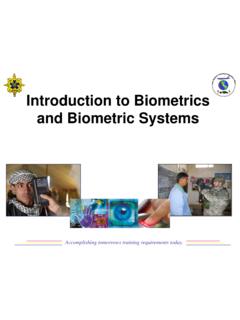
7 Complete Course 5. Print Certificate 8. Country in Perspective (Familiarization/DLIFC)) Civilian and Military 1. Go to: 2. Click Countries in Perspective 3. Click Country and select the deployment location 4. Click (Country Name) in Perspective 5. Go through Course Material 6. Take assessment/print Certificate 9. Introduction into Biometrics MILITARY ONLY 1. Log into: 2. Click on Courses then Browse Course Catalog, Search for Biometrics 3. Hover on 301_NSTIDBIO_2015_012_15_N (A drop down arrow will display) 4. Click on drop down arrow and then click on enroll 5. Click on Submit on Self Enrollment page 6. Click on Introductions to Biometrics to Launch Course 7.
8 Complete Training exit out of pop up 8. Your certificate will be e-mailed to you within 24 hours or click on My Certificates to print, may take 24 hours. 10. Hot and Cold Weather Injury Prevention MILITARY ONLY 1. Log onto : 2. Search catalog for: 553G-NG0012-A 553G DO1 Virtual Mission Preparation Course Hot/Cold Weather Injury Prevention 3. Click on course to open 4. Click View to start the instructions and complete Training 5. Print Certificate 11. TBI Concussion Pre-deployment Training for Soldiers MILITARY ONLY 1. Go to 2. Click on Self Development, put Concussion in the Search Tab. 3. Click on Register (can take up to 24 hours to confirm).
9 Once confirmed go to and log in with your CAC 4. Class should be in your Lesson Level Learning, launch and complete Training 5. Print certificate 12. GTCC Certification Civilian and Military 1. Log into DTMO and register: 2. Click on Register and follow instructions. 3. Once you have registered and set up your email login and password LOGIN. 4. Click on Training ICON at top of the screen. 5. Click on View ALL Tab 6. Select Programs & Policies Travel Card Program (Travel Card 101) on Launch 8. Complete Training 9. Print Certificate 10. Make a copy for your records and submit one to your APPO point of contact If you have any problems, please contact the helpdesk at 1-888-Help1Go (1-888-435-7146).
10 CORPS Specific Prerequisites Requirements 1. Knowledge Management Training AFGHANISTAN (TAA) ONLY Civilian and Military 1. Log onto: 2. Review Briefing 3. Sign/ Date/Print Certificate 2. Contracting Officer Representative (COR) Training Civilian and Military 1. Click on link 2. Click on Apply for this course in the upper right of page 3. Click on Army (military and civilian) link under DoD Organizations 4. Under Please select a Category select Non-Acquisition Civilian and Military Workforce from drop down menu 5. Click CAC under Sign in Options in the middle of the page 6. Click Logon 7. Select Continuous Learning Module 8.