Transcription of CRL ONLINE CATALOG
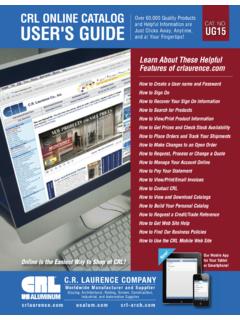
1 C r l a u r e n c e . c o m u s a l u m . c o m c r l - a r c h . c o mCRL ONLINE CATALOGUSER'S GUIDEOver 60,000 Quality Productsand Helpful Information areJust Clicks Away, Anytime,and at Your Fingertips!CAT. LAURENCE COMPANYG lazing, Architectural, Railing, Screen, Construction,Industrial, and Automotive SuppliesWorldwide Manufacturer and SupplierHow to Create a User name and PasswordHow to Sign OnHow to Recover Your Sign On InformationHow to Search for ProductsHow to View/Print Product InformationHow to Get Prices and Check Stock AvailabilityHow to Place Orders and Track Your ShipmentsHow to Make Changes to an Open OrderHow to Request, Process or Change a QuoteHow to Manage Your Account ONLINE How to Pay Your StatementHow to View/Print/Email InvoicesHow to Contact CRLHow to View and Download CatalogsHow to Build Your Personal CatalogHow to Request a Credit/Trade ReferenceHow to Get Web Site HelpHow to Find Our Business PoliciesHow to Use the CRL Mobile Web SiteOnline is the Easiest Way to Shop at CRL!
2 Our Mobile App for Your Tablet or Smartphone!New! Learn About These HelpfulFeatures of ONLINE CATALOG USER'S LAURENCE all the products we bring you, our ONLINE CATALOG may bethe most important. We know that the most efficient way for our customers to shop at CRL is by using this carefully plannedand thoroughly prepared ONLINE CATALOG to make it easy for them to find exactly what they need. Laurence Company is committed to making our ONLINE CATALOG your best source forinformation and technical you will find at a link to who we are,what we do, and what we have to offer our customers. The CRLself-service web site allows us to use the powers of ElectronicCommerce to bring you closer to all of the products and servicesthat we take a Business-to-Business approach of conducting business over the Internet because it gives us so many ways toconnect to you. Methods of searching and ordering products thatjust a few years ago would have been impossible were it not forthe versatility of this powerful is what a good web site is all about.
3 We let youmake the decisions that will best serve you. You can build yourorders and submit them 24 hours a day, seven days a week, atyour convenience. You can review our tens of thousands of products we make available, including pricing and current of this and more is available to CRL customers who sign into our web site and become part of the world of next few pages will provide the 'How To' answers to the features you can access, making it more convenient to shop byusing the CRL ONLINE CATALOG . How to Create a User Name and Password How to Sign On and Recover Your Log In Information How to Search for Products How to Check Prices How to Check Stock How to View/Print Invoices How to Place or Change Orders How to Request, Process or Change a Quote How to Request Product Data Sheets How to Pay Your Statement How to Contact Us How to View the ONLINE CATALOG Library How to Build Your Personal CATALOG NEW MOBILE SITE! See Pages UG27 to UG35 User's Guide Menu to CRL OnlineCRL ONLINE CATALOG USER'S LAURENCE | UG01 The Customer Menu Bar is a good starting point for navigating around provides a direct link to virtually all areas that can be accessed after you sign on, or afteryou have reviewed and selected products and now wish to order the top our Customer Menuis your link to Express Ordering, an easy to learn and quick to complete method of placing orders ONLINE whenever it's convenient for set the schedule and the pace because you are in control.
4 You can also build yourPersonal CATALOG by matching your part numbers to our CATALOG Numbers. When you click into General Informationyou are presented with a selection that includes information about CRL's BusinessPolicies, Videos, ways to contact us, our Service Center locations, and package tracking. ONLINE Applications Loginallows customers who subscribe to any of CRL's ONLINE Programs to login fast and and Eventslets you review CRL e-News, Press Releases,Technical Articles, upcoming Trade Show dates and locations, anduseful Internet links. When you click on the link called "What'sNew" you'll see categories showing our recently added stated above, the "Customer Menu Bar" offers you so manydirections you can use to navigate around . Takesome time to explore it in the menu is Searching onCRL. We've gone into a lot of detail onthis subject, and ask you to turn to pageUG04 to review the different search methods we offer. There's also a link toour Document Library of Comparison,Cross-Reference, and SpecificationCharts, Application Guides, New ProductSubmittal Forms, and more by clicking on CRL Total Search.
5 Products andServiceshas direct links to our"Information Centers" for many of ourmajor product lines. They act like 'hubs'where you can reference the various categories of information pertaining tothese product lines, including ProductOffer Pages, Product Specs, TechnicalDrawings, Measurement Templates, and a variety of helpful information MenuThe Home Page is topped by a Navigation Menu that has buttons you can click on to link directly to the most popular areas of You can easily get to our Global Directory andchoose the appropriate web site; Eight popular Product Groups;Phone and fax numbers for CRL Departments; Directions to all CRL Service Centers; Access to our Customer Support Center;Product Quotes in a timely fashion. All of this is just a click away. The Navigation Menu is also where you'll find our all-important'Enter Your Search Word(s) Here' box. This powerful tool lets youlocate CRL Products by entering their CATALOG Number, or just aportion of the number.
6 You can also use it to find products by enteringkey words or the names of a web site with so many products doesn't need to bedifficult. The 'Enter Your Search Word(s) Here' box is the surest wayto find exactly what you are looking Menu BarCRL ONLINE CATALOG USER'S LAURENCE | to Create a User Name and PasswordHave Your CRL Customer Number Sign out the page tocreate a user nameand password, thenclick on any errors if theyappear after the information isaccepted, you will see this "Account Sign OnConfirmation Page."6 Click on Don'tHave a UserName Yet? CreateOne begin using full web site ONLINE CATALOG USER'S LAURENCE | UG03 How to Sign OnHow to Recover Your Sign On InformationClick Sign On or enter "LOGIN"in the yellow search your user name and password, Click Here toSign confirm your user nameand password, or to check ifyou have one set up, click onForgot Your User Name orPassword? Recover It Sign On (see step 1 above).
7 1 Click Forgot Your User Name or Password?Recover It Here (see step 3 above).2 Enter your EmailAddress, then ONLINE CATALOG USER'S GUIDECRL ONLINE CATALOG USER'S LAURENCE | Ways to SearchSearch Box Search by Cat. No. and by Keyword(s).1 Products By IndustryBroader than mall pages, catering more to our core Pages Overview of productlines to start drillingdown to Page Search, will also search for product groups, thenallow for page Catalogsto find products by industry. When usingOnline Catalogs, youswitch between catalogswhile in individual on CRL Total Search. On this page you have a search box to locate products, the same as the yellow search box on the top right of every Used to be the same or a little more descriptivethan mall methods to find productsin order of importanceSearch methods to findother information8To find Technical Details, Drawings, MSDS, Spec Data, Instructions, User Guides, CatalogPages, or anything else, you can click on one of the tabs located on this same specific information and details can also be found on each product's offer ONLINE CATALOG USER'S GUIDECRL ONLINE CATALOG USER'S GUIDEHow to View/Print Product InformationEnter the CRL CATALOG Numberor Product Descriptionin the Search Box, then click link tabs willappear near the top ofthe product on the desired data you only want to viewthis information, click onHTML you want to print thisinformation.
8 Click onPDF have the option toview links throughHTMLor PDF LAURENCE | UG05 CRL ONLINE CATALOG USER'S GUIDECRL ONLINE CATALOG USER'S GUIDEHow to Check PricesOn the Product Page:1On the Quick Pricing Page:2 Enter a CRL CATALOG Number in thesearch box located at the top rightof page, then click Search. If you are signed on, pricing willautomatically appear on the righthand side. Click on Quick Pricing under"Customer Menu Bar" located on the top left (see above image).On the Shopping Cart Page:3 Click on View Cart located atthe top right of the page. Enter the CRL CATALOG Number then click Look Up. Enter the quantity and CRL CATALOG Number then click Add to Cart. If you decide not to order this item, click Remove LAURENCE | ONLINE CATALOG USER'S GUIDEHow to Check StockOn the Product Page:1 Enter a CRL CATALOG Number in thesearch box located at the top rightof page, then click the Quick Pricing Page2 Click on Quick Pricing under"Customer Menu Bar" located on the top left (see image above).
9 On the Shopping Cart Page:3 Enter the quantity andCRL CATALOG Number,then click Add to Cart. If you decide not to order this item, click Remove Item. Enter the CRL CATALOG Number then click Look Up. Click on the word Check next to theproduct description to see availablestock at each CRL Service Center. If you are signed on, the pagewill show the quantity availableat your local CRL ServiceCenter, other Service Centers in your region, and CRL'sCorporate LAURENCE | UG07 CRL ONLINE CATALOG USER'S GUIDEHow to Place an OrderClick on Express Orderingunder "Customer Menu Bar".1 Enter the quantity andCRL CATALOG Numberthen click Add to adding itemsto the order or clickSecure Ship Via selection,click on the drop down special instructions aboutyour order (if any), then clickContinue to to a different address? If no, click Continue to Checkout. If yes, enter the drop ship address,then click Continue to Checkoutor Make Additional : To change a quantity, simply enter the new quantity next tothe product you want to change and click Update All LAURENCE | ONLINE CATALOG USER'S GUIDEHow to Place an Order (Continued)
10 Enter PO Numberor alternate payment methodselection, click on the dropdown arrow, then click MakeAdditional Changesor Continue to the order confirmation page, then click Make Additional Changesor Continue to your order does not yet qualify to receive one of ourInternet Bonuses, you can click Return to Shopping Cartto increase your order, or clickFinalize Without your order does qualify for anInternet Bonus, click on thebonus item of your choiceorclick Finalize Without the confirmation screenfor your records or clickPlace Another LAURENCE | UG09 CRL ONLINE CATALOG USER'S GUIDECRL ONLINE CATALOG USER'S GUIDEC lick on the SalesOrder Number youwant to change orinquire to Make Changes or Check Status on an Open OrderClick on Your Account, then Click on View My Unshipped LAURENCE | ONLINE CATALOG USER'S GUIDEHow to Make Changes to an Open Order (Continued)Click on Change or Inquireon This Order orReturn toUnshipped Orders.