Transcription of Customizing Break Lines When PROC REPORT …
1 Customizing Break Lines when PROC REPORT Does Not compute Kerry Deem, Covance Inc., Princeton, NJABSTRACTPROC REPORT is an excellent tool for thedisplay and summarization of statistics can easily be printed withthe use of Break Lines . However, if summaryinformation is on the dataset input to PROCREPORT, printing that data becomes moredifficult. One way to overcome this obstacleis with the use of the line statement in aCOMPUTE block to customize the data displayed in the computation doesnot need to be printed in the table, but doesneed to appear in the COLUMN restriction, however, can compromisethe order in which information is displayed inthe table as well as any Break points used toenhance the output. Careful designation ofvariables in the column statement and use ofa dummy variable to control the final orderare a standard convention our programminggroup is not allowed to utilize the collapsingand summarization options that are availablein PROC REPORT .
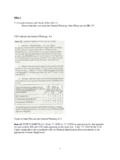
2 Therefore, whatever isbeing printed by PROC REPORT must bealready defined on the dataset. Creatingsummaries from data that are on the datasetcan be tricky and challenging. PROCREPORT does not print anything from thedataset that is not part of the COLUMN statement, nor does it retain the value of avariable once PROC REPORT has reacheda certain THINGS FIRSTG etting the summarization line to appear likea summarization from PROC REPORT wasthe first hurdle. The object was to print atotal only once after each site. I did not wantit printed on every row, as making it acolumn variable in the COLUMN statementwould have done. Upon discovery that anyvariable on the dataset could be used in aCOMPUTE statement, I thought I was homefree. The code shown below produced theoutput in Figure 1 : Proc REPORT data=tmp healdine headskip; Column name pat_id inq_id cnt ; Define name / order Site/Name ; Define pat_id / order Patient ; Define inq_id / order InquiryNumber ; Define cnt / order ; Break after pat_id / skip; compute after pat_id; line ---------------------------------------- ; line Total outstanding inquiries forthis cnt; line ---------------------------------------- ;Endcomp;Figure 1:Site/Name Patient Inquiry Number1-Bugs Bunny 5 2121 3 5656 3 7899 3--------------------------------------- ------------Total outstanding inquiries for this patient.
3 0--------------------------------------- ------------ 31 4321 1--------------------------------------- ------------Total outstanding inquiries for this patient .. 0--------------------------------------- ------------10-Johnny Quest 89 8881 2 9578 2--------------------------------------- ------------Total outstanding inquiries for this patient .. 0--------------------------------------- ------------CLOSE BUT NO CIGARC learly not the anticipated result. But therewere signs that I was on the right track. Thevariable cnt does not have the desired valueprinted at the Break line . Through someexhaustive trial and error (mostly error), Idiscovered that the variable in the Break lineneeded to be to the left of the variable usedin the compute AFTER. It appears thatthe value for cnt is cleared if it occurs in thecolumn statement after the COMPUTEAFTER variable.
4 Therefore, its value ismissing. (Missing was set to zero in anoptions statement.) Reordering theCOLUMN statement resulted in the outputshown in Figure 2:Figure 2 Column name cnt pat_id inq_id ;Site/Name Patient Inquiry Number1-Bugs Bunny 31 4321 1--------------------------------------- ------------Total outstanding inquiries for this patient .. 1--------------------------------------- ------------ 5 2121 3 5656 3 7899 3--------------------------------------- ------------Total outstanding inquiries for this patient .. 3--------------------------------------- ------------10-Johnny Quest 89 8881 2 9578 2--------------------------------------- ------------Total outstanding inquiries for this patient .. 2--------------------------------------- ------------JUST RIGHTMuch closer but still not quite , I was very close to resolutionbecause all the problems that remained wereeasily remedied.
5 I had successfully jumpedthe biggest hurdle, and it was downhill fromthere. To get the ordering correct, I added adummy variable to the dataset that was aduplicate of pat_id. In addition, a NOPRINT option was added to the DEFINE statementon the cnt variable and the PROC REPORTwas complete (below and Figure 3):Proc REPORT data=tmp healdine headskip; Column name dummy cnt pat_id inq_id ; Define name / order Site/Name ; Define pat_id / order Patient ; Define inq_id / order InquiryNumber ; Define cnt / order noprint; Define dummy / order noprint; Break after pat_id / skip; compute after pat_id; line ---------------------------------------- ; line Total outstanding inquiries forthis patient .. cnt; line ---------------------------------------- ;Endcomp;Figure 3 Site/Name Patient Inquiry Number1-Bugs Bunny 5 2121 5656 7899------------------------------------ ---------------Total outstanding inquiries for this patient.
6 3--------------------------------------- ------------ 31 4321------------------------------------ ---------------Total outstanding inquiries for this patient .. 1--------------------------------------- ------------10-Johnny Quest 89 8881 9578------------------------------------ ---------------Total outstanding inquiries for this patient .. 2--------------------------------------- ------------CONCLUSIONThe addition of customized summary Lines toPROC REPORT output can easily beaccomplished. The solution to the problemwas to place the summary line variable to theleft of the compute AFTER variable in thecolumn list. Whether or not you need to addextra variables to the REPORT to keep theordering right needs to be explored on acase by case INFORMATIONK erry DeemCovance Carnegie CenterPrinceton, New Jersey 08540-6233(609) 419 2015 FAX (609) 520