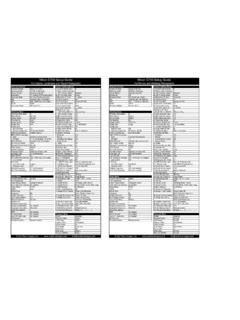
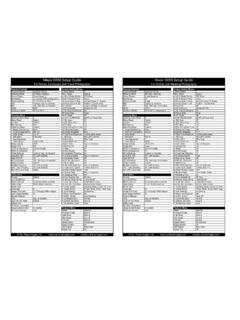
Transcription of D3S Setup Guide - Out There Images, Inc.
1 External ControlsCustom Setting MenusExternal ControlsCustom Setting MenusExposure ModeAperture PriorityC Custom setting bankAExposure ModeAperture PriorityC Custom setting bankBMetering Mode3D Matrix MeteringR Reset custom settings --Metering Mode3D Matrix MeteringR Reset custom settings --Focus PatternDynamic-area AFa1 AF-C priority selectReleaseFocus PatternDynamic-area AFa1 AF-C priority selectReleaseBracketingOff (unless HDR photography)a2 AF-S priority selectFocusBracketingOff a2 AF-S priority selectFocusShooting ModeCL 3fps (Continuous Low)a3 Dynamic AF area21 pointsShooting ModeCL6fps (Continuous Low)a3 Dynamic AF area21 pointsWBVariable dep on situationa4 Focus lock-onOffWBVariable dep on situationa4 Focus lock-onOffNikon D3S Setup GuideNikon D3S Setup GuideFor Nature, Landscape and Travel PhotographyFor Portrait and Wedding PhotographyWBVariable, dep.
2 On situationa4 Focus lock-onOffWBVariable, dep. on situationa4 Focus lock-onOffISO200 - 6400 dep. on situationa5 AF ActivationShutter/AF-ONISO200 - Hi 2 dep. on situationa5 AF ActivationShutter/AF-ONQUALRAWa6 AF point illuminationQUALJPEGa6 AF point illuminationAutofocus ModeAF-S or AF-CManual focus modeOffAutofocus ModeAF-S or AF-CManual focus modeOffContinuous modeOnContinuous modeOnShooting Menua7 Focus point wrapWrapShooting Menua7 Focus point wrapWrapShooting Menu BankAa8 AF point selection51 pointsShooting Menu BankBa8 AF point selection51 pointsMenu ResetDefaulta9 AF-ON buttonAF-ONMenu ResetDefaulta9 AF-ON buttonAF-ONActive FolderDefaulta10 Vert AF-ON buttonAE lock onlyActive FolderDefaulta10 Vert AF-ON buttonAE lock onlyFile NamingMJHb1 ISO sensitivity step1/3 File NamingMJHb1 ISO sensitivity step1/3 Slot 2 Overflowb2 EV steps for 2 Overflowb2 EV steps for qualityRAWb3 EV steps exp comp1/3 image
3 QualityJPEG Fineb3 EV steps exp comp1/3 image SizeN/Ab4 Easy exp. SizeLargeb4 Easy exp. areab5 Center-weight area12mmImage areab5 Center-weight area12mmAuto DX cropOnb6 Fine tune opt. for all metersAuto DX cropOnb6 Fine tune opt. for all metersChoose image areaFX format (36x24)c1 Shutter-release AE-L OffChoose image areaFX format (36x24)c1 Shutter-release AE-L OffJPEG CompressionOptimal Qualityc2 Auto meter-off CompressionOptimal Qualityc2 Auto meter-off (RAW) recordingc3 Self-timer delayDep. on situationNEF (RAW) recordingc3 Self-timer delayDep. on situationTypeLossless Compressedc4 Monitor off delay10sTypeLossless Compressedc4 Monitor off delay10sbit depth14 for landscapes, 12 othersd1 BeepOffbit depth12 bitd1 BeepOffWhite BalanceVariable, dep.
4 On situationd2 Shooting speedWhite BalanceVariable, dep. on situationd2 Shooting speedSet Pict re ControlVi idContin o s high spd11 fpsSet Pict re ControlNe tralContin o s high spd11 fpsSet Picture ControlVividContinuous high-spd11 fpsSet Picture ControlNeutralContinuous high-spd11 fpsManage Picture Control DefaultContinuous low-spd3 fpsManage Picture Control DefaultContinuous low-spd6 fpsColor SpaceAdobed3 Max cont. release130 Color SpacesRGBd3 Max cont. release130 Active D-LightingHighd4 File No. SequenceOnActive D-LightingOffd4 File No. SequenceOnLong Exp. NROff (until needed)d5 Ctrl panel/viewfinderLong Exp. NROff (until needed)d5 Ctrl panel/viewfinderHigh ISO NROffRear control panelISOHigh ISO NROffRear control panelISOISO Sensitivity Settings 200 - 6400 dep.
5 On situationViewfinder displayExposures remainingISO Sensitivity Settings 200 - Hi 2 dep. on situationViewfinder displayExposures remainingauto controlOffd6 Shooting info display Autoauto controlOffd6 Shooting info display AutoLive viewd7 Screen TipsOnLive viewd7 Screen TipsOnLive view modeTripodd8 LCD illuminationOffLive view modeHandheldd8 LCD illuminationOffRelease modeCHd9 Exposure del. modeOffRelease modeCHd9 Exposure del. modeOffRelease modeCHd9 Exposure del. modeOffRelease modeCHd9 Exposure del. modeOffMultiple ExposureOff (until needed)e1 Flash Sync Speed1/250s (Auto FP)Multiple ExposureOff (until needed)e1 Flash Sync Speed1/250s (Auto FP)Movie Quality1280x720 (16:9)e2 Flash shutter speed1/60 Movie Quality1280x720 (16:9)e2 Flash shutter speed1/60 Movie MicrophoneAutoe3 Modeling flashOnMovie MicrophoneAutoe3 Modeling flashOnMovie DestinationSlot 2e4 Auto Bracket SetAE OnlyMovie DestinationSlot 2e4 Auto Bracket SetAE OnlyIntvl Timer ShootingOff (until needed)e5 Auto bkt.
6 (Mode M)Flash/SpeedIntvl Timer ShootingOff (until needed)e5 Auto bkt. (Mode M)Flash/Speede6 Bracketing orderUnder > MTR > Overe6 Bracketing orderUnder > MTR > OverSetup Menuf1 Center ButtonShooting Mode, RESETS etup Menuf1 Center ButtonShooting Mode, RESETF ormat memory cardDefaultf1 Center ButtonP'back Mode, Zoom, Med. memory cardDefaultf1 Center ButtonP'back Mode, Zoom, Med. Brightness0f2 Multi-SelectorDo NothingLCD Brightness0f2 Multi-SelectorDo NothingLock mirror up cleaning As neededf3 Photo Info/PlaybackOffLock mirror up cleaning As neededf3 Photo Info/PlaybackOffpgypgyVideo ModeNTSCf4 Assign FUNC. buttonPress: Spot MeteringVideo ModeNTSCf4 Assign FUNC. buttonPress: Flash offHDMIAutoDials: Choose image areaHDMIAutoDials: Choose image areaFlcker Reduction60 Hz (USA)f5 Assign Preview button Press: PreviewFlicker Reduction60 Hz (USA)f5 Assign Preview button Press: PreviewWorld Time--f6 Assign AE-L/AF-LPress: AE lock onlyWorld Time--f6 Assign AE-L/AF-LPress: AE lock onlyLanguageEnDials: choose non-CPU lensLanguageEnDials: choose non-CPU lensImage commentOn (Copyright Mike Hagen)f7 Assign BKT ButtonBracketingImage commentOn (Copyright Mike Hagen)f7 Assign BKT ButtonBracketingAuto image rotationOnf8 Cust.
7 Command dialsOFF, OFF, ON, ONAuto image rotationOnf8 Cust. command dialsOFF, OFF, ON, ONVoice memoManual onlyf9 Release button dialOFFV oice memoManual onlyf9 Release button dialOFFV oice memo overwriteOff (disable)f10 No Memory Card?Release lockedVoice memo overwriteOff (disable)f10 No Memory Card?Release lockedVoice memo buttonPress and holdf11 Reverse indicatorsDefault ( + .. 0 .. - )Voice memo buttonPress and holdf11 Reverse indicatorsDefault ( + .. 0 .. - )Audio outputVia speaker 3 Audio outputVia speaker 3 Audio outputVia speaker, 3 Audio outputVia speaker, 3 USBDep. on situationPlayback MenuUSBDep. on situationPlayback MenuDust off ref photoDefaultDeleteSelectedDust off ref photoDefaultDeleteSelectedBattery info--Playback folderDefaultBattery info--Playback folderDefaultWireless Transmitter--Hide imageDefaultWireless Transmitter--Hide imageDefaultImage authenticationAs neededDisplay modeAll SelectedImage authenticationAs neededDisplay modeAll SelectedCopyright InfoOn (Copyright Mike Hagen)Copy image (s)As neededCopyright InfoOn (Copyright Mike Hagen)Copy image (s)
8 As neededSave/load settings-- image reviewOnSave/load settings-- image reviewOnGPS--After deleteShow NextGPS--After deleteShow NextVirtual horizonAs neededRotate tallOffVirtual horizonAs neededRotate tallOffNon-CPU lens dataAs neededSlide showDefaultNon-CPU lens dataAs neededSlide showDefaultNon CPU lens dataAs neededSlide showDefaultNon CPU lens dataAs neededSlide showDefaultAF fine tune--Print set (DPOF)DefaultAF fine tune--Print set (DPOF)DefaultFirmware versionNewest versionFirmware versionNewest version Out There Images, Inc. - - Out There Images, Inc. - - ControlsCustom Setting MenusExternal ControlsCustom Setting MenusExposure ModeAperture PriorityC Custom setting bankCExposure ModeProgramC Custom setting bankDMetering Mode3D Matrix MeteringR Reset custom settings --Metering Mode3D Matrix MeteringR Reset custom settings --Focus PatternDynamic-area AFa1 AF-C priority selectReleaseFocus PatternAuto area auto focusa1 AF-C priority selectReleaseBracketingOffa2 AF-S priority selectFocusBracketingOffa2 AF-S priority selectFocusShooting ModeCH 11fps (Continuous High)a3 Dynamic AF area51 points 3D-trackingShooting ModeS (Single)
9 A3 Dynamic AF area51 points 3-D trackingWBVariable dep on situationa4 Focus lock-onOff or Long dep on situationWBAutoa4 Focus lock-onNormalNikon D3S Setup GuideNikon D3S Setup GuideFor Sports and Action PhotographyFor Point and Shoot PhotographyWBVariable, dep. on situationa4 Focus lock-onOff or Long dep. on situationWBAutoa4 Focus lock-onNormalISO200 - Hi 2 dep. on situationa5 AF ActivationAF-ON onlyISO400a5 AF ActivationShutter/AF-ONQUALJPEG or RAW (depends)a6 AF point illuminationQUALJPEGa6 AF point illuminationAutofocus ModeAF-CManual focus modeOffAutofocus ModeAF-CManual focus modeOffContinuous modeOnContinuous modeOnShooting Menua7 Focus point wrapWrapShooting Menua7 Focus point wrapWrapShooting Menu BankCa8 AF point selection11 pointsShooting Menu BankDa8 AF point selection51 pointsMenu ResetDefaulta9 AF-ON buttonAF-ONMenu ResetDefaulta9 AF-ON buttonAF-ONActive FolderDefaulta10 Vert AF-ON buttonAF-ONActive FolderDefaulta10 Vert AF-ON buttonAF-ONFile NamingMJHb1 ISO sensitivity step1/3 File NamingMJHb1 ISO sensitivity step1/3 Slot 2 Overflowb2 EV steps for 2 Overflowb2 EV steps for qualityJPEG Fine or RAWb3 EV steps exp comp1/3 image qualityJPEG Fineb3 EV steps exp comp1/3 image SizeLargeb4 Easy exp.
10 SizeLargeb4 Easy exp. areab5 Center-weight area12mmImage areab5 Center-weight area12mmAuto DX cropOnb6 Fine tune opt. for all metersAuto DX cropOnb6 Fine tune opt. for all metersChoose image areaFX format (36x24)c1 Shutter-release AE-L OffChoose image areaFX format (36x24)c1 Shutter-release AE-L OffJPEG CompressionOptimal Qualityc2 Auto meter-off CompressionOptimal Qualityc2 Auto meter-off (RAW) recordingc3 Self-timer delayDep. on situationNEF (RAW) recordingc3 Self-timer delayDep. on situationTypeLossless Compressedc4 Monitor off delay10sTypeCompressedc4 Monitor off delay10sbit depth12 bitd1 BeepOffbit depth12 bitd1 BeepOffWhite BalanceVariable, dep. on situationd2 Shooting speedWhite BalanceAutod2 Shooting speedSet Pict re ControlVi idContin o s high spd11 fpsSet Pict re ControlVi idContin o s high spd11 fpsSet Picture ControlVividContinuous high-spd11 fpsSet Picture ControlVividContinuous high-spd11 fpsManage Picture Control DefaultContinuous low-spd3 fpsManage Picture Control DefaultContinuous low-spd3 fpsColor SpacesRGBd3 Max cont.