Transcription of DCPDS USER ACCOUNT REQUEST
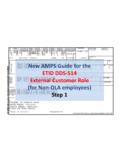
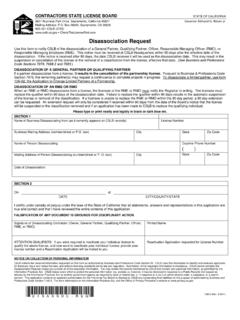
1 DCPDS ACCESS FORM VERSION 23 February 2011 DCPDS user ACCOUNT REQUEST Instructions for completing this form are shown on next page New ACCOUNT Modify Existing ACCOUNT Inactivate ACCOUNT SECTION I: user INFORMATION ( user MUST COMPLETE): Name (Last, First MI) Check the choice that applies: Civilian Employee Gov t Contractor Military SSN (Last four): xxx-xx- PP/Series/Grade: Position Title: Activity/Organizational Code: Phone (Include Area Code and DSN) Email Address: I assume the responsibility for the data and system to which I am granted access.
2 I will not exceed my authorized access. user s Signature: Date: SECTION II: (SUPERVISOR IS TO COMPLETE INFORMATION BELOW) Proposed Group Inbox Title(s): user OPTIONS: Please check all the following options that apply to this user : Personnelist Initiate RPA s Administrative Support Sign RPA as Requesting Offcl Manager/Supervisor Sign RPA as Authorizing Offcl Other: Approves RPA s (DLA HR) Only Review RPA s only PRINTER NAME (IF APPLICABLE): user ACCESS : DCPDS : CSU (if applicable).
3 LIMIT user ACCESS TO THE FOLLOWING ACTIVITIES: LIMIT user ACCESS TO THE FOLLOWING ORGANIZATIONS: I certify this user requires access as requested in the performance of his/her job function. Supervisor s Signature: Date: Human Resources POC Signature: Date: Notes/Remarks: PRIVACY ACT STATEMENT Public Law 99-474, the counterfeit Access Device and Computer Fraud and Abuse Act of 1984, authorized collection of this information. The information will be used to verify that you are an authorized user of a Government automated information system (AIS) and/or to verify your level of Government security clearance.
4 Although disclosure of the information is voluntary, failure to provide the information may impede or prevent the processing of your Modern DCPDS user ACCOUNT REQUEST . Disclosure of records or the information contained theirin may be specifically disclosed outside the DOD according to the Blanket routine Uses set for at the beginning of the DISA compilation of systems of records, published annually in the Federal Register, and the disclosures generally permitted under 5 552a(b) of the Privacy Act. DCPDS ACCESS FORM VERSION 23 February 2011 DCPDS user ACCOUNT REGISTRATION INSTRUCTIONS To complete the DCPDS user ACCOUNT REQUEST form: SECTION I: user INFORMATION 1) Are you adding a new ACCOUNT , modifying an existing ACCOUNT or inactivating an existing ACCOUNT ?
5 Select one 2) Enter the user s Last name, First name, Middle Initial (MI) 3) Type of user : Civilian Employee, Gov t. Contractor, Military. Sele ct one. 4) Enter the last four of the user s Social Security Number 5) Enter the users PP/Series/Grade if the user is military, enter rank in the block. ( , CDR, CAPT, LTCOL, etc). 6) Position Title: Enter the user s current position title or billet designation. 7) Activity/ Organization Code: Enter the name of the user s Activity and organizational code. 8) Phone: Enter the users work telephone number including area code and DSN Prefix. 9) Email Address: Enter the user s Internet email address. 10) Users Signature: The user should sign in this block and date.
6 SECTION II: TO BE COMPLETED BY user S SUPERVISOR 1) Proposed Group Inbox Title(s): List the groupbox name(s) the user will need to have access to. 2) user Options (Roles and Responsibilities): Select the responsibilit y that applies to the user ( , Manager/Supervisor, Personnelist, etc.) and any roles that also apply to the user ( , Initiate RPA s, Sign RPA as Requesting Official etc.) 3) Printer: If a Personnelist list the Printer Name of default printer that needs to be established for the user in DCPDS . 4) user Access: Mark if they need access to DCPDS and/or CSU application. CSU access is not applicable for all users. 5) user Access to Personnel Records: List the Activities and Organization Codes the user will need to be able to access.
7 6) Supervisor Signature: The user s Supervisor should sign in this block and date. 7) Human Resources POC: The user s Human Resources POC should sign and date in this block. 8) Notes/Remarks: Any a dditional comments Note: Only a copy signed by the appropriate people and sent through your Human Resources POC will be accepted. Your Human Resources POC will then send to DHRS-S , Attn: Nora Stiffler @ or Linda Brumfield @