Transcription of Defense Travel System
1 Defense Travel System DTS Guide to Establishing LOAs and Budgets for the New Fiscal year August 26, 2019 Table of Contents 08/26/19 ii This document is maintained on the DTMO website at Printed copies may be obsolete. Table of Contents Chapter 1: Overview for Establishing Lines of Accounting and Budgets .. 4 FDTA and BDTA Responsibilities .. 4 LOA List .. 4 Reference Materials .. 4 Chapter 2: Roll Over LOA To New Fiscal year .. 5 Roll over LOAs Using Default Rules .. 5 Error Correction .. 11 Roll Over LOAs Using Custom Rules .. 11 Error Correction.
2 13 Copy LOA to New Fiscal year .. 13 Creating an LOA and a Quarterly Budget .. 14 Updating the Budget After Creating New Fiscal year LOAs .. 18 LOA Placeholder and Budget Item Wild Cards .. 21 No- year and Multi- year Funds .. 22 Current Quarter Tracking: Rolls Over LOAs and Updates Labels .. 22 Fourth Quarter Tracking: Does Not Roll Over LOAs .. 22 Account 2 Document FY (DFY) Roll Over: Navy STARS-FL and Others .. 23 Chapter 3: Updating a Traveler s Default LOA .. 25 Chapter 4: Deleting Prior year Lines of Accounting .. 27 Revision History 08/26/19 iii This document is maintained on the DTMO website at Printed copies may be obsolete. Revision History Revision Date Authorization Change Description Page, Section 07/24/08 Defense Travel Management Office (DTMO) General update for FY09 in various sections and graphics.
3 Updated document number to version throughout. All 07/15/09 DTMO General updates for FY10 in various sections. All 08/19/10 DTMO General updates for FY11 in various sections. All 01/12/11 DTMO Update to website link Section 07/15/11 DTMO General updates for FY12 in various sections. All 07/15/12 DTMO Reviewed guide for FY13, updated screenshots. All 07/31/13 DTMO Reviewed guide for FY14, updated FY examples and screenshot in Chapter 2. Chapter 2 08/11/14 DTMO Reviewed guide for FY15 All 06/20/16 DTMO Reviewed guide for FY16. Replaced screenshots in Chapter 3 & 4 to reflect new budget module layout Chapter 3 Chapter 4 08/28/17 DTMO Reviewed guide for FY18.
4 Replaced screenshots in Chapter 3 &4 to reflect new FY Chapter 3 Chapter 4 08/17/18 DTMO Reviewed guide for FY19. Updated access to DTA Maintenance Tool. Section 08/26/19 DTMO Reviewed guide for FY20. Updated LOA and Budget screenshots. Throughout Chapter 1: Overview for Establishing LOAs and Budgets 08/26/19 4 This document is maintained on the DTMO website at Printed copies may be obsolete. Chapter 1: Overview for Establishing Lines of Accounting and Budgets The fiscal year for the Department of Defense (DoD) begins on 01 October and ends on 30 September the following calendar year . Every fiscal year , elements in the lines of accounting (LOAs) and corresponding budgets require modification to reflect the new fiscal year .
5 This document assists Finance Defense Travel Administrators (FDTAs) and Budget DTAs (BDTAs) when setting up the LOAs and budgets in the Defense Travel System (DTS) for the new fiscal year . FDTA and BDTA Responsibilities The process begins with the FDTA obtaining a list of LOAs (Section ) and then determining the appropriate method to create the new LOAs for the new fiscal year . Although the FDTA can Create LOAs from scratch, there is a faster way to establish LOAs from year to year . There are three preferred methods listed below. A more detailed explanation appears later in this guide. Rollover Default rules Update specific data elements based on the LOA s format map.
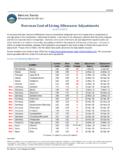
6 Rollover Custom rules Allow the FDTA to customize the default rules to the fiscal year (FY) and program year (PY). Copy Used for LOAs that require custom changes to fields other than FY or PY. Upon receipt of the new fiscal year funding, money is loaded into the new fiscal year DTS budgets, so the AO can approve documents using new fiscal year LOAs. LOA List To assist FDTAs with fiscal year setup, they may access a current list of LOAs with labels and data elements in a spreadsheet format. This can be found in DTS in the DTA Maintenance Tool > Lines of Accounting > View LOA(s) List. The FDTA should view the LOA listing and determine if any element changes are required for the new fiscal year being sure to make the necessary changes when rolling over and then updating or copying the new LOAs.
7 Reference Materials The following documents provide additional supporting information about the fiscal year crossover process: Defense Travel Administrator s (DTA) Manual DTS Guide to Processing Authorizations for the New Fiscal year These documents are available at Chapter 2: DTS Fiscal year Rollover Feature 08/26/19 5 This document is maintained on the DTMO website at Printed copies may be obsolete. Chapter 2: Roll Over LOA To New Fiscal year One method in forming the new FY LOAs is the rollover feature. Rollover allows the FDTA to select one or many LOAs at the same time. DTS provides two means of rolling over LOAs to the new fiscal year : Default rules automatically update fiscal year and program year account elements in each LOA to the designated fiscal year defined for each LOA format map.
8 Any empty elements in the LOA will remain empty. All other data elements within the LOA copy into the new LOA. You can customized default rules. Custom rules allow users to turn off individual fiscal/program year account element rules from the default rule set. Custom rules can apply to one or more LOAs when selected in the Rollover feature. Once the user has turned off the LOA element rules, DTS will not automatically update fiscal/ year account elements in each LOA with a specified fiscal year value. Note: All other data elements in the LOA move over into the new LOA. If the LOA has the fiscal year designator embedded in a data element not covered by the custom rules, follow the procedures in Section to execute the roll over.
9 If needed, use Update to modify LOA Data Elements, Accounts 1 10. Roll over LOAs Using Default Rules To roll over an LOA: 1. Select DTA Maintenance Tool (quick link) from the DTS Dashboard, or select Administration and then DTA Maintenance Tool. 2. Using the drop-down menu from DTA Maintenance Tool Home, select Lines of Accounting (Figure 2-1). The Search Lines of Accounting screen (Figure 2-2) opens. Figure 2-1: DTA Maintenance Tool Home Page Chapter 2: DTS Fiscal year Rollover Feature 08/26/19 6 This document is maintained on the DTMO website at Printed copies may be obsolete. Figure 2-2: Search Lines of Accounting Screen 3. Complete the Label field with the name of the LOA.
10 -OR- To expand the search to include all LOAs for the selected organization, leave this field blank. 4. Select the Format Map drop-down arrow to select a map type. To expand the search to include all map types, leave this field blank. 5. Select the Organization Name drop-down arrow to select an organization. To expand the search to include all suborganizations, check the Include Sub-Organizations box. 6. Select Search. The Lines of Accounting (Search Results) screen (Figure 2-3) opens. Figure 2-3: Lines of Accounting (Search Results) Screen Chapter 2: DTS Fiscal year Rollover Feature 08/26/19 7 This document is maintained on the DTMO website at Printed copies may be obsolete.