Transcription of DIGITAL GAME CAMERA Model DC-1BU & Model …
1 Leaf River Outdoor ProductsVibrashine, Inc. Box 557, Taylorsville, MS 39168(601) 785-9854 FAX (601) 785-9874 GAME CAMERAM odel DC-1BU & Model DC-2BU TO A 22/26/05 3:12:00 AMThanks for purchasing the DIGITAL Game CAMERA from Leaf River Outdoor Products. You ve made a wise choice and we believe you ll enjoy discovering how useful this CAMERA is. We ve worked pretty hard to make the Game CAMERA easyto use while giving you plenty of options for makingdifferent kinds of photos and videos in various loaded the CAMERA with default settings that work wellfor most people to begin with. Before you can start making pictures though, there are afew of things you need to learn, so we made this user s manual and accompanying video to help you first thing you ll probably notice about the CAMERA isthe Mossy Oak Break-Up camouflage pattern.
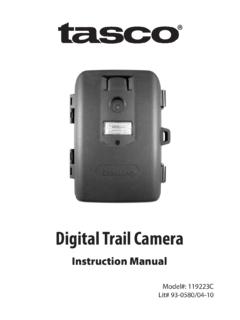
2 On the front you see at the top an oversized, extra bright flash. Just below that is the CAMERA lens with its detachable lenshood. In the middle is the security bar. And below that isthe infra-red sensor and motion detector with a light sensorand an indicator light we ll tell you about later. The motion detector looks for warm, moving objects. When the sensor detects an animal moving, the CAMERA takes a picture, storing it digitally in the CAMERA s memory or on a removable Compact Flash the bottom of the housing unit is the main power the back is a sturdy steel mounting bracket for at-taching the CAMERA to a post or tree. On one side are the hinges for the door and on the other side are the latches.
3 THANKS and WELCOME!What does this new CAMERA do?2 If the outside of the housing has moisture from rain or dew, be careful opening the unit to avoid getting water inside the CAMERA . TIPWhen we open up the unit, we see the rubber gasket that keeps rain and moisture out of the CAMERA and the battery 32/26/05 3:12:00 AMBATTERIESThe Game CAMERA requires four D batteries and three C batteries. They all go in with the Plus side up. Once the batteries are loaded, you can begin taking your first pictures. Set the main power switch to ON and in about a minute the CAMERA will begin sensing motion and taking pictures using the default THE CAMERAWhen you re ready to set up your CAMERA in the field, youhave several options.
4 There is a supplied strap to hold thecamera in place. Holes in the steel mounting bracket letyou attach your own chain or heavy duty cable lock. TheGETTING STARTEDHow do I take my first pictures? 3supplied steel security bar, when used with your locks,prevents tampering and gives you access to the cameracontrols while the unit remains fastened to a tree or post. Owners have found many ways to mount their cameras for their own applications. Use your imagination; check out our web-site for , daytime pictures look better when the CAMERA is pointed north, away from the sun. The rising or setting sun can trigger the CAMERA when no animals are mounting the CAMERA , check to see that it is level and aimed correctly.
5 The best focus & flash target zone should be about 15 to 20 feet in front of the it takes both hands to attach the supplied strap, place the CAMERA against the tree and lean against it with your body while you tighten the strap. 42/26/05 3:12:01 AMMOTION DETECTOR controls are located in the lower half of the inside of the Game CAMERA s door. They include an LCD panel which displays settings and battery status. Any time the unit is turned on, it will begin detecting motion and taking pictures 60 seconds after the last button is pushed. MOTION DETECTORHow do I work this?4 The large numbers on the LCD panel are the EventCounter which displays the number of times the motiondetector triggers, up to 400 events.
6 The Event Countercontinues to work even after the internal memory or the CFPractice taking pictures of pets so you can get used to using the CAMERA . You may be surprised at how busy cats and dogs can be all night. TIPIMPORTANT! ALWAYS FOLLOW THESE TWO STEPS WHEN CHANGING THE MOTION DETECTOR SETTINGS:1. TURN ON MAIN POWER2. WAIT 15 SECONDS UNTIL PAUSE MIN FLASHESALWAYS FOLLOW THESE TWO ADDITIONAL STEPS WHEN CHANGING THE CAMERA SETTINGS:3. PRESS THE CAM-POWER BUTTON4. WAIT UNTIL THE CAMERA LIGHT GOES OFF 4321card is full. To reset the Event Counter to zero, press and hold the OK/Delete button for several seconds until the numbers flash, then release the the storage space in the CAMERA is full, the LCD will blink MEMORY FULL.
7 If this happens, you should delete pictures, add a CF card, or change the CF card. The motion detector will not tell the CAMERA to take any more pictures if the memory is full. 52/26/05 3:12:04 AMTHE LCD PANEL displays two Battery icons which tell you how much power remains in the batteries. One Battery icon is for the D batteries which power the CAMERA ; theother is for the C batteries which power the motion detector. The icons have three settings: Full, Half Full, and Empty. To get an accurate reading, make sure thecamera and the flash are fully charged, then check theBattery icon. The CAMERA will continue to take pictures when the batteries are half full, but you should change bat-teries when the icon says they are empty.
8 THE WORK BUTTON selects between Day, Night, and 24 Hour operation. The Sun icon, on the left of the LED screen means the CAMERA will take pictures only in daytime. The Moon icon means the CAMERA will take pic-tures only at night. The Clock icon means the camerawill take pictures both day and night. Press Work once, the current setting icon will flash. Press Work again, while the icon is flashing, and the icon will change. When the new icon is flashing wait 10 seconds or press the OK/Delete button to record the change. The icon will stop DETECTORWhat about the display and the Work button? 5 Taking pictures in Day mode saves battery power since the flash isn t used.
9 Video mode makes movies only in daytime; set the CAMERA to Day mode for Game CAMERA records a date/time stamp in the lower right corner of images so you can know exactly when ani-mals were in front of the 62/26/05 3:12:05 AMTHE PAUSE BUTTON selects the number of minutes the CAMERA will wait after it takes a picture before it can take another one. This prevents taking too many pictures of the same animal if it stays in front of the CAMERA . THE Q-SHOT or Quick Shot button allows the CAMERA to take a second or third picture if additional motion is detected. Sometimes there may be one or more animals behind the first one that triggers the motion detector. MOTION DETECTORWhat do Pause and Q-Shot mean?
10 6 When you first turn on the Game CAMERA with the main power switch, it takes about 15 seconds to charge up. The Pause Min icon flashes when the CAMERA is Pause once, the current setting will Pause again to change the setting. You can selectbetween one and ninety minutes of pause time. Press OK/Delete to record the Pause button is also used to set the length of daytimevideo clips between three and ninety seconds. Press and hold the Pause button for three seconds; a video CAMERA icon appears in the display. Press the Pause button again to select the number of seconds each video clip will record. Press OK/Delete to record the daytime the CAMERA will be ready to take the next QuickShot in 20 seconds.