Transcription of Digital Key Telephone System USER GUIDE - CTS
1 Aria 24IP Digital KEY Telephone System user S GUIDE1 New ZealandUSER GUIDENew ZealandUSER GUIDE ~ Contents ~ ~ Contents ~ quick reference Guides, quick reference Guides, Digital Keyset Features, Digital Keyset Features, Digital Keyset Features,Attendant Operation,Attendant OperationAttendant Operation,Single Line Telephone (Analogue) Operation,Single Line Telephone (Analogue) Operation,Single Line Telephone (Analogue) Operation, Digital Key TelephoneDigital Key TelephoneSystem System CTS Ltd 19082008-24 IPNew LDP Keyphone LDP Keyphone Key TelephoneDigital Key TelephoneSystem System Computer & Telephone Services Ltd NZ 0800 366363 aria 24IP Digital KEY Telephone System user S GUIDE2ariaaria--24IP24 IPNB: Although every effort is made to keep this GUIDE up to date, Features and Functions are subject to change without notice.
2 An inclusion of a feature or function in this GUIDE does not imply it is operational on your System . Some features require specific hardware or software installation. Please check with your ariadealer for further list of authorisedariaDealers near you can be found at , through the `Who Sells Aria` The ariaaria2424--IP Key Service Unit. (With side covers)IP Key Service Unit. (With side covers) aria 24IP Digital KEY Telephone System user S GUIDE3 quick reference GUIDE .. LDP series Digital Keyset Family .. LDP Keyset Programming LDP Keyset Navigation Key Programming & Making CO Calls.
3 Station Features .. System features ..Station Key (Flex Button) Programming ..VMIB (In System Voice Messaging Board) user GUIDE ..Answering & Making CO (Outside Line) CallsAnswering an Outside CO (Line) Call ..Call Hold ..Call Park ..Call Transfer ..Dial By Name ..Flash to Line ..Last Number Redial ..Making an Outside CO (Line) Call ..Queueing to a Busy CO Line ..Saving a Dialed Number ..Storing & using Speed Dial Numbers ..Universal Night Features Account Code Entry ..Background Music (BGM) Selection ..Call Forward ..Call Pickup; Directed & Group Pickup.
4 Camp On (Call Wait) ..Conference Calling ..Dial By Name ..Do Not Disturb ..Forced Hands Free Mode ..Hands Free (On Hook) Dialing ..Intercom Answer Mode ..Intercom Calls; Making, Answering & Putting Calls on Hold ..Intercom Group (Hunt group) Calling ..Message Waiting / Call Back ..Mute ..Outside Call Blocking ..Paging ..Password Authorisation Code ..Ringing Options ..Station Name Programming ..Step Calling; ICM & CO ..Voice Over ..Volume Controls; Speaker, Ringer, Handset ..Walking Class of Service (Toll Bar Over-ride) .. System FeaturesAlarm Reset ..CLI Message Wait (CO Message Wait).
5 CO-CO Call timer Extension ..Conference Room ..DISA (Direct Inwards System Access) CO Call Out ..Hot Desk ..LCD Language Change for Keyset ..Two-way Recording (to VMIB) ..Voice Board (VMIB) Features ..CONTENTS6, 788, 91011142124251111111111111212121212 1313141414141515151616161617171717181818 1819191920202021212121222222222223 aria 24IP Digital KEY Telephone System user S GUIDE4 Station Programming MenuFlexible Button for Flexible Button quick reference GuideVMIB GUIDE for LDP-7016 & 7024 Keysets ..VMIB GUIDE for LDP-7004 & 7008 Keysets ..VMIB Password Protected Mailbox.
6 VMIB Remote Access GUIDE ..Attendant OperationAttendant Cancel Station Feature ..Attendant Intrusion ..Attendant Remote Call Forward ..CO Disable Outgoing Lines .. Day Night Switching (CO Ringing Mode Selection) ..Intercom Box BGM Selection ..LCD Language (Applying 2ndLanguage) ..Overriding a Key Telephone in Do Not Disturb ..Paging Port BGM Selection by Attendant ..Pre-Selected Message Editing ..SMDR Records Management ..Station Name Editing by Attendant .. System Greetings for DISA and Hunt Groups .. System Speed Dial Entry ..Temporary Class of Service Change.
7 Time & Date Setting (Attendant Clock Set) ..Time & Date Format ..Traffic Analysis ..Transferring an Outside Line to Another Attendant Codes for Flexible Button Programming (see pg 25 for others) ..Attendant Programming Menu Table Analogue Single Line Telephone OperationCONTENTS24242425252525262727272 727282828282829292929, 303030303131313233, 3435, 36, 37 aria 24IP Digital KEY Telephone System user S GUIDE5 CONTENTSS upplementary LDP Keyset Section (7016 & 7024) for Soft Key usageKeyset Devices and Buttons ..Keyset Devices and Button Description ..Soft-key Usage.
8 Navigation Functions:Idle Keyset ..Cal Pick Up ..Conference ..Redial ..Off Hook State ..Intercom Dialing ..Intercom Ring-back ..Intercom Busy ..Intercom DND ..Intercom Dialing Error ..Intercom Receiving ..Intercom Talk ..CO Line Busy ..CO Dialing/Co Talk ..Checking Messages ..Paging ..Call Log ..Received Call ..Dialed Call ..Lost Call Log ..Lost Call Answer ..Lost Call Delete Current ..Lost Call Delete All ..Lost Call Save ..Lost Call Name / Tel ..Navigation Menu ..Commonly Used Telephony AcronymsDOCUMENT REVISIONC ustomised for Computer & Telephone Services user , 4242424343434343444444444545454646474747 4848484950~52 aria 24IP Digital KEY Telephone System user S GUIDE6 Fixed Feature Buttons Speed key provides you with access to speed dialing, save number redial and last number redial.
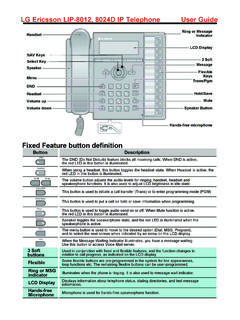
9 Trans/Pgm(Transfer) button is used to Transfer an outside call from a station to another. DndFwd(Do Not Disturb/Forward) button allows you toforward your calls to another destination, or make DND mode. Call Backbutton allows you to leave a callback indication at a station that is busy, unattended, or in reference GUIDE for aria-24IP24 IPDigital Key Telephone Speakerbutton enables you to make a phone call with-outlifting handset. It turns the Telephone on and off when usingthe speakerphone. Hold/Savebutton enables you to place an outside caller onhold.
10 -Volume+bar allows you to adjust speakerphone andhandset Forward Dial 4 9- 0 : Follow me- 1 : Unconditional- 2 : Busy calls- 3 : No answer calls- 4 : Busy/no answer calls- 5 : Station off-net, unconditional- 6 : Station off-net, no answer- 7 : Incoming outside line to off-net (Sys. ATD only))- # : Cancel previous call forward Dial the station number or press DSS button or intercom group where calls are forwarded. To make Call forward to VMIB, press #key afterdialing call forward type (1~4). Call Wait (Camp-on)If you dial a busy station, you may alert it to your call.