Transcription of Digital Signature FAQs
1 Frequently Asked Questions Digital Signature and e-Sign using Aadhaar - DGFT Public Page 1 of 7 Please refer for latest FAQs & Help Documents Digital Signature FAQs Q1. Why Digital Signature Certificate (DSC) is required for getting IEC issued from DGFT? DSC has been re-introduced in IEC to strengthen the IEC issuance and modification processes. Q2. What type of DSC tokens are allowed and what are the validations? Refer to the table below for the validations and allowed tokens: Allowed Token Types Type of Entity/Firm Validation IEC Based Token All Types of Firms Proprietorship, Partnership, Company, Trust, Society IEC is checked with IEC in DGFT. Class 2 & 3 Individual Based Token Only for Proprietorships. PAN Number in the IEC should match with the PAN Number { SerialNumber (Using HASH-256) } in DSC Class 2 & 3 Organization Based Token For All Entities/Firms other than Proprietorship Partnership, Company, HUF, Karta, Trust, Society etc.
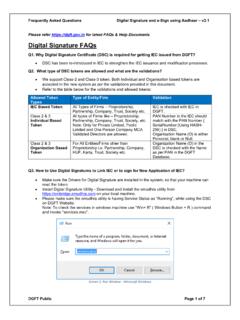
2 Organization Name (O) in the DSC is checked with the Name as per PAN in the DGFT Database. Q3. How to Use Digital Signatures to Link IEC or to sign for New Application of IEC? Make sure the Drivers for Digital Signature are installed in the system, so that your machine can read the token. Install Digital Signature Utility - Download and install the emudhra utility from on your local machine. Please make sure the emudhra utility is having Service Status as Running , while using the DSC on DGFT Website. Note: To check the services in windows machine use Win+ R ( Windows Button + R ) command and invoke . Screen 1: Run Window - Microsoft Windows Frequently Asked Questions Digital Signature and e-Sign using Aadhaar - DGFT Public Page 2 of 7 Screen 2: Smart Card Service in Services Window - Enable / Running Service Q4. What should we do if system is throwing an error DSC Token is not connected with System, please connect token ? Please Re-Insert the Digital Signature Token Check if emBridge is installed and running in the system.
3 Check if the correct Dongle/ Crypto token are connected with a system. Check if the right drivers are installed with respective Dongle/ Crypto tokens in the system. Q5. What should we do if the emudhra is showing Service Status as Not Found ? Please click on Refresh the status will change to Running . If the same problem persists, it is recommended to reinstall the emudhra application. Q6. What are the pre-requisites of DSC Token? DSC should be of Class II or III only issued by CCA approved certifying agencies in India. Please refer for the list of licensed DSC providers. User must have a valid DSC, that is, the validity period of DSC should not have expired. Frequently Asked Questions Digital Signature and e-Sign using Aadhaar - DGFT Public Page 3 of 7 Q7. What should we do if we still face issue in Digital Signature with emudhra utility? Please refer the troubleshooting guides available on Q8. How can I register my DSC on DGFT Website?
4 Visit the DGFT website and login. After Linking to IEC or Application of IEC proceed with Register Digital Signature details through navigating to My Dashboard >> View and Register Digital Signature Token Read the information and ensure all pre-requisites for Digital Signature are met and then click on Register New DSC . Select and proceed with your Digital Signature details o Once Pre-requisites for Digital Signature is done then user will be able to see list of e-Pass token on click of Provider List, Select the e-Pass token from the list. o Select Certificate for signing from Certificate list, Individual based DSC is only allowed for proprietorship type firms. Refer to the validations mentioned above. o Enter your DSC token PIN in the enter Password field. After successful signing, success message is displayed. Once user successfully register the Digital Signature details then you can view the Digital Signature details under current Digital Signature details, and you can perform any action on IEC with the active Digital Signature .
5 Q9. What should we do if while linking we get error Your DSC is not inserted but the token is inserted properly? In the above scenario, kindly check two points o emudhra Utility Installed and in running state o You are using Windows latest Version (Windows 7 SP2+ or above) Please refer to the troubleshooting guidelines on emudhra website for your Operating system. Q10. What are the system configurations required to run embridge ( emudhra ). Please find below the emBridge application prerequisite. OS Version Architectures Windows Windows Client 7 SP2+, Windows 10 Client Version 1607+ Windows Server 2008 R2 SP1+ macOS Mac OS X + x64 Linux Red Hat Enterprise Linux 6 x64 Red Hat Enterprise Linux 7 x64 CentOS Oracle Linux Fedora 27 x64 Debian 9, + x64 Ubuntu , , x64 Linux Mint 18, 17 x64 openSUSE + x64 Frequently Asked Questions Digital Signature and e-Sign using Aadhaar - DGFT Public Page 4 of 7 SUSE Enterprise Linux (SLES) 12 SP2+ x64 Q11.
6 What should we do if I am unable to register my DSC on DGFT Website? After linking the IEC using the Valid DSC, exporter / importer can be able to register DSC under My Dashboard. Q12. What should we do if I am getting an error Token User Pin has to be Changed ? Kindly change the default password of your DSC token and then proceed. Q13. What should we do, if the Name as per DSC and Name as per DGFT have some minor difference like Comma (,), Dot(.), Brackets (), PVT instead of Private, LTD instead of Limited, CO instead of Company, And instead of &. Please proceed with using the DSC to link or Apply IEC. The system shall validate and let you proceed with signing as per configured validations. You may then refer to the Annexure - Validation Matrix below to try alternate means to sign or link. Frequently Asked Questions Digital Signature and e-Sign using Aadhaar - DGFT Public Page 5 of 7 eSign with Aadhaar FAQs Q1. Who all can use eSign using Aadhaar s Virtual ID?
7 Refer to the table below: Type of Entity e-Sign Validation Proprietorship Validate the Name and Year as per PAN of Proprietor with Name and Year of Birth as per Aadhaar. Other than Proprietorship Validate the Name and Year as per PAN of Karta / Partner / Director / Trustees with Name and Year of Birth as per Aadhaar* Q2. What if the system is throwing an error Name and Date of Birth do not match with the IEC data in the system. Kindly update the IEC Profile using DSC to start using Aadhaar e-sign. The above message gets reflected when Aadhaar Validation fails if the Entity Details captured as per PAN in IEC does not match with the Aadhaar Details. In the case the user shall not be able to proceed with the transaction. Q3. Who all can use the Aadhaar e-Sign facility to link or apply for IEC? Proprietors, Karta / Partners / Trustee s/ members of firm Directors - Validated from MCA (Only after doing Modification of IEC in the new DGFT system) Q4.
8 How to use the Aadhaar e-sign to link the IEC? User will be asked to enter their PAN, Name as per PAN and DoB for proceeding with e-Sign. o Entered details shall be first validated with CBDT. o If validated Entered PAN will be validated with the PAN in IEC Proprietor or with the Karta / Partner / Director / Trustee s PAN. o If match found, User shall proceed with next step if not then **only name shall be validated with the Karta / Partner / Director / Trustee s Name in IEC. o If Success, navigate to Aadhaar portal to validate and e-Sign. Once validated, the response will match the Name and Year of Birth as per PAN with the details provided by Aadhaar. Upon successful validation the IEC shall be linked with the IEC. Q5. How to use Aadhaar e-sign while applying for IEC? User will be navigated to Aadhaar portal to validate and e-Sign. Once validated, the response will match the Name and Year of Birth as per PAN with the details provided by Aadhaar.
9 O For Proprietor - The Name and Year as per PAN of Proprietor is validated with Name and Year of Birth as per Aadhaar. o For Other than Proprietor - Validate the Name and Year as per PAN of Karta / Partner / Director / Trustees with Name and Year of Birth as per Aadhaar. Note: for the Directors populated and validated through MCA shall only be allowed to e-sign the application. Frequently Asked Questions Digital Signature and e-Sign using Aadhaar - DGFT Public Page 6 of 7 Q6. What do these error mean while signing using Aadhaar e-sign? There is some problem at Aadhaar OTP service. Kindly contact ESP for more details. We are facing technical issue with Aadhaar. Please use DSC for signing or try after some time. Error in generating DSC. This is not a DGFT Application issue. Any of the above error encountered is due to the Aadhar e-sign service being not available, you may try again later or proceed with DSC to sign the application.
10 Frequently Asked Questions Digital Signature and e-Sign using Aadhaar - DGFT Public Page 7 of 7 Annexure Validation Matrix Please Follow the below Matrix to understand and Sign the applications Link IEC, Apply IEC Or Modify IEC Process DSC Based Tokens Aadhaar e-Sign Nature of Concern Member IEC Based Token Org Based Token Individual Token e-Sign Proprietorship Proprietor Yes Yes Yes Yes Partnership Partner Yes Yes No Yes Limited Liability Partnership Partner Yes Yes No Yes Private Limited Director Yes Yes No * Yes Public Limited Director Yes Yes No * Yes Government Undertaking Member Yes Yes No Yes Registered Society Member Yes Yes No Yes Trust Member Yes Yes No Yes HUF Coparcener Yes Yes No Yes One Person Company Member Yes Yes No * Yes Other Director Yes Yes No Yes * Only for the MCA Validated Directors for Apply and Modify process