Transcription of Directions for Using Pleading Paper-ELECTRONIC
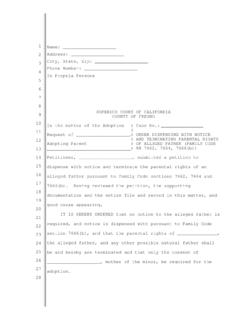
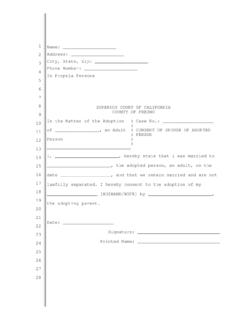
1 Directions for Using Pleading paper Online paper is the paper used for documents that submitted to the court and is numbered down theleft hand side. It contains information about your case as well as the text of the filing you are turningin to the can download a Pleading paper template in Microsoft Word from the Fresno County Public LawLibrary web site , clicking on the Forms tab, then selecting CourtForms or go directly to the template you are working from home or on a computer with a hard drive, enter the above web address intoyour internet browser, and click Save in the box that pops up. Then save the template onto yourdesktop. When it is done saving, click the Open button in the Download Complete box you are working on one of the computers in the library, enter the web address from step 2 into yourinternet browser and click Open from the box that appear.
2 The template will open in your the top left of the document, delete the text that says [TPE YOUR NAME HERE], [TYPEYOUR STREET ADDRESS HERE], [TYPE YOUR CITY, STATE AND ZIP HERE], and [TYPE YOUR AREA CODE AND PHONE NUMBER HERE], replacing each line with your NOT delete the line that says In Propria Persona, as this indicates to the judge that you arerepresenting or PETITIONER: If you are the plaintiff (sometimes known as the petitioner) in the case,that is, the person who started the case, delete where it says [Plaintiff s Name] in line 10 and replaceit with your name. Then, in line 13, delete [Defendant s Name] and replace it with the name of theperson, people or organization you are bringing the case or RESPONDENT: If you are the defendant (sometimes known as the respondent),that is, the person who has had the case brought against them, delete where it says [Plaintiff s Name] in line 10 and replace it with the name of the person, people or organization who brought the caseagainst you.
3 Then, in line 13, delete [Defendant s Name] and replace it with your to the right on line 10, delete [Case Number] and replace it with the number for your case. Ifthis is the first filing in the case, just erase [Case Number] and the clerk will give you a number tofill in there when you file the [Title of Document] and replace it with the name of the document you are filing. If it is amotion the title should include that it is a motion and what you are requesting. If it is an order, the titleshould indicate that it is an order and what the order is [The body of text goes ] in line 16, and begin typing your Begin typing the text of your document. If you go onto a second page, the line numbering on the leftwill automatically reset for the new page.
4 If you are Using a sample form, retype the text from theform, replacing the information in brackets [ ] and/or italics with the particular information from yourcase. Read the whole form carefully, as well as the instructions following the form to see if there is anyadditional information you should change, add or leave out from the Delete [TYPE THE DATE HERE] on the third to last line and replace it with the date that youcompleted the document. Include the month fully spelled out and the year (for example, November 23,2010).12. Delete [TYPE YOUR NAME HERE] on the last line and type your full legal name in that Print your document by clicking on File in the top left corner of the screen, then selecting Print.
5 Then, click OK or Print in the box that appears. If you are working on the computers in thelibrary, the printouts will be ready for you at the front desk and are 15 cents per page. DO NOT closeyour document until you have retrieved your printouts to make sure they have printed Sign your document on the line above where you typed your name at the end of the If you are working on a computer with a hard drive, remember to save your document before you are working on a computer at the library, you CANNOT save your work.