Transcription of DISS Account Request Procedures Document v1.1 Defense ...
1 Defense Manpower Data center DISS Account Request Procedures Document Defense Information System for Security (DISS) October 2017 i Table of Contents New DISS Account Checklist .. 1 How Do I Obtain a DISS Account ? .. 2 Introduction .. 2 Military Services and OSD Defense Agencies .. 2 Industry .. 3 Hierarchy Managers .. 3 Users .. 3 Non-DOD Government Agencies .. 4 Deactivate/Delete a DISS Account .. 4 DISS Account Policies .. 5 Account Activity .. 5 Violations/Misuse of DISS Accounts .. 5 ii Date Version Change Description Author 12/29/2016 Initial Draft Xcelerate Solutions 10/31/2017 Update new link for Cyber DISS PMO Awareness Training REVISION HISTORY 1 P0F0F New DISS Account Checklist Following is a quick reference checklist to assist prospective DISS Portal users in completing the required steps for a DISS Portal Account .
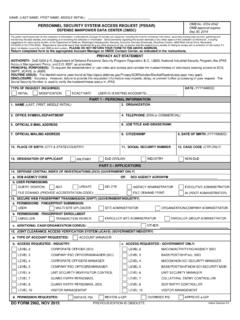
2 All documentation is required regardless of whether you are requesting a new Account , or you are submitting for an Account after having a previous Account deleted due to inactivity. Note: To access the DD Form 2962, Personnel Security System Access Request (PSSAR), click on the following link: DISS PSSAR Please read the entire procedure to ensure all requirements are met before submitting your Request . Meet clearance requirements: The minimum requirement for DISS Portal access is Interim Secret eligibility with a valid open investigation. An Active owning and/or servicing Security Management Office (SMO), for Industry this means an active facility clearance (see section ). Obtain an active PKI Certificate on a smartcard (CAC, PIV card, ECA PKI Certificate or other approved DOD PKI on a smartcard/token) prior to getting a DISS Portal Account Take Cyber Security Awareness/Information Assurance course (2 options)0TP your course completion certificate: 1.
3 1TU P0T and include 2. Annual security training provided by the cleared service/company/agency 2 Take Personally Identifiable Information (PII) course (2 options)0TP completion certificate: 1. 1T 1T or, P0 Tand include your course 2. 1 T (need STEPP Account ) Complete DD Form 2962, PSSAR Submit Letter of Appointment (LOA), if applicable. A LOA is required for ALL Hierarchy Managers * Note: Industry users subsequently being provisioned by the responsible Hierarchy/ Account Managers may submit company approved PII training certificates. Once all elements in the list are completed, please refer to the instructions below to submit your documentation to the appropriate DISS Portal Hierarchy Manager or Account Manager. DO NOT submit requests to the dmdc Contact center unless you are requesting an Industry Primary Hierarchy Manager Account . The OSD Defense Agencies and Military Services must go through their Hierarchy Manager or 1 Due to identity validation processes, PKI issuance can take some time.
4 It is highly recommended to have your PKI hardware & certificates on hand before requesting an Account as the Account activity timer starts from when the Account is created not from when the PKI is registered. 2 See section of our Account Management Policy for background and requirements for mandatory trainings. Please submit the actual course completion certificates - not memos, emails or automated logs. 2 2 Account Manager. Hierarchy/ Account Managers are responsible for managing the accounts, keeping the PSSAR form, and training certificates. These items will be asked for during an audit or incident. How Do I Obtain a DISS Account ? Introduction There are two roles within the system that can create user accounts, the Hierarchy Manager and the Account Manager. The Hierarchy Manager is the head of the SMO, and manages the organizational structure of the Security Management Office. The Hierarchy Manager must be initially provisioned by the Help Desk for a SMO, once a SMO has a Hierarchy Manager, they can assign any additional Hierarchy Managers to the SMO.
5 The Account Manager manages the Security Officers and users within their hierarchy by creating user profiles and assign roles and permissions. Account Managers are provisioned by the SMO s Hierarchy Manager. For a full list of Roles and Permissions within the system, please refer to Appendix A in the DISS Account Management Policy. Figure 1- DISS Portal Role Hierarchy Military Services and OSD Defense Agencies To obtain a new DISS Account required to perform your job duties on behalf of a military service/OSD Defense Agency (applicants may be active duty military, civilians or contractors), contact an established DISS Portal Hierarchy Manager or Account Manager within your military service/OSD Defense Agency. If you do not know whom to contact, please refer to the 1 TUDISS Point of Contact (POC) ListingU1T on the dmdc DISS User website to locate a DISS PMO for your military service/OSD Defense Agency.
6 To Request an Account , your DISS Account Manager will need a DISS PSSAR form must be completed, signed, and submitted. The signatures need to be your Commanding Officer, your Security Officer, and the applicant. A copy of your certificates of completion for both the Cyber Security Awareness Challenge/Security training as well as one of the PII courses must be submitted with your PSSAR. Hierarchy Manager Account Manager Security Officers 3 Note: If a new Hierarchy Manager is required, also submit a LOA on your military service/OSD Defense Agency letterhead indicating who the Account is for and the specific job duties that require DISS access to your Hierarchy Manager. Your Branch/Agency Director or delegate must sign the letter. Delegates must be GS-14 grade (or military branch/Agency equivalent) or higher. Industry Hierarchy Managers: If a Hierarchy Manager already exists at your company, submit all of the items in the Users section below, PLUS a LOA, to your existing Hierarchy Manager.
7 Requests for additional Hierarchy Managers should not be submitted to the dmdc Contact center . If there are no existing Hierarchy Managers for your company, follow the process below and Request to be the primary Hierarchy Manager for your company. The dmdc Contact center will create your Account . To Request an Account , you will need to submit the following items: A LOA on your company's letterhead naming the applicant as the company's primary DISS Hierarchy Manager. A Key Management Personnel (KMP) listed in Industrial Security Facilities Database (ISFD) must sign the letter. A PSSAR form must be completed, signed, and submitted. The signatures need to be those of your KMP, your Security Officer, and the applicant. A copy of your certificates of completion for both the Cyber Security Awareness Challenge/Security training as well as one of the government approved Personally Identifiable Information courses must be submitted with your PSSAR.
8 If you are a new Hierarchy Manager or KMP at a cleared company, you will need to have both a facility clearance as well as a proper servicing relationship. For instructions on obtaining a facility clearance please see the cChecklist for a New Facility Clearance. Note: A DISS user can have multiple facilities under their DISS Account . However, a user can only Request 1 facility per PSSAR, as the KMP of the facility needs to sign it. Typically the KMP is not the same for all the facilities. After completing a PSSAR, certificates of training completion, and the LOA, please submit all to the dmdc Contact center , as described in the Submitting the PSSAR Form section of this Document . Once the Account has been created, the dmdc Contact center will contact you with your initial log-in credentials. Users: To obtain a new DISS Account required to perform your job duties on behalf of an Industry company, you will need to contact your company s DISS Hierarchy Manager or Account Manager.
9 Your DISS Hierarchy Manager or Account Manager will process your Request . To Request an Account , your DISS Hierarchy Manager or Account Manager will need: 4 A PSSAR form must be completed, signed, and submitted. The signatures need to be those of your KMP, your Security Officer, and the applicant. A copy of your certificates of completion for both the Cyber Security Awareness Challenge/Security training as well as one of the government or company approved Personally Identifiable Information courses must be submitted with your PSSAR. Non-DOD Government Agencies DISS accounts for non-DOD government agencies are issued by exception due to the lack of insight into non-DOD subjects employment, security clearances, or oversight. If a non-DOD government agency requests a DISS Account , the agency must have a National Industrial Security Program (NISP) agreement with the Department of Defense for industrial security services.
10 In addition, the non-DOD government agency must provide formal justification for requesting a DISS Account . This explanation will include the reasons why the agency cannot use the Office of Personnel Management s (OPM) Central Verification System (CVS) database to verify contract clearance information. Agencies that have existing agreements with the DOD for industrial security services are listed in the National Industrial Security Program Operating Manual (NISPOM), paragraph 1-103b, and do not include sub-agencies. Deactivate/Delete a DISS Account DISS accounts shall NOT be transferred between organizations/companies. If a Hierarchy Manager, Account Manager, or user leaves an organization/company, the associated Account in DISS must be deactivated by the owning organization/company. To deactivate a DISS Account , fill out a deactivate PSSAR to remove all DISS access and disable an existing Account .