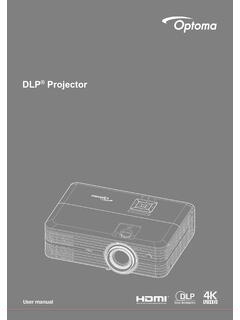
Transcription of DLP Projector - Optoma
1 User manualDLP ProjectorUser manualContents2 EnglishSafety Instructions ..4 Intended Use Statement ..5 Safety Information ..5 Safety Labels ..7 Trademarks ..8 Video and Audio Decoder Notices ..8 Regulatory Notices ..9CE Statement ..10 WEEE Statement ..10 Introduction ..11 Package Contents ..11 About Your Projector ..12 Main Unit ..12 Input / Output Connections ..13 Control Panel ..14 Remote Control ..15 Installing the Remote Control Battery ..16 Operating Range with Remote Control ..16 Installation ..17 Connecting to a Computer ..17 Connecting to a DVD Player ..19 Connecting to Multi-Media ..20 Turning On/Off the Projector .
2 22 Turning Your Projector On ..22 Turning Your Projector Off ..22 Adjusting the Projected Image ..23 Raising the Projector Height ..23 Lowering the Projector Height ..23 Adjusting the Projector Focus ..23 Adjusting Projection Image Size ..24 User Controls ..26 Using the On-Screen Display ..26 Main Menu ..26 Image ..27 Display ..28 Setup ..28 Advanced ..31 Multi-Media Introduction ..32 Photo Format ..32 Video Format ..32 Audio Format ..33 Office Viewer Format ..33 How to set-up File Type for Multi-Media with USB ..35 How to set-up File Type for Multi-Media with MicroSD ..37 How to set-up File Type for Multi-Media with Internal Memory.
3 39 Multi-Media Main Menu ..41 Multi-Media SETTINGS for System, USB, MicroSD, and Internal Memory ..41 System Settings ..42 Photo Settings ..43 Video Setup ..44 Music Setup ..45 Other Multi-Media Connections ..46 Projecting Files from the PC ..46 Mirroring the Screen of the Portable Device ..48 Appendices ..51 Troubleshooting ..51 Guiding Signals ..53 Compatibility Modes (HDMI/VGA) ..54 Tripod Mount the Projector ..55 Specification ..563 EnglishSafety InstructionsThe lightning flash with arrow head within an equilateral triangle is intended to alert the user to the presence of uninsulated dangerous voltage within the product s enclosure that may be of sufficient magnitude to constitute a risk of electric shock to exclamation point within an equilateral triangle is intended to alert the user to the presence of important operating and maintenance (servicing) instructions in the literature accompanying the appliance.
4 WARNING: TO REDUCE THE RISK OF FIRE OR ELECTRIC SHOCK, DO NOT EXPOSE THIS APPLIANCE TO RAIN OR MOISTURE. DANGEROUS HIGH VOLTAGES ARE PRESENT INSIDE THE ENCLOSURE. DO NOT OPEN THE CABINET. REFER SERVICING TO QUALIFIED PERSONNEL B emissions limitsThis Class B digital apparatus meets all requirements of the Canadian Interference-Causing Equip-ment Safety Instruction 1. Do not block any ventilation openings. To ensure reliable operation of the Projector and to protect from over heating, it is recommended to install the Projector in a location that does not block ventilation. As an example, do not place the Projector on a crowded coffee table, sofa, bed, etc.
5 Do not put the Projector in an enclosure such as a book case or a cabinet that restricts air flow. 2. Do not use the Projector near water or moisture. To reduce the risk of fire and/or electric shock, do not expose the Projector to rain or moisture. 3. Do not install near heat sources such as radiators, heaters, stoves or any other apparatus such as amplifiers that emits heat. 4. Clean only with dry cloth. 5. Only use attachments/accessories specified by the manufacturer. 6. Do not use the unit if it has been physically damaged or abused. Physical damage/abuse would be (but not limited to): Unit has been dropped.
6 Power supply cord or plug has been damaged. Liquid has been spilled on to the Projector . Projector has been exposed to rain or moisture. Something has fallen in the Projector or something is loose not attempt to service the unit yourself. Opening or removing covers may expose you to dangerous voltages or other hazards. Please call Optoma before you send the unit for repair. 7. Do not let objects or liquids enter the Projector . They may touch dangerous voltage points and short out parts that could result in fire or electric shock. 8. See Projector enclosure for safety related markings. 9.
7 The unit should only be repaired by appropriate service Use StatementOperation temperature: yFor 0 - 2500 ft, 5 C ~ 40 C -For 2500 - 5000 ft, 5 C ~ 35 C -For 5000 - 10000 ft, 5 C ~ 30 C -Maximum Humidity: yOperating: 10%~80%RH (Max.), Non-condensing -Storage: 5%~95% RH, Non-condensing -The ambient operating environment should be free of airborne smoke, grease, oil and other contaminants that can affect the operation or performance of the of this product in adverse conditions will void the product InformationPlease read, understand, and follow all safety information contained in these instruc-tions prior to the use of this Projector .
8 Retain these instructions for future of Signal Word Consequences Warning:Indicates a potentially hazardous situation, which, if not avoided, could result in death or serious injury and/or property damage. Caution:Indicates a potentially hazardous situation, which, if not avoided, may result in minor or moderate injury and/or property damage. Warning:Hazardous voltage5 English6 English WarningTo reduce the risk associated with hazardous voltage:Do not modify this product in any way. yDo not attempt to service this Projector . yThere are no user-serviceable parts. Service to be performed only by a Optoma yauthorized service provider using Optoma approved system not use the wall power supply in a wet environment.
9 YDo not use with a damaged wall power supply. Replace damaged part prior to reduce the risk associated with fire and explosion:Do not immerse the Projector in any liquid or allow either to get wet. yUse only Optoma approved power supply. yTo reduce the risks associated with choking:Keep all small parts like the remote control battery away from young children and reduce the risk associated with hazardous voltage, impact, tripping, and intense visible light:Do not use this Projector around unsupervised children. y CautionTo reduce the risks associated with hearing loss:Be sure to read earphone manufacturer's instructions with respect to volume is responsible to set a safe volume level.
10 YTo reduce the risk associated with explosion, and/or chemicals from a leaking batteries:Use only with battery type CR2025. yOrient the battery's plus (+) and minus (-) terminals of the batteries according to ythe markings found on the remote not leave the battery in the remote for an extended period of time. yDo not heat or expose the battery to fire. yDo not disassemble, short, or recharge battery yDo not carry batteries loose in your pocket or purse. yAvoid eye and skin contact in the event that battery leaks. yDo not recharge the battery near a heat source or in extremely hot conditions. y7 EnglishTo reduce the risk associated with environmental contamination:Dispose of all system components in accordance with applicable government reduce the risks associated with LED bright light:Do not stare directly into the Projector lens.