Transcription of DM SERIES DIGITAL VOICE RECORDERS
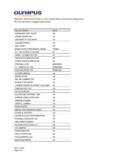
1 TWO CORPORATE CENTER DRIVE MELVILLE, NY 11747-3157 DIGITAL TECHNICAL SUPPORT CONSUMER PRODUCTS GROUP (888) 553-4448 Olympus America Inc. Page 1 of 5 Last updated on 11/06/02 TRANSCRIBING FAQ S FOR OLYMPUS DS\DM SERIES DIGITAL VOICE RECORDERS The following information will assist you in deciding what accessories or software are used with the DS/DM SERIES of Olympus DIGITAL VOICE RECORDERS . GENERAL INFORMATION What software comes with my Olympus DIGITAL VOICE recorder ? Below is a table listing the current software packaged with the DS\DM DIGITAL VOICE RECORDERS . Notes: All DSS Player software is compatible with the RS-23 Footswitch. Download DSS Player for Mac from the Olympus America website at for use with all DM\DS SERIES RECORDERS .
2 DS-150\DS-320 requires PC Data Transfer Kit (USB) for DS320 (part # 141571) in order to provide USB connection for these RECORDERS . This is necessary to download directly to DSS TWO CORPORATE CENTER DRIVE MELVILLE, NY 11747-3157 DIGITAL TECHNICAL SUPPORT CONSUMER PRODUCTS GROUP (888) 553-4448 Olympus America Inc. Page 2 of 5 Last updated on 11/06/02 Player Pro or DSS Player for Mac. Windows 2000 users also need to download the following patch: What file format does the DS\DM DIGITAL VOICE RECORDERS SERIES use? DS\DM RECORDERS store files in the DSS ( DIGITAL Speech Standard) file format. DSS files produce smaller sound file sizes than the Windows WAV or Macintosh AIFF file format while retaining high quality.
3 DSS files can be saved on your computer s hard drive for storage purposes. How can I download the recordings to a computer? The files are downloaded from the recorder to a PC or Mac for playback or storage of files via the Olympus DSS Player software. DSS Player software will permit you to convert a file to the WAV or AIFF file format if necessary. See table at top of document for the version of the software included with your VOICE recorder . What is transcribing? Transcribing is the process of converting speech to text. This can be an automatic process via the use of VOICE recognition software such as IBM ViaVoice. You can also manually type the words in a text program by listening to the file and controlling the playback of the file through a footpedal.
4 Is there speech recognition software available for a Mac that will recognize Olympus DSS files? There is no VOICE recognition software available for a Mac that will recognize the Olympus DSS file. What do I need to download files to my PC or Mac? Each DS\DM recorder includes a version of DSS Player Software for PC. The DS-330\ DS- 2000\DS-3000 RECORDERS include DSS Player for Mac on the installation CD as well. You can also download DSS Player for Mac from for use with all DS \DM RECORDERS . The DS-150\320 must be connected via a USB cable to download to a Mac. You would need the PC Data Transfer Kit (USB) for DS320 (part # 141571) in order to provide USB connection for these RECORDERS .
5 The DS-2000\DS-3000 store DSS files on removable SmartMedia cards and can downloaded using the supplied cable. The card can optionally be removed from the recorder and placed in a SmartMedia reader such as a PCMCIA adapter, USB SmartMedia Reader, or Floppy Disk Adapter. The DSS Player software will permit you to import DSS files into the software from these devices. See question at end regarding where to purchase accessories. I have a DW SERIES recorder . Can I use any of the software or accessories intended for the TWO CORPORATE CENTER DRIVE MELVILLE, NY 11747-3157 DIGITAL TECHNICAL SUPPORT CONSUMER PRODUCTS GROUP (888) 553-4448 Olympus America Inc. Page 3 of 5 Last updated on 11/06/02 DS\DM SERIES of RECORDERS ?
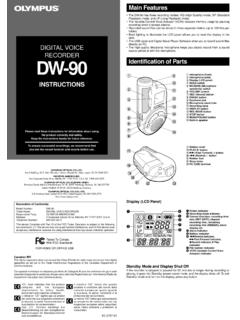
6 The DW RECORDERS are suited to someone who wants the convenience of a DIGITAL recorder but necessarily does not need to transcribe recordings. The DW RECORDERS use DIGITAL Wave Player software which cannot be used with the RS-23 Footswitch. You cannot download files from the DW RECORDERS to the DSS Player software. You cannot convert a WAV file to the DSS file format. If I send a DSS file to someone who does not have a DSS recorder or the Olympus DSS Player software, how can they listen to the file? DSS Player Lite for PC and DSS Player for Mac software are available for download from the Olympus America website under Software Downloads. Choose any DIGITAL VOICE recorder to link to Windows or Macintosh software.
7 Please go to the following link: + VOICE +Re corders The RS-23 Footpedal will not control playback in DSS Player Lite for PC. If you plan to send files for transcription purposes consider purchasing the AS-3000 kit. You can also buy the RS-23 Footpedal and DSS Player Pro Transcription software separately. Where can I purchase accessories? Please check with your dealer or use the store finder on the Olympus America website to locate a VOICE recorder dealer in your area: You may also order accessories direct from the Olympus America website through the Olympus Emporium: MANUAL TRANSCRIPTION What do I need to control the playback of the file such as Stop, Fast Forward, or Rewind in the DSS Player software while I type in another program?
8 Playback functions are controlled by using a mouse to click on the rewind, stop, play, or fast forward buttons located in the Playback window of the DSS Player Software. Playback functions can also be assigned to the function keys (F1, F2, etc) of a keyboard connected to a PC. The best method to control the playback of a file is through a footswitch connected to the computer. The RS-23 Footpedal (part #141-566) will connect to either a serial or USB port. The serial connection can only be used with a PC. USB connection is possible with either a Mac or PC. The RS-23 Footpedal will work with all versions of DSS player software on a PC or Mac. What is the AS-3000 Transcription kit?
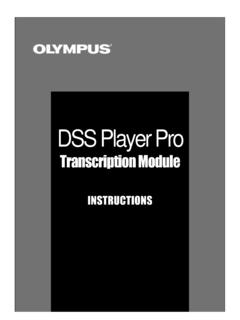
9 The AS-3000 kit consists of the DSS Player Pro Transcription CD-ROM (Version ), RS-23 TWO CORPORATE CENTER DRIVE MELVILLE, NY 11747-3157 DIGITAL TECHNICAL SUPPORT CONSUMER PRODUCTS GROUP (888) 553-4448 Olympus America Inc. Page 4 of 5 Last updated on 11/06/02 Footpedal, and a stereo headset. This kit is intended for PC users since the DSS Player Pro Transcription software is not Mac compatible. Reminder, you can use the RS-23 Footpedal with any DSS Software for Mac or PC. The RS-23 Footpedal will control playback of the file. The stereo headset connects to your computer s soundcard to privately listen to the playback of the files rather than through speakers that could disturb others.
10 The DSS Player Pro Transcription software incorporates features that are designed to simplify the transcription process. The following is a summary of features: Ability to receive DSS and .wav files sent as email attachments directly into the program. Your system must have a MAPI subsystem installed. Ability to adjust playback speed of DSS file. Ability to download files from an attached DS DIGITAL VOICE recorder . Supports up to five download folders. Ability to use the RS-23 Footswitch to control playback of the audio file. Ability to launch IBM ViaVoice from the toolbar if you have this software installed. Ability to launch the word processor of your choice installed on your computer when you double-click a DSS file.