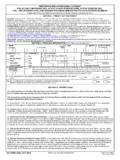
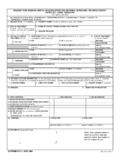
Transcription of DOD MILSPETS DFSP SHIPMENT AND RECEIPT DOCUMENT
1 DOD MILSPETS dfsp SHIPMENT AND RECEIPT DOCUMENTSHIPMENT INFORMATION 1. PRODUCT CODE2. NSN3. UNIT OF ISSUE 4. QUANTITY DETERMINATION METHOD5. QUANTITY 6. DOCUMENT NUMBER7. SHIPMENT DATE (MMDDYYYY) 8. MODE OF TRANSPORT9. BATCH/CARGO NUMBER10. UPLOAD START DATE (MMDDYYYY)11. UPLOAD END DATE (MMDDYYYY)SHIPPING AND RECEIVING ACTIVITY INFORMATIONa. SHIPPING ACTIVITYb. RECEIVING ACTIVITY12. dfsp NAME:14. dfsp ADDRESS (Line 1):(Line 2):(Line 3):(Line 4):15. POINT OF CONTACT NAME:16. POINT OF CONTACT SHIPPING dfsp AUTHORIZED REPRESENTATIVE DATE (MMDDYYYY)MATERIAL RECEIPT18. VERIFIED RECEIPT QUANTITY22. QUANTITY DETERMINATION METHOD19.
2 VARIANCE QUANTITY20. VARIANCE %21. RECEIPT DATE (MMDDYYYY)23. RECEIVING dfsp AUTHORIZED REPRESENTATIVE SIGNATURE24. DATE (MMDDYYYY)25. SHIPMENT RELEASE INFORMATION/ADDITIONAL DATA/REMARKSIN THE EVENT OF AN EMERGENCY CONTACT:DD FORM 1348-7, AUG 2006 PREVIOUS EDITION MAY BE USED. 13. DODAAC: DD FORM 1348-7 INSTRUCTIONSBLOCKINSTRUCTIONS1 Enter the product the the unit of the quantity determination method. Indicate if gross or net (quantity at 60 degrees Fahrenheit) is reflected as theshipment quantity. If using the Adobe fillable version, select the determination method from the drop the applicable quantity (gross or net) of the SHIPMENT .
3 If form is used to DOCUMENT individual loads of aconsolidated SHIPMENT transaction, enter the quantity for the load on individual SHIPMENT documents, and enter the totalshipment quantity if for a consolidated SHIPMENT the SHIPMENT DOCUMENT number (Shipper DoDAAC + 4 digit Julian date + 2 digit grade code + 2 digit serialnumber). For example, the first JP8 SHIPMENT for 16 Jan 06 from FP4418 would be the date of the SHIPMENT (Mmm dd, yyyy).8 Enter the mode of transport. If completing the form using .pdf fillable version select the appropriate mode from the the cargo or batch number if the date the SHIPMENT upload began (Mmm dd, yyyy).
4 11 Enter the date the SHIPMENT upload was completed/ended (Mmm dd, yyyy).12 Enter the name of the Shipping dfsp in column a. and the name of the Receiving dfsp in column the DoDAAC of the Shipping dfsp in column a. and the DoDAAC of the Receiving dfsp in column the appropriate address of the Shipping dfsp in column a. and the appropriate address of the Receiving dfsp incolumn the name of the Point of Contact for the Shipping dfsp in column a. and the name of the Point of Contact for theReceiving dfsp in column the telephone number of the Shipping dfsp in column a. and the telephone number of the Receiving dfsp incolumn the signature of the Shipping dfsp authorized the date signed (Mmm dd, yyyy).
5 18 The Receiving dfsp must enter the verified RECEIPT the difference between quantity shipped and RECEIPT quantity verified at the Receiving dfsp . If using Adobe .pdffillable version of the form, the total variance will automatically comppute when the RECEIPT quantity is the percentage of the variance between quantity shipped and quantity received. (Divide variance quantity by totalquantity shipped.) If using Adobe .pdf fillable version of the form, the variance percentage will automatically computewhen the RECEIPT quantity is the date of the RECEIPT (Mmm dd, yyyy).22 Enter the RECEIPT quantity determination method.
6 Indicate if gross or net (quantity at 60 degrees Fahrenheit) is reflectedas the RECEIPT quantity. If using the Adobe fillable version, select the determination method from the drop the signature of the Receiving dfsp authorized the date signed (Mmm dd, yyyy).25 Enter appropriate remarks, alternate release information, and other pertinent SHIPMENT data such as seal numbers,quality results, etc. in the Remarks block. Additional sheets, such as quality analysis reports, etc. may be attached tothe SHIPMENT DOCUMENT as FORM 1348-7 (BACK), AUG 2006