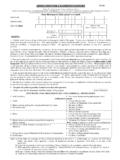
Transcription of DS-82 Form InStructIonS - US Passport 123
1 DS-82 form InStructIonSStep1 Step2 Fill in all required form fields and click next for each page that requires the Apply for a Passport Book option by clicking the continue form InStructIonSStep3note: Ignore Incorrect Fees. Simply click next Check Passport Book . Fill in your previous passports information, if you do not know your previous Passport information, please enter 000000000 as your Book Number and approximate the issue form InStructIonSStep4 Step5 When you are sure all of the information you have input is correct, click your information to be : Make Changes if form InStructIonSStep6 Step7A box should open prompting you to either open or Save the file named.
2 Click open, aprogram should open the PDF file using Adobe , click create form . DS-82 form InStructIonSnote: There should be a bar code in the top left corner of the 5th page, and on the bottom right corner of the 5th page and 6th page.